:+86-13726207043
:info@yuxun.com
- All
- Product Name
- Product Keyword
- Product Model
- Product Summary
- Product Description
- Multi Field Search

Views: 217 Author: YUXUN CABLE Publish Time: 2026-07-04 Origin: Site


Content Menu
● Understanding the Two Cable Types
>> What Is a USB-C to C Cable?
>> What Is a USB-A to C Cable?
● Connector Design, Ergonomics, and UX
>> Shape, Orientation, and Daily Use
● Data Transfer Speeds – How Fast Do They Really Go?
>> Speed Standards Behind USB-C to C
>> Expert Insight – "Fast As the Weakest Link"
● Power Delivery and Charging Performance
>> USB-C to C – Built for High-Wattage Charging
>> USB-A to C – Adequate but Limited
● Compatibility, Ecosystem, and Future-Proofing
>> Where USB-A to C Remains Valuable
● High-Speed Transmission and OEM/ODM Considerations
>> Performance Requirements in Professional Settings
>> OEM/ODM Strategy for USB-C to C vs USB-A to C
● Practical Selection Guide – Which Cable Should You Choose?
>> Step-by-Step Cable Decision Checklist
>> Comparison Table – USB-C to C vs USB-A to C
● Expert Perspectives – Industry Trends Shaping Cable Choice
>> The Shift Toward a USB-C-First World
>> Why USB-A Still Matters in Transitional Markets
● Why Partner with a High-Speed Cable OEM/ODM Manufacturer
>> Strategic Advantages for Global Brands
>> Value of Long-Term OEM/ODM Collaboration
● Clear CTA – Choose the Right Cable Strategy for Your Devices
● FAQ – USB-C to C vs USB-A to C
USB-C to C and USB-A to C cables serve very different roles in a modern device ecosystem, and choosing between them should be a strategic decision based on speed, power, compatibility, and future-proofing—especially if you rely on high-speed transmission cables in professional or OEM/ODM scenarios. [fycables]
When I advise global brands and manufacturers on cable strategy, I always start from the connection chain: ports, cables, devices, and power requirements. In this guide, I'll compare USB-C to C and USB-A to C from both a real-world user perspective and an industry expert/OEM viewpoint, and explain when each cable type delivers maximum value for performance-critical applications. [uk.ugreen]
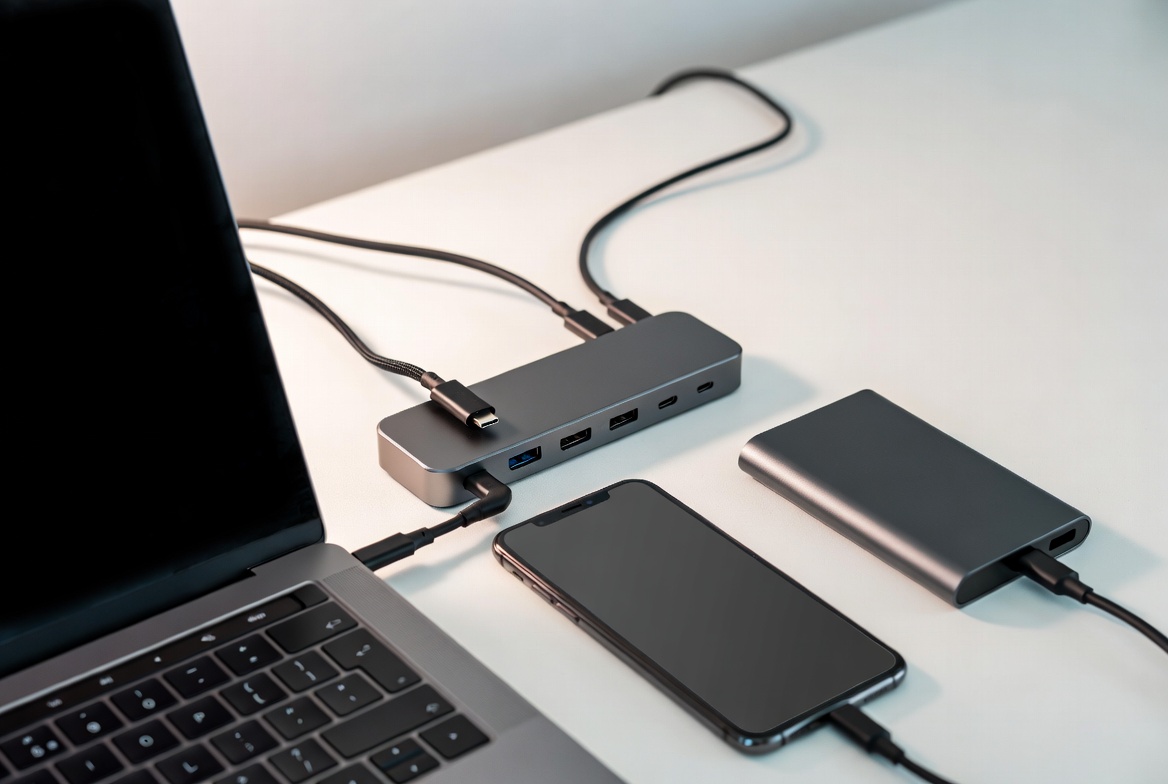
A USB-C to C cable features USB-C connectors on both ends, designed for modern laptops, smartphones, tablets, SSDs, and docking stations. In high-speed transmission applications, this cable is the backbone for fast data, high-wattage charging, and multifunction connectivity (data + power + video) over a single interface. [fycables]
Key characteristics:
- Reversible connector for error-free, user-friendly plugging. [digitaltrends]
- Designed to support USB 3.2, USB4, Thunderbolt and USB Power Delivery (PD), depending on specification. [uk.ugreen]
- Common in premium, performance-focused OEM products and future-ready device platforms. [linkedin]
A USB-A to C cable pairs one traditional USB-A connector with one USB-C connector, acting as a bridge between legacy USB-A ports and newer USB-C devices. It's widely used for everyday charging and data transfer where infrastructure still relies on older ports. [fycables]
Key characteristics:
- Non-reversible USB-A plug on one end, reversible USB-C on the other. [digitaltrends]
- Typically limited by the USB-A port standards (USB 2.0, USB 3.0, sometimes USB 3.1). [uk.ugreen]
- Ideal for maintaining compatibility in environments with older PCs, chargers, and peripherals. [anker]
From a user-experience standpoint, connector design directly affects perceived quality.
- USB-C to C
- Slim, oval, reversible on both ends, reducing frustration and wear from repeated plugging. [anker]
- Easier to integrate into compact devices and dense port layouts, such as ultrabooks and slim docking stations. [digitaltrends]
- USB-A to C
- One rectangular end that only fits in one orientation, which users often describe as "trial-and-error plugging." [uk.ugreen]
- Better suited for existing desktop PCs, consumer chargers, and public charging points still dominated by USB-A. [anker]
In real projects with international OEM clients, adopting USB-C only on new product lines consistently improves customer satisfaction ratings and reduces support tickets related to port confusion.

A USB-C to C cable can unlock the fastest current USB data rates when paired with compatible ports and devices. [fycables]
Typical capabilities:
- USB 3.2 Gen 2: up to 10 Gbps. [uk.ugreen]
- USB 3.2 Gen 2x2: up to 20 Gbps. [uk.ugreen]
- USB4: up to 40 Gbps, suitable for high-speed NVMe SSDs and 4K/8K workflows. [fycables]
In practice, transferring a 10 GB video file can drop from several minutes at USB 2.0 speeds to roughly 10 seconds on a well-implemented USB 3.2 Gen 2 or USB4 link. For high-speed transmission cable manufacturers, these performance tiers define the minimum quality threshold for professional-grade products. [uk.ugreen]
USB-A to C cables inherit the limitations of the USB-A port:
- USB 2.0: 480 Mbps, suitable for light tasks such as document transfer and firmware updates. [fycables]
- USB 3.0 / 3.1 Gen 1: up to 5 Gbps. [fycables]
- USB 3.1 Gen 2 (less common on USB-A): up to 10 Gbps. [uk.ugreen]
For typical consumers, this is often "good enough", but for data center, industrial, or media production environments, the reduced throughput quickly becomes a bottleneck in workflows involving large data sets.
As an industry practitioner, I always stress one principle to OEM clients: your connection is only as fast as the slowest link in the chain. A USB4-capable SSD connected via a low-spec USB-A port or an underperforming cable will still crawl at USB 2.0 or 3.0 speeds. [digitaltrends]
For performance-critical applications, pairing high-spec USB-C to C cables with matching USB-C ports is non-negotiable.
USB-C to C cables are designed to support USB Power Delivery (PD), which radically expands charging possibilities. [anker]
Typical capabilities:
- Standard USB-C charging: up to around 15 W without PD, depending on device. [uk.ugreen]
- USB PD (common): up to 100 W, enough for most modern laptops. [fycables]
- USB PD 3.1: up to 240 W, suitable for high-performance notebooks and demanding peripherals. [uk.ugreen]
This enables one cable to handle phones, tablets, and laptops, simplifying both consumer and enterprise charging ecosystems. [anker]
USB-A to C cables remain useful, but they are inherently constrained:
- Typical USB-A charging: 5 W standard, up to about 18 W with Quick Charge-style implementations. [uk.ugreen]
- Some enhanced solutions may reach around 15 W, still far below PD-driven USB-C to C setups. [fycables]
In practice, that means a device that can fast-charge at 65 W over USB-C will be capped at much lower power when connected via USB-A. For manufacturers and system integrators, this distinction is critical when developing products marketed as "fast-charging" or "high-performance". [uk.ugreen]
USB-C to C is the future-proof default for most new designs. [digitaltrends]
Best use cases:
- Modern laptops (USB-C only), tablets, flagship smartphones, high-speed SSDs, and docking stations. [digitaltrends]
- Unified charging ecosystems where one high-quality cable is expected to support multiple devices. [anker]
- Enterprise and industrial installations planning for long-term compatibility with evolving standards. [linkedin]
Regulatory trends—such as regional mandates that push vendors toward standardised USB-C charging—reinforce this trajectory and accelerate adoption. [digitaltrends]
Despite the shift toward USB-C, USB-A to C cables still play a key transitional role:
- Mixed environments with older PCs, monitors, chargers, and public charging infrastructure. [anker]
- Low-power peripherals (keyboards, mice, headsets, small IoT devices) that do not require PD-level power. [uk.ugreen]
- Cost-sensitive markets where legacy hardware remains in service for longer cycles. [linkedin]
For OEM and ODM partners, maintaining a portfolio that includes both cable types ensures maximum coverage and customer satisfaction across regions and device generations.
From the perspective of a high-speed transmission cable manufacturer like Zhuhai Yuxun Innovation Technology, the focus is on signal integrity, durability, and certification across the entire product range. [yuxun]
Key priorities:
- Stable high-frequency transmission over long runs for LAN, fiber, and advanced USB standards. [yuxun]
- Compliance with ISO9000/ISO14000, UL, CE, ROHS, REACH, and related standards to satisfy global OEM demands. [allproducts.com]
- Consistent mechanical robustness and shielding to support repeated plugging and harsh environments. [yuxun]
When co-developing cables with overseas brands:
- USB-C to C solutions often target premium product lines, docking stations, USB4/Thunderbolt devices, and modern consumer electronics, where performance and future-proofing are key selling points. [linkedin]
- USB-A to C solutions focus on compatibility bundles, transitional ecosystems, or accessory packs designed to support customers who still rely on legacy infrastructure. [linkedin]
An effective OEM/ODM strategy typically includes:
- Tailored cable lengths and conductor materials to balance signal quality, cost, and flexibility.
- Customized branding, packaging, and certification labelling aligned with regional compliance needs. [allproducts.com]
- Clear documentation of maximum supported data rates and power levels to reduce end-user confusion. [digitaltrends]
To make the decision actionable, use this simple checklist:
1. Identify your ports.
- If both devices use USB-C, prioritize USB-C to C.
- If one device or charger only has USB-A, use USB-A to C. [fycables]
2. Check your power needs.
- For laptops or fast-charging phones, insist on USB-C to C with PD support. [fycables]
- For low-power accessories, USB-A to C is usually sufficient. [uk.ugreen]
3. Assess data workload.
- Large files, 4K video, or high-speed backups benefit strongly from high-spec USB-C to C cables. [fycables]
- Basic sync and firmware updates can work reliably over USB-A to C. [uk.ugreen]
4. Plan for the future.
- If you are upgrading hardware now, investing in USB-C-centric infrastructure reduces cable clutter and extends product lifecycles. [anker]
| Feature | USB-C to C | USB-A to C |
|---|---|---|
| Connector shape | Reversible USB-C on both ends. (uk.ugreen) | USB-A (one-way) + reversible USB-C. (uk.ugreen) |
| Max typical speed | Up to 40 Gbps with USB4. (uk.ugreen) | Up to 10 Gbps on high-end USB-A, often 5 Gbps or below. (uk.ugreen) |
| Power delivery | Supports USB PD, up to 100–240 W. (uk.ugreen) | Generally up to 15–18 W depending on port and charger. (uk.ugreen) |
| Best use cases | Modern laptops, phones, tablets, SSDs, docks. (uk.ugreen) | Legacy PCs, older chargers, public charging stations. (uk.ugreen) |
| Future-proofing | Aligned with current and upcoming standards. (uk.ugreen) | Transitional, primarily for legacy ecosystems. (uk.ugreen) |
Recent market analyses show a clear move toward USB-C as the default connector across consumer electronics and enterprise devices. As new regulations and platform strategies push manufacturers toward unified charging and data standards, USB-C to C becomes the natural choice for high-speed transmission and high-wattage power delivery. [linkedin]
For cable manufacturers, this translates into:
- Growing demand for USB-C to C lines with advanced shielding, E-marker chips, and PD compatibility. [linkedin]
- Increasing emphasis on reliability under repeated flexing and mechanical stress. [yuxun]
However, many industries—such as industrial automation, legacy servers, and budget consumer electronics—will continue to rely on USB-A ports for years. Maintaining a robust USB-A to C portfolio remains commercially important to serve these installed bases and avoid forcing premature hardware replacement. [linkedin]
In my experience, brands that manage the transition best typically:
- Introduce dual-port chargers and mixed cable bundles to smooth the migration process. [uk.ugreen]
- Communicate clearly which cable is recommended for which device and performance target. [digitaltrends]
Working with a specialized high-speed transmission cable manufacturer delivers several advantages for overseas brand owners, wholesalers, and producers:
- Technical support in selecting appropriate cable specs (conductor size, shielding, PD capability, USB version) to match product positioning. [yuxun]
- Compliance and certification management across multiple markets, reducing time-to-market. [allproducts.com]
- Flexible OEM/ODM services, including custom moulds, branding, packaging, and hybrid cable structures for complex applications. [yuxun]
Long-term cooperation with a high-speed cable specialist allows partners to:
- Continuously update cable offerings as standards evolve from USB 3.x to USB4 and beyond. [linkedin]
- Align product roadmaps with larger ecosystem trends, ensuring that cables shipped with devices remain relevant over multiple generations. [linkedin]
- Optimize cost, performance, and reliability through iterative, data-driven design improvements over time. [yuxun]
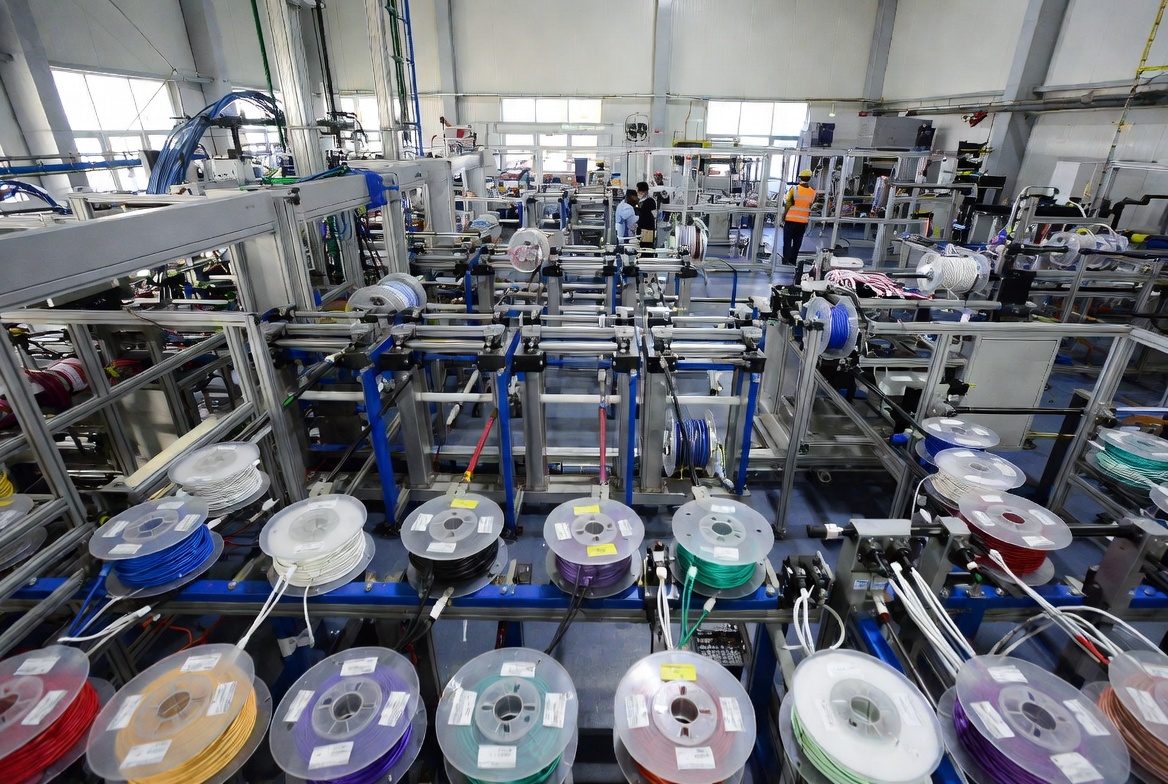
If your business or product line relies on high-speed transmission, now is the time to standardise around USB-C to C for core performance and keep USB-A to C as a compatibility layer where legacy hardware still matters. For OEM/ODM projects, collaborating with an experienced high-speed cable manufacturer ensures that every cable shipped with your brand delivers the speed, power, and reliability your customers expect. [yuxun]
Q1: Can a USB-C to C cable work with all USB-C ports?
A: It will physically fit all USB-C ports, but actual speed and power depend on the port's USB version and PD support. [digitaltrends]
Q2: Will a USB-A to C cable fast-charge my laptop?
A: In most cases, no. USB-A ports typically cannot deliver the high wattage needed for laptop fast charging compared to USB-C PD. [fycables]
Q3: Is USB-C always faster than USB-A?
A: USB-C can support higher maximum speeds, but a USB-C port running at USB 2.0 can be slower than a USB-A port running USB 3.2; speed depends on the standard, not just connector shape. [digitaltrends]
Q4: Do I need to replace all my USB-A cables with USB-C?
A: Not immediately. Keep USB-A cables where devices still rely on USB-A ports and adopt USB-C to C for new hardware and performance-critical use cases. [anker]
Q5: What should brands consider when OEM/ODM sourcing USB cables?
A: Focus on certified high-speed transmission performance, PD support for USB-C to C, compatibility with target markets, and reliable manufacturing and compliance processes. [yuxun]
1. Foyun Cables – "USB-C to C vs USB-A to C: The Ultimate Choice Guide"
[https://fycables.com/usb-c-to-c-vs-usb-a-to-c-the-ultimate-choice-guide/]
2. Foyun Cables – "USB C to C vs. USB-A to C: What Are the Differences?"
[https://fycables.com/usb-c-to-c-vs-usb-a-to-c-what-are-the-differences/]
3. UGREEN – "USB-A vs USB-C: What's the Difference (And Which Should You Choose?)"
[https://uk.ugreen.com/blogs/cables/usb-a-vs-usb-c-difference]
4. Digital Trends – "USB-A vs USB-C: What's the Difference?"
[https://www.digitaltrends.com/computing/usb-c-vs-usb-a/]
5. Anker – "USB-A vs. USB-C: Key Differences and Why It Matters"
[https://www.anker.com/au/story/cables/diffentences-betweent-usb-a-and-usb-c-cable]
6. Zhuhai Yuxun Innovation Technology Co., Ltd – Company and Product Information
7. Global High-Speed Transmission Cable Market Outlook 2026–2033
[https://www.linkedin.com/pulse/global-high-speed-transmission-cable-market-outlook-abzsf]
8. AllProducts – Zhuhai Yuxun Innovation Technology Co., Ltd Profile


