:+86-13726207043
:info@yuxun.com
- All
- Product Name
- Product Keyword
- Product Model
- Product Summary
- Product Description
- Multi Field Search

Views: 258 Author: YUXUN CABLE Publish Time: 2026-07-09 Origin: Site


Content Menu
● USB-C vs Mini‑USB: Why This Comparison Still Matters
● What Exactly Are USB‑C and Mini‑USB?
>> USB‑C: The Modern High‑Speed Connector
>> Mini‑USB: A Legacy but Still Relevant Connector
● Technical Performance: Speed, Power, and Reliability
>> Power Delivery and Charging
>> Mechanical Durability and User Experience
● Market Trends: Where USB‑C and Mini‑USB Are Heading
>> The Niche but Persistent Mini‑USB Market
● USB‑C vs Mini‑USB: Practical Use Cases for OEM/ODM Buyers
>> When USB‑C Is the Better Choice
>> Where Mini‑USB Still Makes Sense
● Expert Insights: Design and Compliance Considerations
>> USB‑IF Compliance and Labeling for USB‑C Cables
>> Managing Mixed‑Connector Portfolios
● OEM/ODM Perspective: How High‑Speed Cable Design Choices Affect Your Business
>> Customization for Different Device Ecosystems
>> Balancing Cost, Performance, and Lifecycle
● USB‑C vs Mini‑USB: Side‑by‑Side Overview
● Practical Selection Framework for Overseas Buyers
● Clear Action Call for OEM/ODM Decision‑Makers
● Frequently Asked Questions (FAQ)
USB-C has become the dominant choice for modern high‑speed data and power transmission, while Mini‑USB now mainly serves legacy and niche industrial devices. For international OEM/ODM buyers, understanding both connectors is critical to selecting the right cable portfolio and avoiding costly compatibility issues in global markets. [plugable]
From my experience working with overseas brands and manufacturers, many still run a mixed device ecosystem: new USB‑C hardware alongside legacy Mini‑USB equipment. That reality makes the USB‑C vs Mini‑USB decision less about "which is newer" and more about how to balance performance, cost, and backward compatibility across your product lines. [accesscomms.com]
For a high‑speed cable manufacturer like Zhuhai Yuxun Innovation Technology Co., Ltd., this comparison guides:
- Which connector families to keep in long‑term production
- How to design high‑speed transmission cables that meet new standards without abandoning legacy demand
- How to position OEM/ODM solutions for different regional markets and industries [usb]
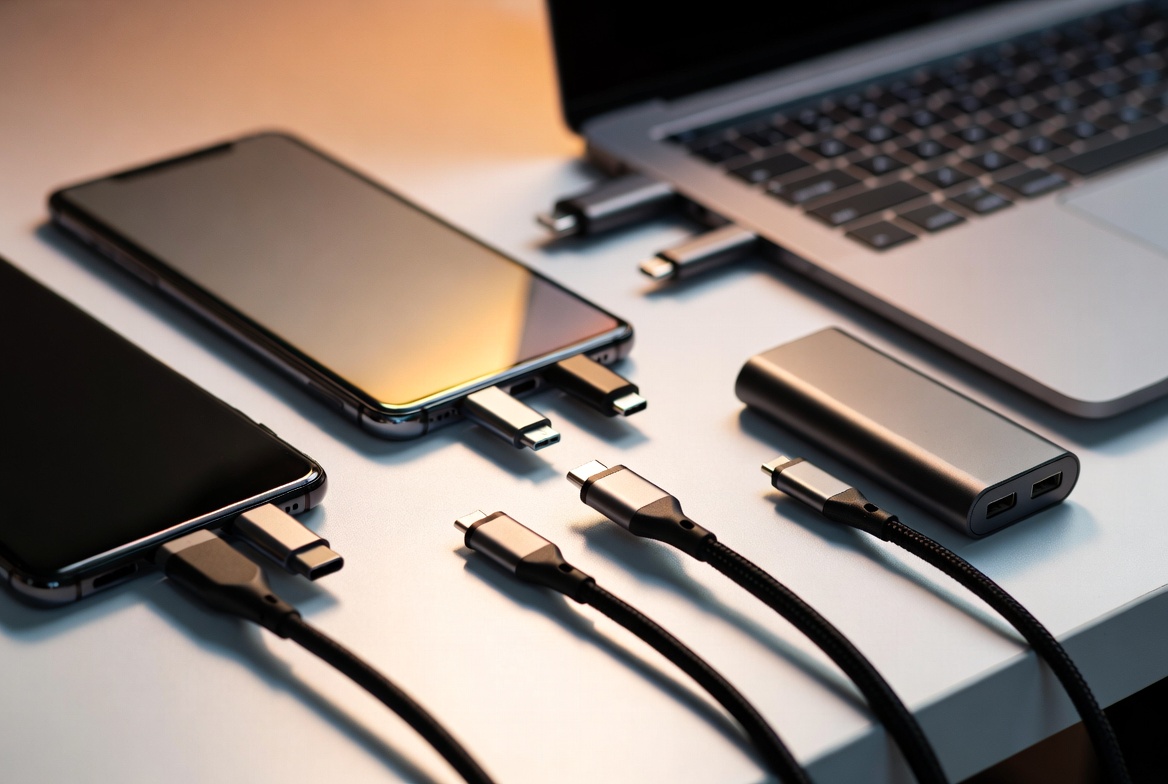
USB‑C is a reversible, compact connector designed to support high data rates, high power delivery, and multi‑protocol tunneling such as USB4 and Thunderbolt. It is now mandatory for USB4 and strongly associated with modern laptops, smartphones, docks, and storage devices. [plugable]
Key characteristics of USB‑C: [usb]
- Reversible design for easier everyday use
- Support for USB 5Gbps, 10Gbps, 20Gbps, and up to 40/80Gbps under USB4
- Native support for USB Power Delivery (USB‑PD) with power profiles up to 240 W
- Ability to carry multiple signals (USB data, DisplayPort video, and optionally PCIe) over a single cable
From a manufacturing perspective, USB‑C has become the default connector for new high‑speed transmission cables due to its bandwidth and power capabilities. [accesscomms.com]
Mini‑USB (typically Mini‑B) is an older, smaller connector originally introduced with USB 2.0 for portable devices such as cameras, GPS units, and early external drives. While the USB‑IF has retired mini connectors from newer specifications, they remain in large installed bases and some industry‑specific equipment. [en.wikipedia]
Typical characteristics of Mini‑USB: [electronics.stackexchange]
- Non‑reversible plug, larger than micro‑USB but smaller than full‑size USB‑B
- USB 2.0 High‑Speed up to 480 Mbps
- Usually limited to low‑power charging and data transfer
- Still present in industrial automation, medical devices, and legacy consumer electronics
For OEMs and distributors, Mini‑USB is no longer a growth connector, but it represents a steady replacement and maintenance market, especially in North America and Europe. [datainsightsmarket]

In high‑speed transmission applications, USB‑C is the clear winner. [plugable]
- Mini‑USB (USB 2.0 High‑Speed): Up to 480 Mbps, suitable for basic data logging, firmware updates, and low‑resolution media transfers. [en.wikipedia]
- USB‑C (USB 3.x / USB4): Practical speeds from 5 Gbps to 20 Gbps, with USB4 implementations reaching 40–80 Gbps for advanced devices. [accesscomms.com]
From an engineering standpoint, the move from Mini‑USB to USB‑C enables:
- Higher throughput for high‑resolution video, real‑time data acquisition, and fast backups
- Shorter transfer windows in production lines and testing environments
- Better future‑proofing for emerging protocols and higher bit‑rate applications [plugable]
Power capability is another area where USB‑C outclasses Mini‑USB. [mouser]
- Mini‑USB typically supports basic USB 2.0 charging, generally limited to single‑digit wattage. [mouser]
- USB‑C with USB Power Delivery can negotiate profiles up to 240 W, enabling laptop charging, docking stations, and high‑power peripherals. [usb]
For brands selling power‑intensive devices—gaming laptops, workstations, high‑speed external SSDs—USB‑C is not just an advantage; it is functionally required. [accesscomms.com]
From a user experience perspective, USB‑C's reversible plug and robust mechanical design dramatically reduce frustration and connector wear compared with Mini‑USB. Installers and technicians also benefit from simpler orientation and consistent connector standards on modern hardware. [youtube]
Mini‑USB connectors, while relatively durable in industrial devices, are more prone to alignment errors and can be harder to connect in tight spaces or low‑light environments. [electronics.stackexchange]
USB‑C has achieved broad international adoption as the universal connector for data and charging, including mobile devices and computing hardware. Regulators in multiple regions have encouraged or mandated common charging standards, further accelerating USB‑C adoption. [mouser]
For cable manufacturers and OEM buyers, this means:
- Rising demand for high‑speed USB‑C to USB‑C and USB‑C to legacy connectors
- Increasing importance of USB‑IF‑compliant labeling for data rate and power capabilities on USB‑C cables [usb]
- Strong growth opportunities in high‑end cables supporting 10–40+ Gbps and high‑power PD profiles [plugable]
Recent analyses show that the Mini‑USB cable market is modest but persistent, driven by installed legacy equipment. Estimates suggest market size around hundreds of millions of USD, with slow growth and an outlook of gradual decline as devices age out of service. [datainsightsmarket]
Key points for Mini‑USB: [datainsightsmarket]
- Dominant use in charging and basic data transmission
- Concentrated demand in industrial automation, medical equipment, and older consumer devices
- Price‑sensitive buyers who prioritize reliability and cost optimization over new features
For an OEM/ODM supplier, Mini‑USB still matters as a maintenance and replacement segment, particularly if your client base includes long‑life industrial systems. [datainsightsmarket]
USB‑C is the preferred connector for:
- High‑speed external storage (SSDs, NVMe enclosures)
- Laptops, tablets, and smartphones requiring fast data and high‑power charging
- Docking stations and hubs carrying simultaneous data, video, and power
- Emerging industrial devices that need fast firmware updates and data logs [mouser]
In these scenarios, a high‑speed USB‑C cable with clearly labeled data rate (e.g., USB 10Gbps or 20Gbps) and certified power profile (60 W or 240 W) is essential. [usb]
Mini‑USB remains practical for:
- Legacy field devices that cannot be economically redesigned (measurement instruments, controllers, medical monitors)
- Cost‑sensitive replacement cables in mature markets
- Applications where 480 Mbps is sufficient and the device form factor is already standardized [electronics.stackexchange]
In these contexts, maintaining Mini‑USB cable supply helps overseas distributors and brand owners avoid premature device retirement and ensure continuity of service. [datainsightsmarket]
From a high‑speed cable production standpoint, USB‑IF guidance on USB‑C cable labeling is now strict and detailed. Cables must clearly indicate: [usb]
- Power capability (e.g., 60 W or 240 W)
- Data rate supported (e.g., USB 20Gbps) [usb]
These markings are checked during compliance testing, and cables without proper icons/logos cannot pass USB‑IF certification. For OEM buyers, partnering with a manufacturer that follows these labeling and compliance rules reduces risk of: [usb]
- Market recalls or reputational damage
- Customer confusion about cable capabilities
- Warranty claims related to mismatched power or speed expectations [usb]
For brands supplying both modern and legacy hardware, an effective cable strategy often includes:
- Primary focus on USB‑C for all new devices and high‑speed transmission needs
- Support for Mini‑USB in long‑lifecycle industrial or medical product lines
- Transitional cables such as USB‑C to USB‑A/USB‑B to bridge old and new deployments [electronics.stackexchange]
Zhuhai Yuxun Innovation Technology Co., Ltd., as a specialized high‑speed cable manufacturer, can help overseas partners design coherent portfolios that minimize SKUs while still covering all essential connector types in global markets. [accesscomms.com]
In real OEM projects, no two device ecosystems are the same. One European industrial client might run thousands of Mini‑USB data loggers, while a North American brand is migrating everything to USB‑C docks and hubs. [youtube]
An experienced cable manufacturer can:
- Audit your connector mix across product generations
- Recommend phase‑out timelines for Mini‑USB based on sales and service data
- Design custom high‑speed USB‑C cables with specific lengths, shielding, and power profiles that match your regional standards and certification requirements [accesscomms.com]
The right connector strategy is a balance of:
- Short‑term cost control (keeping Mini‑USB for existing devices)
- Medium‑term migration to USB‑C for new and refreshed product lines
- Long‑term lifecycle planning, especially in industries where equipment remains in service for a decade or more [plugable]
From an expert perspective, brands that proactively plan this migration with their cable partners achieve smoother transitions, higher user satisfaction, and fewer compatibility issues in multi‑region deployments. [datainsightsmarket]

| Aspect | USB‑C | Mini‑USB |
|---|---|---|
| Connector type | Reversible, compact Type‑C plug (plugable) | Legacy mini‑B style, non‑reversible plug (en.wikipedia) |
| Typical speed | USB 5–20 Gbps, USB4 up to 40–80 Gbps (plugable) | USB 2.0 High‑Speed up to 480 Mbps (en.wikipedia) |
| Power delivery | Up to 240 W via USB‑PD, suitable for laptops and docks (plugable) | Low‑power charging for small devices (mouser) |
| Use cases | Modern laptops, phones, hubs, high‑speed storage (plugable) | Legacy cameras, industrial devices, niche equipment (electronics.stackexchange) |
| Compliance & labeling | Strict USB‑IF cable marking rules for power & data rate (usb) | Legacy; not part of current USB‑IF certification focus (electronics.stackexchange) |
| Market outlook | Strong global growth and standardization (plugable) | Gradual decline with niche, maintenance‑driven demand (datainsightsmarket) |
When choosing between USB‑C and Mini‑USB for your next OEM/ODM project, use this simple framework:
1. Audit your devices
- List all current and planned devices using USB‑C and Mini‑USB.
- Identify which segments can realistically migrate to USB‑C in the next 3–5 years. [datainsightsmarket]
2. Define performance needs
- If you need multi‑gigabit speeds and high‑power delivery, prioritize USB‑C high‑speed transmission cables.
- If 480 Mbps is enough and devices are locked to Mini‑USB, maintain Mini‑USB supply as a dedicated legacy line. [en.wikipedia]
3. Align with regulatory and market trends
- Check local regulations and customer expectations around common charging standards and connector types.
- Use USB‑C where alignment with global standards improves brand perception and reduces friction for end users. [mouser]
4. Work with an expert manufacturer
- Collaborate with a high‑speed cable specialist to design certified, clearly labeled USB‑C cables and robust Mini‑USB replacements.
- Ensure long‑term availability for legacy connectors so your service commitments remain reliable. [datainsightsmarket]
If your product roadmap includes any form of high‑speed data transmission, fast charging, or multi‑signal connectivity, USB‑C should be your primary connector choice, supported by certified, well‑labeled cables. At the same time, you can protect your installed base by maintaining reliable Mini‑USB cable supply for legacy devices until a planned migration is complete. [plugable]
As a specialized manufacturer of high‑speed transmission cables, Zhuhai Yuxun Innovation Technology Co., Ltd. can work with overseas brands, wholesalers, and producers to:
- Design tailored USB‑C cable solutions for modern devices
- Provide stable, cost‑optimized Mini‑USB lines for long‑life equipment
- Build a connector and cable strategy that aligns with your technical, commercial, and regional requirements [accesscomms.com]
If you are planning your next device generation or cable portfolio, now is the right moment to review your USB‑C vs Mini‑USB mix and engage with an expert manufacturing partner to optimize both speed and lifecycle support. [plugable]
Q1: Does USB‑C always guarantee faster speeds than Mini‑USB?
Not every USB‑C cable is configured for maximum throughput, but the USB‑C ecosystem supports far higher data rates than Mini‑USB, including USB 3.x and USB4 implementations. [accesscomms.com]
Q2: Are Mini‑USB devices still supported by the USB standard?
Mini‑USB connectors are considered legacy and have been retired from newer specifications, but USB 2.0 provisions remain in effect, allowing continued use in existing devices. [en.wikipedia]
Q3: Why is USB‑IF cable labeling important for USB‑C?
USB‑IF requires USB‑C cables to be labeled with both power capability (e.g., 60 W or 240 W) and supported data rate to help users choose the correct cable and reduce compatibility issues. [usb]
Q4: Is it worth keeping Mini‑USB cables in an OEM portfolio?
Yes, if you serve industrial, medical, or legacy consumer devices where Mini‑USB is still in active use; these markets rely on affordable, reliable replacement cables. [datainsightsmarket]
Q5: How should brands plan the migration from Mini‑USB to USB‑C?
Brands should audit installed devices, prioritize new designs on USB‑C, and collaborate with cable manufacturers to maintain Mini‑USB supply while gradually shifting high‑volume products to USB‑C. [plugable]
1. Plugable Technologies – *Decoding USB Standards – 2026 Edition* (USB speeds, USB‑C, USB4, PD) – [https://plugable.com/blogs/news/decoding-usb-standards-2026] [plugable]
2. USB‑IF – *Cables and Connectors* (USB‑C cable certification, labeling requirements) – [https://www.usb.org/cable_connector] [usb]
3. Access Communications – *USB Standards, Speeds & Connector Types Guide* – [https://www.accesscomms.com.au/usb-overview/] [accesscomms.com]
4. Wikipedia – *USB hardware* (Mini‑USB and legacy connectors overview) – [https://en.wikipedia.org/wiki/USB_hardware] [en.wikipedia]
5. Electronics Stack Exchange – *Is the USB B connector still standard?* (legacy connector status and mini‑USB retirement) – [https://electronics.stackexchange.com/questions/397178/is-the-usb-b-connector-still-standard] [electronics.stackexchange]
6. Data Insights Market – *Exploring Mini‑USB Cables Growth Trajectories: CAGR Insights 2025–2033* (market size, growth, and outlook for Mini‑USB cables) – [https://www.datainsightsmarket.com/reports/mini-usb-cables-1668327] [datainsightsmarket]
7. Mouser Electronics – *USB Technology* (USB adoption for charging and devices) – [https://www.mouser.com/applications/usb-technology/] [mouser]
8. Same Sky / CUI Devices – *All You Need to Know About USB Connectors and Standards* (educational overview of USB connectors and naming) – [https://www.sameskydevices.com/blog/what-you-need-to-know-about-usb-connectors-and-usb-cables] [youtube]


