:+86-13726207043
:info@yuxun.com
- All
- Product Name
- Product Keyword
- Product Model
- Product Summary
- Product Description
- Multi Field Search

Views: 232 Author: YUXUN CABLE Publish Time: 2026-07-07 Origin: Site


Content Menu
● Understanding USB-C to HDMI Connectivity
● What Is a USB-C to HDMI Adapter?
● What Is a USB-C to HDMI Cable?
● Side-by-Side: USB-C to HDMI Adapters vs Cables
● Performance and High-Speed Transmission Considerations
>> Resolution, Refresh Rate, and Bandwidth
>> Signal Integrity and Reliability
● UX Perspective: How Different Users Experience Each Option
● OEM/ODM View: Matching the Right Product to Your Market
● Expert Insights: How to Choose Between Adapter and Cable
● Practical Checklist: Specifying USB-C to HDMI Products
● Why High-Speed Cable Expertise Matters
● Call to Action: Choosing Your Next USB-C to HDMI Solution
● FAQs
USB-C to HDMI adapters and USB-C to HDMI cables solve the same problem—getting video from your USB-C device to an HDMI display—but they do it with different trade-offs in portability, reliability, performance headroom, and long-term deployment flexibility. For high-speed transmission cable OEM/ODM buyers, understanding these differences is critical to specifying the right solution for your product line or project. [fycables]
USB-C to HDMI is built on DisplayPort Alt Mode or protocol conversion chipsets that turn USB-C output into HDMI video and audio signals. In practice, both adapters and cables rely on high-speed conductors, shielding, and quality termination to carry multi-gigabit video streams without errors. [electronics.alibaba]
From a manufacturing and OEM/ODM standpoint, the choice between an adapter-based solution and an integrated cable solution will influence BOM cost, reliability testing, and how end users experience your brand's product. [exccable]
A USB-C to HDMI adapter is a compact device with a USB-C male plug on one side and an HDMI female port on the other, designed to work with a separate HDMI cable. Users connect the adapter to their laptop, tablet, or phone and then plug a standard HDMI cable into the adapter's HDMI port. [en.hwlibre]
Key characteristics of adapters: [fycables]
- Highly portable; easy to slip into a bag or pocket.
- Reusable across many environments where HDMI cables are already present (offices, conference rooms, hotels).
- Often multiport: some models integrate USB-A, charging, or network ports alongside HDMI.
From the perspective of a high-speed cable manufacturer, adapters are an opportunity to integrate advanced chipsets, heat management, and robust mechanical design into a small housing that still must pass stringent reliability tests. [linkedin]
A USB-C to HDMI cable integrates both connectors into one continuous cable—USB-C male on one side and HDMI male on the other. The signal conversion happens inside the cable assembly or, when Alt Mode is used, the cable simply carries the native high-speed differential pairs. [onextmonitor]
Key characteristics of cables: [electronics.alibaba]
- Fewer connection points, which can mean fewer physical failure points.
- Cleaner, all-in-one user experience—no need to find an extra HDMI cable.
- More control over length, jacket material, and cable flexibility at the OEM stage.
For OEM/ODM projects, USB-C to HDMI cables fit especially well into branded accessory programs, pre-packaged kits, and fixed installations that demand stable high-speed video over defined distances. [tradeeasy]
To make the differences clearer from both user and specifier perspectives, here is a concise comparison. [en.hwlibre]
| Aspect | USB-C to HDMI Adapter | USB-C to HDMI Cable |
|---|---|---|
| Physical form | Small hub plus separate HDMI cable. (fycables) | Single integrated cable with USB-C and HDMI plugs. (fycables) |
| Portability | Very high; ideal for travel and hot-desk setups. (fycables) | Good, but bulk grows with cable length. (fycables) |
| Number of connections | USB-C plug + HDMI port + HDMI cable. (fycables) | One continuous link, fewer connectors. (fycables) |
| Performance variability | Depends on adapter chipset, HDMI cable quality, and port tolerances. (fycables) | More consistent when cable is well designed for the target resolution. (fycables) |
| Use cases | Offices, classrooms, shared meeting spaces, device-agnostic setups. (fycables) | Fixed desks, home offices, signage, and OEM-integrated kits. (en.hwlibre) |
| Upgrade path | Easy to swap HDMI cable or adapter separately. (fycables) | Entire cable replaced if specs change. (fycables) |
From an engineering viewpoint, both options can reach high data rates; the real difference is how many variables the user can accidentally introduce—cheap HDMI cables, worn ports, or poor strain relief. [nytimes]
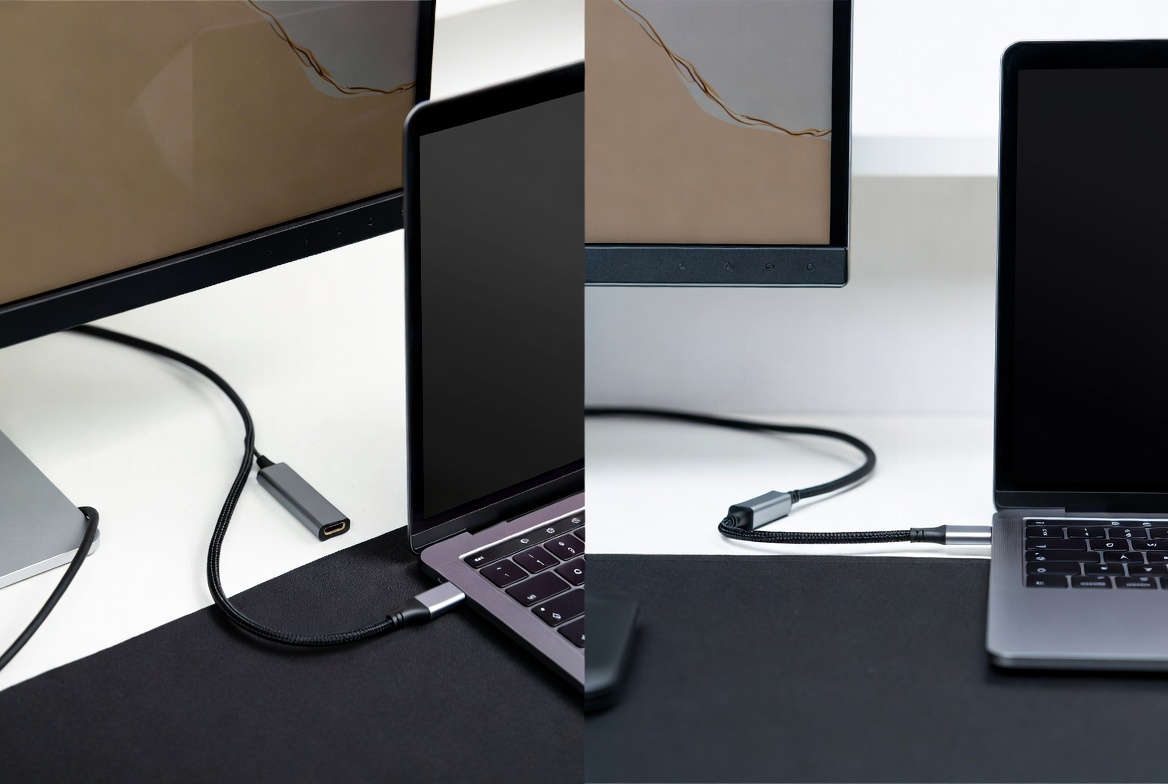
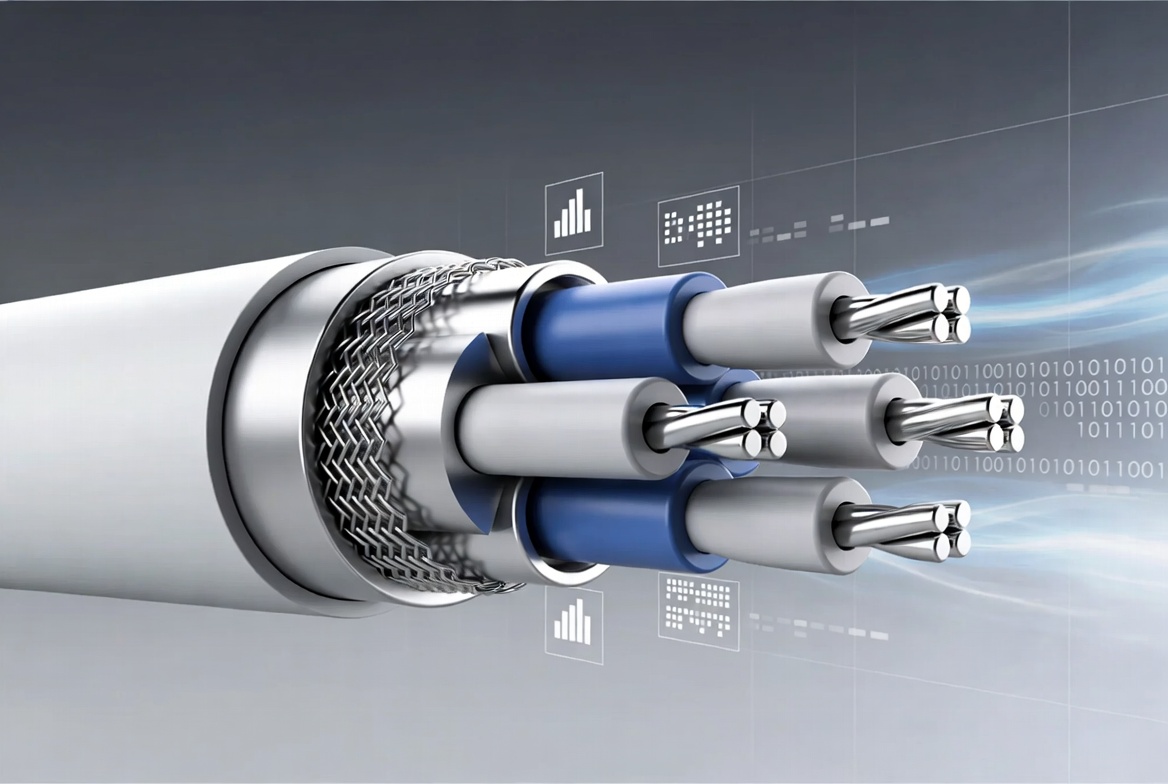
Modern USB-C to HDMI solutions typically target at least 4K at 60 Hz, with premium designs pushing toward 4K at 120 Hz or even 8K where HDMI 2.1 is supported. A high-end USB-C to HDMI adapter or cable can need up to roughly 48 Gbps of bandwidth to reliably carry full 8K signals with HDR, demanding tight impedance control, shielding, and quality copper conductors. [linkedin]
In real-world testing, reviewers have seen budget adapters struggle to maintain stable high-resolution output, while well-designed products handle 4K60 consistently. OEM buyers therefore must specify not only the nominal resolution, but also test scenarios like sustained 4K video, fast motion content, and multi-hour operation without signal drop. [nytimes]
High-speed transmission cables are vulnerable to crosstalk, EMI, and return loss, especially at longer lengths and higher resolutions. In many scenarios, a direct USB-C to HDMI cable offers slightly fewer potential points of signal degradation because there are fewer connector interfaces in the chain. [reddit]
However, quality trumps form factor: a well-engineered adapter plus a certified HDMI cable can outperform a poorly made integrated cable. For an OEM/ODM manufacturer, this shifts the focus onto precise cable design, PCB layout inside the adapter, and consistent assembly processes to ensure high-speed performance. [fycables]
From an end-user experience standpoint, adapters and cables solve different lifestyle and workflow needs. [electronics.alibaba]
Adapters fit best when: [fycables]
- Users move between meeting rooms, coworking spaces, and client offices.
- HDMI cables are already installed with projectors, TVs, and conference systems.
- IT teams want a flexible, device-agnostic solution that works with existing cabling.
Cables fit best when: [en.hwlibre]
- Users connect the same device to the same display every day (e.g., home office, studio, trading desk).
- Minimal clutter and fast, plug-and-play use are more important than modularity.
- Installers can plan cable routes and lengths during deployment.
A Reddit discussion among MacBook Pro users echoes this: many power users prefer cables for fixed 4K displays due to fewer connections, while travelers favor adapters for portability and reuse. This pattern mirrors what B2B buyers see across enterprise rollouts and consumer accessory programs. [easytechsolver]
As a high-speed transmission cable manufacturer, your product strategy needs to map these user scenarios to specific SKUs and specifications. [exccable]
For adapters, OEM/ODM priorities typically include: [electronics.alibaba]
- Chipset selection: HDMI 2.0 vs 2.1, support for 4K60, HDR, and audio standards.
- Housing design: heat dissipation, strain relief, and durability under repeated plug/unplug cycles.
- Multiport options: combining HDMI with USB charging, Ethernet, or card readers for "mini-dock" form factors.
For cables, priorities often shift to: [linkedin]
- Conductor material, shielding layers, and jacket flexibility for long-term reliability.
- Length portfolio: short cables for travel, mid-length for desks, and longer cables for signage or meeting rooms.
- Branding and packaging: positioning cables as premium accessories bundled with devices or sold via retail and eCommerce channels.
In both cases, OEM customers expect compliance with industry standards, rigorous QA, and the ability to customize labeling, overmolds, and packaging to align with their brand. [tradeeasy]
From an industry expert perspective, choosing between a USB-C to HDMI adapter and cable comes down to a few high-impact questions. [en.hwlibre]
1. Is the environment fixed or mobile?
- Fixed desks, studios, and signage favor integrated cables for tidiness and reliability. [reddit]
- Mobile professionals and mixed-device environments lean toward adapters for flexibility. [fycables]
2. What resolutions and refresh rates are truly needed?
- If your deployment requires 8K or high-refresh 4K for gaming, visualization, or content creation, premium HDMI 2.1-class solutions (adapter or cable) are a must. [electronics.alibaba]
- For mainstream office productivity and presentations, 1080p and 4K30/60 can be delivered reliably by well-specified mid-range products. [onextmonitor]
3. How much control do you have over the HDMI side?
- If you control both ends and all cabling (e.g., OEM kit, packaged bundle), an integrated cable reduces variables and support issues. [exccable]
- If your product must adapt to unknown existing HDMI infrastructure, an adapter gives more deployment flexibility. [fycables]
For OEM/ODM partners, working with a specialist high-speed transmission cable manufacturer enables you to align these decisions with your brand's positioning, regional standards, and long-term roadmap. [exccable]
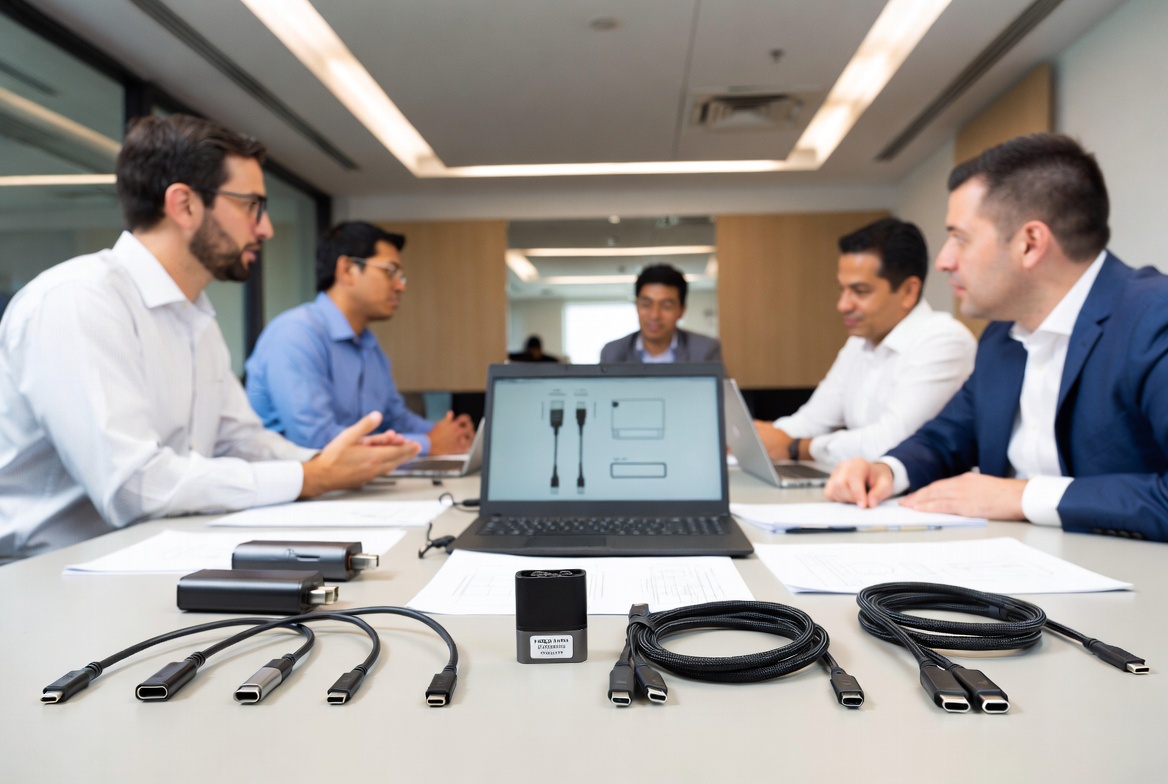
To turn these insights into action, here is a step-by-step selection checklist you can apply when defining your next cable or adapter project. [exccable]
1. Define your primary use cases.
Identify whether your buyers are mobile professionals, enterprise IT, system integrators, or consumer accessory customers, and document typical connection scenarios (desk, meeting room, signage). [linkedin]
2. Lock down performance requirements.
Specify minimum resolution, refresh rate, HDR need, and cable lengths, then ensure chipset and cable design are matched to those requirements with margin for future upgrades. [linkedin]
3. Choose form factor accordingly.
If reliability and aesthetics at fixed locations matter most, prioritize USB-C to HDMI cables; if flexibility and reuse across locations matter, prioritize adapters. [reddit]
4. Plan for compliance and testing.
Include EMI, ESD, thermal, and mechanical testing to validate long-term high-speed performance, and require sample runs that simulate real-world usage over extended periods. [exccable]
5. Design user-centric packaging and documentation.
Clearly explain supported resolutions, ports, and devices; add simple diagrams and usage tips to minimize support tickets and enhance customer satisfaction. [nytimes]
By following this checklist, brands and wholesalers can partner with high-speed transmission cable manufacturers to build product lines that feel premium, perform consistently, and match real user expectations. [tradeeasy]
The global high-speed transmission cable market is expanding quickly as data centers, enterprise networks, and consumer devices demand ever higher bandwidth. This growth places pressure on cable manufacturers to combine mechanical robustness, electrical performance, and user-focused design in every USB-C to HDMI product. [linkedin]
Manufacturers that specialize in high-speed cable design and OEM/ODM services have a structural advantage: they can iterate quickly on new standards, co-develop custom solutions with brand partners, and ensure that both adapters and cables are optimized for high-performance video transmission. [tradeeasy]
For overseas brand owners, wholesalers, and device makers, collaborating with such manufacturers turns connectivity components from a commodity into a differentiator—one that directly improves user satisfaction and reduces long-term support costs. [exccable]
If you are planning your next USB-C to HDMI product line or deployment, now is the right time to revisit whether you should prioritize adapters, cables, or a balanced portfolio. Start by mapping your real user scenarios to performance needs, then work with a high-speed transmission cable specialist to turn those requirements into robust, market-ready products. [tradeeasy]
By investing in well-engineered USB-C to HDMI adapters and cables today, you can deliver smoother presentations, clearer visuals, and more reliable connections to your end users—while strengthening your brand's reputation as a trusted, high-performance connectivity provider. [fycables]
1. Are USB-C to HDMI adapters slower than USB-C to HDMI cables?
No, both can deliver similar performance if they are properly designed and matched to the same HDMI standard; differences mainly come from component and build quality, not the form factor itself. [nytimes]
2. Which is better for 4K at 60 Hz—adapter or cable?
Either can handle 4K60 reliably when built for HDMI 2.0 or above; however, integrated cables often offer slightly fewer potential failure points at fixed installations because there are fewer connectors in the chain. [en.hwlibre]
3. Do I need a special cable if my laptop supports USB-C DisplayPort Alt Mode?
You need a solution—adapter or cable—explicitly designed for video output and compatible with your laptop's USB-C implementation; generic charging cables typically cannot carry high-bandwidth video signals. [onextmonitor]
4. Are USB-C to HDMI solutions future-proof for 8K?
Only products engineered for HDMI 2.1-level bandwidth and tested at 8K resolutions can be considered future-ready; many mainstream solutions remain optimized for 4K60. [electronics.alibaba]
5. How should OEMs test high-speed USB-C to HDMI products?
OEMs should combine lab tests for bandwidth, EMI, and thermal performance with real-world trials involving continuous high-resolution playback, multiple device types, and repeated plug/unplug cycles. [nytimes]
1. USB-C to HDMI Adapters vs. Cables: What's the Difference? (FYCables) – <https://fycables.com/usb-c-to-hdmi-adapters-vs-cables-whats-the-difference/>
2. USB-C to HDMI Guide: What Actually Matters in 2025 (Alibaba buying guide) – <https://electronics.alibaba.com/buyingguides/usb-c-to-hdmi-guide-what-actually-matters-in-2025>
3. The Best USB-C Video Cables and Adapters (Wirecutter, The New York Times) – <https://www.nytimes.com/wirecutter/reviews/best-usb-c-video-cables-and-adapters/>
4. USB-C to HDMI Cables vs Adapters (Reddit r/macbookpro discussion) – <https://www.reddit.com/r/macbookpro/comments/fchz1x/usbc_to_hdmi_cables_vs_adapters/>
5. Differences between USB-C to HDMI cable and adapter (HWLibre) – <https://en.hwlibre.com/Differences-between-USB-AC-and-HDMI-cables-and-adapters/>
6. Comparison Of USB-C, HDMI, and Wireless Connection Methods (Onextmonitor) – <https://onextmonitor.com/blog/comparison-of-usb-c-hdmi-and-wireless-connection-methods/>
7. FAQs – Exc Wire & Cable (Shenzhen/Hong Kong OEM/ODM manufacturer) – <https://www.exccable.com/faqs/>
8. Linpo Industrial Ltd. (Cable assembly OEM/ODM manufacturer) – <https://www.tradeeasy.com/supplier/24707/linpo.html>
9. Global High-Speed Transmission Cable Market Outlook 2026–2033 (Industry analysis) – <https://www.linkedin.com/pulse/global-high-speed-transmission-cable-market-outlook-abzsf>
10. Unraveling the Mystery: USB-C to HDMI Cable vs. Adapter – What's the Difference? (Easy Tech Solver) – <https://easytechsolver.com/is-a-usb-c-to-hdmi-cable-the-same-as-an-adapter/>


