:+86-13726207043
:info@yuxun.com
- All
- Product Name
- Product Keyword
- Product Model
- Product Summary
- Product Description
- Multi Field Search

Views: 268 Author: YUXUN CABLE Publish Time: 2026-06-29 Origin: Site


Content Menu
● What This Guide Will Help You Decide
● USB A vs USB C: Quick Technical Snapshot
>> Core physical and electrical differences
● USB A: Still Relevant, But Clearly Legacy
>> Key characteristics of USB A
>> When USB A still makes business sense
● USB C: From "New Option" to Default High‑Speed Standard
>> Why USB C is structurally different
>> USB C and fast charging: what actually changes
● Side‑by‑Side: USB A vs USB C for High‑Speed Transmission
● How Connector Choice Impacts Your Product Strategy
>> 1. Positioning your product line
● Real‑World Scenarios: Choosing Between USB A and USB C
>> Scenario 1: Office peripherals for legacy PCs
>> Scenario 2: Consumer fast‑charging accessories
>> Scenario 3: Industrial or medical equipment
● Expert Industry Insight: The Regulatory Push Toward USB C
● Practical Checklist: How to Select the Right USB Connector for Your Next Project
● Why Work With a High‑Speed Cable OEM/ODM Partner
● Action‑Oriented Recommendations for B2B Buyers
● Frequently Asked Questions (FAQ)
>> 1. Is USB C always faster than USB A?
>> 2. Can I replace all my USB A products with USB C immediately?
>> 3. Do all USB C cables support 100 W fast charging?
>> 4. How important is reversibility for professional users?
>> 5. What should I ask a cable OEM/ODM partner before starting a USB C project?
As a manufacturer and OEM/ODM partner, you do not just need "the right USB cable" – you need the right connector strategy for your next product generation, your customers, and your long‑term roadmap. This in‑depth guide compares USB A and USB C from a practical, engineering and sourcing perspective, so you can specify, purchase and sell with confidence. [yuxun]
By the end of this article, you will be able to:
- Identify when USB A is still the optimal choice for legacy compatibility and cost‑sensitive devices. [yuxun]
- See why USB C is becoming the default for high‑speed transmission cables, fast charging and compact designs. [horng-jye.com]
- Translate these technical differences into concrete B2B decisions on product design, marketing and procurement for brands, wholesalers and OEM/ODM projects. [horng-jye.com]
Before we go deeper, here is a concise overview from a connector and system‑design point of view. [yuxun]
- USB A: Large, rectangular, non‑reversible plug, widely used on PCs, chargers and older peripherals. [yuxun]
- USB C: Smaller, oval, fully reversible plug that supports much higher data rates and power delivery in modern devices. [horng-jye.com]
- USB A commonly works with USB 2.0 (up to 480 Mbps) and USB 3.x (up to 5–10 Gbps in some implementations). [conwire]
- USB C is a *mechanical form factor* that can carry USB 2.0 up to USB4 / Thunderbolt, supporting up to 40 Gbps in advanced designs. [twcn.rs-online]

From an industry perspective, USB A has become a mature, stable but legacy interface. For many B2B buyers, it is still the default when upgrading existing product lines or serving cost‑driven channels. [conwire]
- Connector shape: Large, flat, rectangular plug that must be inserted in one orientation. [yuxun]
- Common use cases: Desktop PCs, office laptops, wall chargers, basic peripherals, industrial equipment with long life cycles. [twcn.rs-online]
- Data speeds:
- USB 2.0: up to 480 Mbps – enough for basic peripherals and low‑to‑mid data applications. [conwire]
- USB 3.x Type‑A: up to 5–10 Gbps depending on implementation. [conwire]
For OEM/ODM decision‑makers, USB A can still be the right answer when:
- Your end users rely on installed PC fleets that will not be replaced soon.
- The product is low‑to‑mid price, where every cent in BOM matters more than future‑proof design.
- You ship huge volumes to channels where education about new standards is limited, and "USB = USB A" in the buyer's mind.
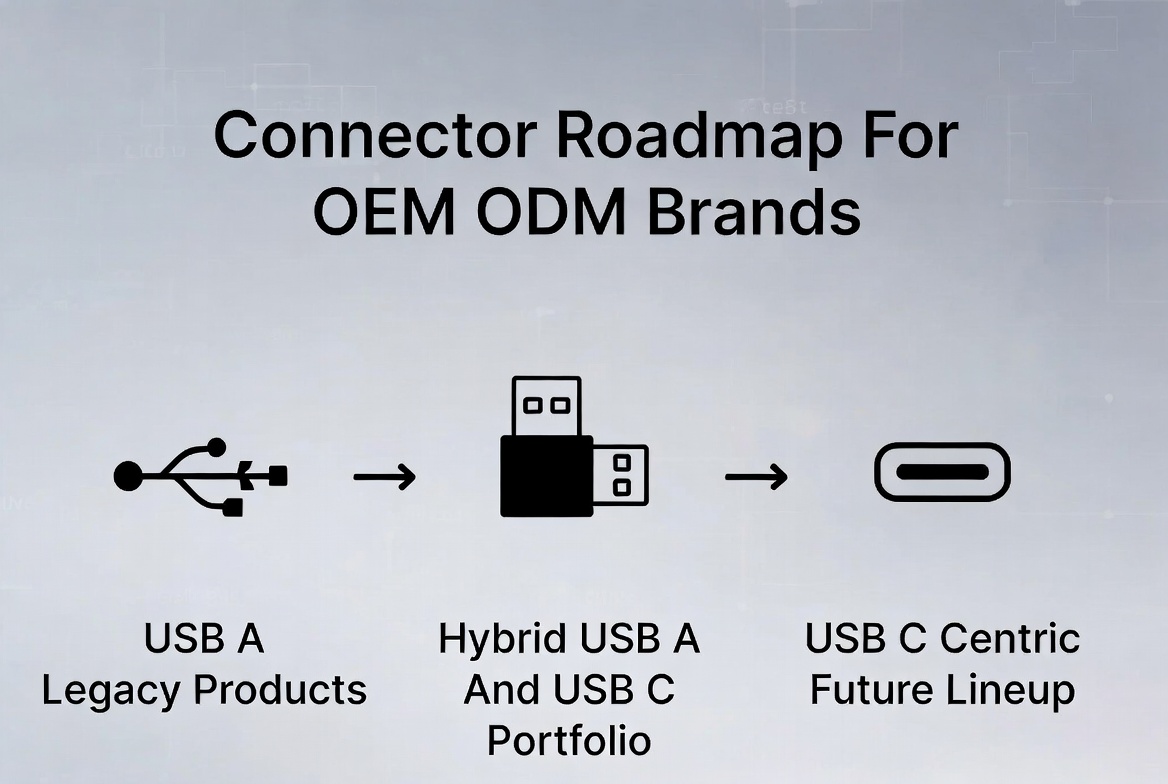
In these scenarios, our team often recommends a hybrid strategy: maintain USB A on mature models while developing parallel USB C lines for your next‑generation or premium series. [horng-jye.com]
USB C has moved very quickly from "emerging" to de facto standard on modern smartphones, laptops and high‑speed peripherals. For a manufacturer focusing on high‑speed transmission cables, this is where most future growth will occur. [twcn.rs-online]
- Smaller, reversible design: The 24‑pin, oval connector is fully reversible and compact, ideal for thin and light devices. [blog.csdn]
- High bandwidth potential: USB C can carry USB 3.1, 3.2 and even Thunderbolt 3/4 signals, enabling up to 20–40 Gbps in advanced designs. [twcn.rs-online]
- Integrated power, data and video: The same port can handle high‑speed data, DisplayPort/HDMI alternate modes and USB Power Delivery (PD). [horng-jye.com]
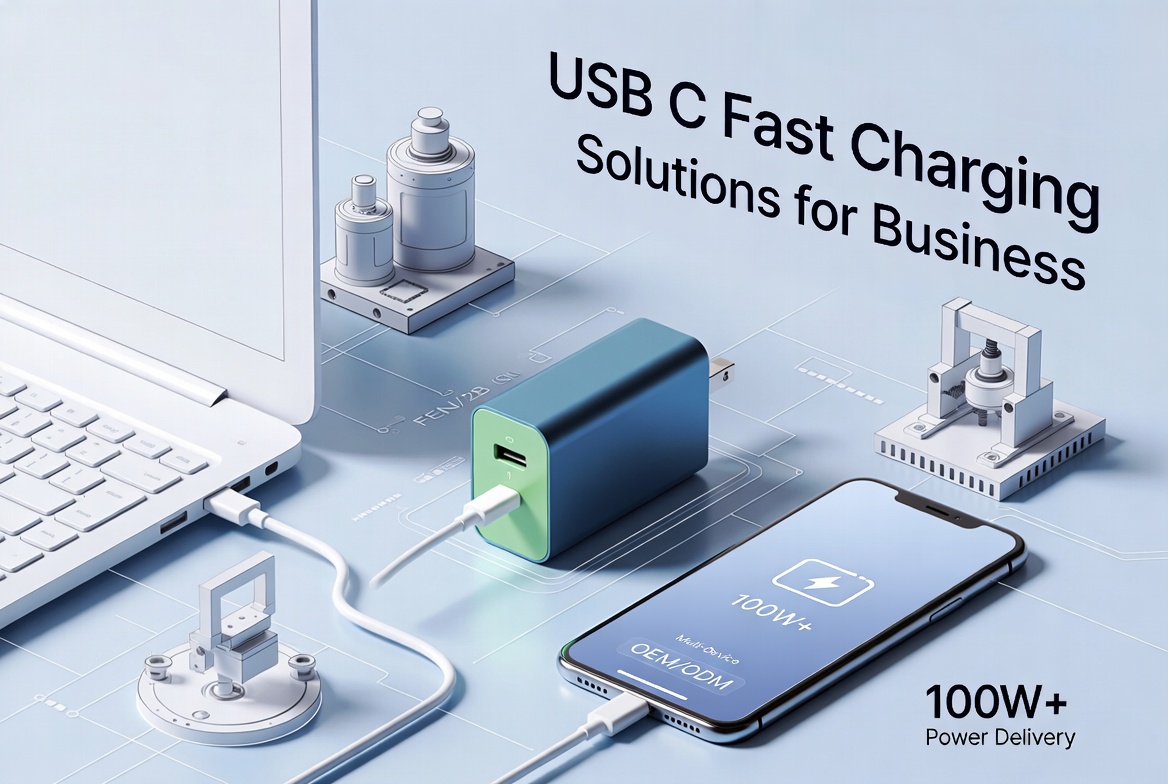
As our own technical article has explained, USB C combined with USB Power Delivery supports much higher charging power than traditional USB A solutions. [horng-jye.com]
Typical ranges seen in real products:
- USB A chargers: about 12–18 W maximum power, with fixed 5 V and up to ~2.4 A on better models. [horng-jye.com]
- USB C with PD: up to 100 W (20 V, 5 A) in many laptop‑class products, with flexible voltage profiles (5 V, 9 V, 15 V, 20 V). [horng-jye.com]
For B2B buyers, this means:
- Shorter charging times for smartphones, tablets and laptops.
- Fewer SKUs, because one well‑specified USB C PD cable can cover multiple device types.
- Stronger value propositions in product marketing: "fast charging", "one cable for work and travel", etc.
The table below focuses on what matters to engineers, product managers and procurement teams. [conwire]
| Dimension | USB A | USB C |
|---|---|---|
| Connector shape | Large, rectangular, one‑way insertion (yuxun) | Small, oval, fully reversible (yuxun) |
| Typical devices | Legacy PCs, older chargers, basic peripherals (yuxun) | New laptops, phones, tablets, hubs, docks (horng-jye.com) |
| Supported protocols | USB 2.0, USB 3.x up to 5–10 Gbps (yuxun) | USB 2.0–USB4, Thunderbolt, up to 40 Gbps (yuxun) |
| Max power (typical) | About 12–18 W, 5 V, up to ~2.4 A (horng-jye.com) | Up to 100 W with USB PD, 20 V, 5 A (horng-jye.com) |
| Reversibility | No | Yes (yuxun) |
| Future regulatory alignment | Limited | Aligned with global moves toward unified charging, e.g. EU rules (horng-jye.com) |
| High‑speed cable market growth | Mature, slow growth | Strong growth, becoming primary focus for new projects (horng-jye.com) |
From my experience working with B2B manufacturing brands, connector choice is now a strategic decision, not just a mechanical one.
- Entry‑level, cost‑driven: USB A or mixed USB A to Micro‑B / USB C can still win on price in very sensitive markets. [yuxun]
- Mid‑to‑high end: USB C becomes a must‑have feature for perceived quality, speed and modern design. [twcn.rs-online]
A common and effective approach:
1. Keep one or two classic USB A‑based product families for replacement and low‑end markets.
2. Launch USB C‑centric "Pro" or "Fast Charge / High‑Speed" lines to capture higher margin segments and future demand.
Because USB C can cover charging, data and video across multiple device categories, brands working with an experienced OEM/ODM partner can consolidate SKUs:
- fewer cable types,
- simpler packaging stories,
- easier inventory management.
This is where a high‑speed cable manufacturer with a broad case library can help you match different spec combinations (e.g. 60 W vs 100 W, 10 Gbps vs 40 Gbps) to your real channel needs, instead of over‑ or under‑specifying. [horng-jye.com]
To make this more concrete, let's look at a few typical B2B situations and how we recommend deciding.
- Devices: Wired keyboards, mice, basic barcode scanners.
- User environment: Large installed base of desktop PCs with multiple USB A ports.
- Recommended connector:
- USB A on the device side is still optimal.
- Optional USB A to USB C cable variants can support gradual migration.
USB C adds limited real‑world benefit in this narrow, office‑peripheral use case, while increasing perceived cost. [twcn.rs-online]
- Devices: Wall chargers, power banks, travel kits sold under your brand.
- User expectation: "Charge my phone and laptop fast with one cable."
- Recommended connector:
- USB C with well‑defined USB PD levels (e.g. 60 W, 100 W).
- Optionally bundle USB C to USB C and USB A to USB C cables to cover old chargers.
Here, USB C is clearly the hero: it supports much higher power, better user experience and stronger marketing messages around fast charging. [horng-jye.com]
- Devices: Long‑lifecycle machines where each redesign is expensive and highly validated.
- Constraints: Regulatory approvals, very stable interfaces, low tolerance for field confusion.
- Recommended connector:
- If the platform already uses USB A, staying with USB A may be rational until the next major redesign.
- For new platforms, USB C offers future‑proofing and long‑term component availability. [twcn.rs-online]
In such projects, we often analyze total lifetime cost and regulation together with the client before recommending a connector strategy. [horng-jye.com]
One often overlooked driver behind the USB A vs USB C transition is regulation and standardization. Policymakers, especially in Europe, have pushed to reduce e‑waste and cable fragmentation, encouraging a single connector standard for many portable electronics. [horng-jye.com]
For brands, wholesalers and OEM/ODM buyers, the implications are clear:
- Products that still rely only on USB A connectors will become harder to position in regulated markets over time.
- Choosing USB C now can extend the commercial life of a new product platform and reduce future redesign pressure.
Working with a manufacturer familiar with regional cable and safety standards makes it easier to align connector choices, materials and certifications with these emerging rules from the start. [horng-jye.com]
Use this short checklist when you define requirements with your internal team or OEM/ODM partner.
1. Device category and price point
- Entry, mainstream, or premium?
- How important is "modern look" vs pure cost?
2. Target data rate
- Below 480 Mbps, 5 Gbps, 10 Gbps, or higher?
- Is video output (DisplayPort/HDMI alt‑mode) needed?
3. Charging requirements
- Up to 12–18 W, or do you need 30 W, 60 W, 100 W+?
- Will you market "fast charging" explicitly?
4. User environment
- Do your users already own USB C chargers and hubs?
- How much confusion will a new connector cause?
5. Regulatory and lifecycle considerations
- Any regional rules affecting connectors and chargers?
- Expected product lifetime and redesign cycles?
If you can clearly answer these five points, the USB A vs USB C choice often becomes straightforward – and your manufacturing partner can propose the most efficient cable structures, materials and compliance path.
For foreign brands, wholesalers and manufacturers, specifying the right connector is only the beginning. The execution quality of the cable itself directly impacts performance, safety and customer satisfaction. [horng-jye.com]
An experienced high‑speed cable manufacturer can support you by:
- Translating requirements into exact cable specs: conductor size, shielding, insulation materials and connector plating that match your target speed and power.
- Aligning with regional standards: from environmental directives to fire safety and weather resistance in different markets. [horng-jye.com]
- Leveraging a rich project case library to quickly match past solutions to your new scenarios, reducing development cycles and risk. [horng-jye.com]
When you combine this engineering depth with flexible OEM and ODM services, you can move from a simple "USB A vs USB C" question to a complete connector and cable roadmap for your product portfolio.
If you are planning your next cable, charger or device project, here is how to move forward:
- For any new high‑speed or fast‑charging product, treat USB C as your primary connector.
- Maintain USB A‑based offerings only where legacy environments clearly demand it and where your market research confirms ongoing volume.
- Work closely with a high‑speed cable OEM/ODM partner to define precise speed, power and compliance targets for each SKU, instead of relying on generic "USB C = fast" assumptions.
With the right collaboration, you can reduce technical risk, shorten your time‑to‑market and deliver cables and connectors that feel truly "next generation" to your end users.
If you are evaluating USB A vs USB C for an upcoming project, now is the ideal time to define a connector roadmap that covers both your current channels and your next‑generation portfolio. Share your device type, target markets and performance requirements with your cable manufacturing partner, and request two to three tailored connector and cable proposals – one conservative, one future‑oriented, and one balanced. This structured approach will help you make a confident decision that aligns with both engineering realities and market expectations.
No. The protocol and cable quality matter as much as the connector shape. A USB C cable that only supports USB 2.0 can be slower than a high‑quality USB A cable using USB 3.x. To guarantee higher speed, you must specify both the connector and the target data rate. [conwire]
Not always. If your customers still use many legacy PCs and chargers, an immediate full switch to USB C can create compatibility issues and support requests. A phased strategy with mixed connector offerings is usually safer in B2B markets. [yuxun]
No. Only USB C cables designed and tested for USB Power Delivery levels up to 100 W can safely carry that much power. Lower‑spec USB C cables may be limited to 60 W or less. Always define and verify the exact power profile you need. [horng-jye.com]
Reversibility might look like a small comfort feature, but in dense workspaces and harsh environments it reduces wear, mis‑insertion and frustration. Over thousands of plug‑and‑unplug cycles, this becomes a meaningful UX advantage. [blog.csdn]
Ask about their experience with USB PD, high‑speed transmission testing, regional compliance standards and previous project cases similar to your device category. This will quickly show whether they can support not just manufacturing, but also the engineering and certification work behind a robust USB C solution. [horng-jye.com]
1. Foyun Cables. "USB A vs B vs C: How to Pick the Right Connector." Available at: https://fycables.com/usb-a-vs-b-vs-c-how-to-pick-the-right-connector/
2. Zhuhai Yuxun Innovation Technology Co., Ltd. "Does USB C Cable Charge Faster?" Available at: https://www.yuxun.com/does-usb-c-cable-charge-faster.html
3. ConWire. "USB Cables 101 - A Guide to USB Connector Types." Available at: https://www.conwire.com/blog/ultimate-guide-usb-cables/
4. RS Components. "Different Types of USB Cables – Understanding USB Type A, B, C Differences." Available at: https://twcn.rs-online.com/web/content/discovery/ideas-and-advice/usb-types-guide
5. Granite River Labs. "USB Overview – Universal Serial Bus." Available at: https://www.graniteriverlabs.com/zh-tw/technical-blog/usb-overview


