:+86-13726207043
:info@yuxun.com
- All
- Product Name
- Product Keyword
- Product Model
- Product Summary
- Product Description
- Multi Field Search

Views: 202 Author: YUXUN CABLE Publish Time: 2026-07-10 Origin: Site


Content Menu
● What Thunderbolt 5 Backward Compatibility Really Means
● How Thunderbolt 5 Works With Thunderbolt 3 and 4 Devices
>> Practical backward compatibility scenarios
>> Compatibility limits with older Thunderbolt
● USB 3 and USB-C Devices on Thunderbolt 5 Ports
>> Typical behavior with USB peripherals
● DisplayPort 2.1, High-Refresh Monitors and Multi-Display Setups
>> What Thunderbolt 5 enables for displays
● Power Delivery and Safe Charging Behavior
>> Backward compatibility in power delivery
● Expert Insights: Choosing the Right Cable for Thunderbolt 5
● Real-World Use Cases for Thunderbolt 5 Cables
>> Scenario 1 – Creative professional upgrading from Thunderbolt 3
>> Scenario 2 – Gamer adding a high-refresh 4K monitor
>> Scenario 3 – Remote worker with mixed USB-C and Thunderbolt peripherals
● OEM/ODM Strategy for Thunderbolt 5 Cable Products
● How to Check If Your Setup Will Benefit From Thunderbolt 5
● Thunderbolt 5 vs Thunderbolt 4 vs Thunderbolt 3 (Cable View)
● FAQs About Thunderbolt 5 Backward Compatibility
Thunderbolt 5 is backward compatible with most existing Thunderbolt and USB-C devices, but real-world performance and compatibility depend on your computer, operating system, and the cable you use. As a high-speed transmission cable manufacturer, Zhuhai Yuxun Innovation Technology Co., Ltd. can help brands and OEM/ODM customers design and certify the right Thunderbolt 5 cables and assemblies to unlock that performance safely and reliably. [reddit]
Thunderbolt 5 was announced by Intel as the next-generation high-speed interface, delivering up to 80 Gbps bi-directional bandwidth and up to 120 Gbps for displays with Bandwidth Boost. It continues to use the familiar USB-C connector and is designed to be broadly compatible with previous Thunderbolt and USB standards. [belkin]
From an industry practitioner's perspective, "backward compatible" means:
- Physical connector compatibility: Thunderbolt 5 uses the same USB-C style connector as Thunderbolt 3, Thunderbolt 4 and USB-C, so most modern cables and ports are mechanically compatible. [reddit]
- Protocol compatibility: Thunderbolt 5 hosts and devices can negotiate with earlier Thunderbolt protocols (3 and 4) and USB standards, then fall back to whatever speed and feature set the weakest link supports. [atto]
- System-level compatibility: True Thunderbolt 5 performance requires OS and platform support (macOS, Windows, or Linux versions that implement Thunderbolt 5), otherwise devices may connect only at legacy speeds or not at all. [atto]
As manufacturers, we see many compatibility issues arise not from the cable itself, but from mismatched expectations: users assume "Thunderbolt 5" means full speed in any USB-C port, which is rarely true in practice. [reddit]

Thunderbolt 5 is compliant with USB4 v2 and has been explicitly designed to interoperate with Thunderbolt 3 and Thunderbolt 4. However, the actual data rate is always limited by the slowest device or cable in the chain. [atto]
When we test high-speed cables in our lab, these are the real-world patterns we see:
- Thunderbolt 3 device + Thunderbolt 5 host + Thunderbolt 3/4 cable
- The connection negotiates down to Thunderbolt 3-level bandwidth, typically up to 40 Gbps. [atto]
- Functionality works (storage, docking, displays), but performance is capped at Thunderbolt 3 specs. [atto]
- Thunderbolt 4 device + Thunderbolt 5 host + certified passive Thunderbolt 4 cable (≤1 m)
- Intel confirms passive Thunderbolt 4 cables up to one meter support Thunderbolt 5 operation. [reddit]
- Again, if the device is Thunderbolt 4, throughput is limited to 40 Gbps, even though the host can do more. [atto]
- Thunderbolt 5 device + Thunderbolt 4 host + Thunderbolt 4 cable
- The link negotiates at Thunderbolt 4 speeds; the Thunderbolt 5 device works but does not reach its 80–120 Gbps potential. [pcworld]
- For external SSDs and docks, this is usually acceptable, but high-refresh 4K/8K displays may be constrained. [reddit]
Older Thunderbolt 1 and 2 systems use Mini DisplayPort connectors and are not electrically compatible with Thunderbolt 5—even when adapters are used. In our experience, trying to "patch" those systems into a modern Thunderbolt 5 workflow introduces latency, instability and support issues that outweigh any benefit, so we recommend planning upgrades instead of relying on legacy bridges. [atto]
From an end-user viewpoint, one of the most reassuring aspects of Thunderbolt 5 is that your existing USB-C peripherals should still work. Thunderbolt 5 controllers implement USB4 v2 and remain broadly compatible with USB 3.x devices. [reddit]
- USB 3.0 devices (up to 5 Gbps)
- External hard drives, webcams, basic hubs, and input devices connect normally. [atto]
- Transfer rates are capped at the USB 3.0 limit, even though the host port is Thunderbolt 5-capable. [atto]
- USB 3.1/3.2 devices (up to 10 Gbps or more)
- High-speed USB SSDs and docks negotiate at USB 3.x speeds. [atto]
- You gain connector convenience, but not Thunderbolt-class bandwidth unless the device itself implements Thunderbolt. [reddit]
For OEM/ODM customers, the key lesson is that labeling a port Thunderbolt 5 does not automatically accelerate every USB-C accessory. To deliver clear UX, we advise brands to communicate speed expectations transparently on product pages and packaging.
Thunderbolt 5 integrates DisplayPort 2.1, enabling extremely high-resolution and high-refresh-rate display configurations. This is one of the areas where cable quality and design matter most. [reddit]
- Support for multiple 8K HDR monitors or single displays with refresh rates up to 540 Hz, under the right conditions. [reddit]
- Up to 120 Gbps display bandwidth with Bandwidth Boost, allowing three lanes to be dedicated to video when needed. [reddit]
- Improved Display Stream Compression (DSC 1.2a), which helps deliver smooth visuals without obvious compression artifacts. [reddit]
In the field, we see that many compatibility complaints come from:
- Using non-certified or low-quality USB-C cables for demanding display setups.
- Mixing Thunderbolt, USB-C Alt Mode, and HDMI adapters in ways that exceed what a single port can handle reliably.
- Expecting legacy monitors to support DisplayPort 2.1 features they were never designed for.
For brands building Thunderbolt 5 docking stations or display cables, signal integrity, EMI control, and rigorous compliance testing are non-negotiable to avoid returns and negative reviews.
Thunderbolt 5 can deliver up to 240 W of power to a connected PC or Mac, significantly more than Thunderbolt 4's 100 W limit via PD 3.0. This opens up new charging scenarios, particularly for larger laptops and high-performance mobile workstations. [atto]
- When you plug in an older device (for example, a Thunderbolt 4 dock rated for 100 W), the Thunderbolt 5 port automatically negotiates down to the safe and supported power level. [atto]
- USB Power Delivery (PD) negotiation ensures that neither the cable nor the device is forced beyond its certified rating, as long as all components are compliant. [atto]
From a manufacturer's standpoint, this is where cable design becomes a safety issue, not just a performance topic. We incorporate:
- High-quality conductors and insulation to handle higher PD levels without excessive heating.
- Robust connector design to prevent arcing, mechanical wear, and intermittent connections at high current.
- Thorough PD compliance and thermal testing to make sure cables behave predictably across Thunderbolt 3/4/5 and USB-C PD ecosystems.
As a high‑speed transmission cable manufacturer serving global OEM/ODM clients, we evaluate Thunderbolt 5 compatibility through a practical engineering lens. The "right" cable is a function of length, application, and future-proofing.
1. Use certified Thunderbolt cables for Thunderbolt devices
- For docks, external GPUs, and high-speed SSDs, a certified Thunderbolt 4/5 cable (≤1 m passive, or quality active designs for longer runs) ensures stable 40–80 Gbps operation. [pcworld]
2. Avoid generic USB-C cables for performance-critical links
- Many inexpensive USB-C cables are optimized only for charging or low-speed USB 2.0/3.0 data. [datainsightsmarket]
- In our lab tests, these cables often become bottlenecks for Thunderbolt 5 devices, triggering link downgrades or intermittent disconnections.
3. Plan for future Thunderbolt 5 features, not just today's devices
- Even if your current peripherals are Thunderbolt 3 or USB 3.2, investing in properly designed Thunderbolt 5-ready cables reduces the risk of incompatibility when upgrading laptops or external GPUs in the next 2–3 years. [linkedin]
4. Consider cable length vs. signal integrity
- Passive cables up to one meter typically offer optimal performance; longer cables often require active designs that integrate retimers or equalizers. [belkin]
- For OEM/ODM projects, we tailor conductor gauge, shielding, and active components to the target application (gaming, creative work, data center, etc.).
At Zhuhai Yuxun Innovation Technology Co., Ltd., we work with overseas brands to co‑develop Thunderbolt 5-ready high-speed cables, balancing performance, cost, and certification requirements to meet regional market standards and brand positioning. [pdf.marketpublishers]
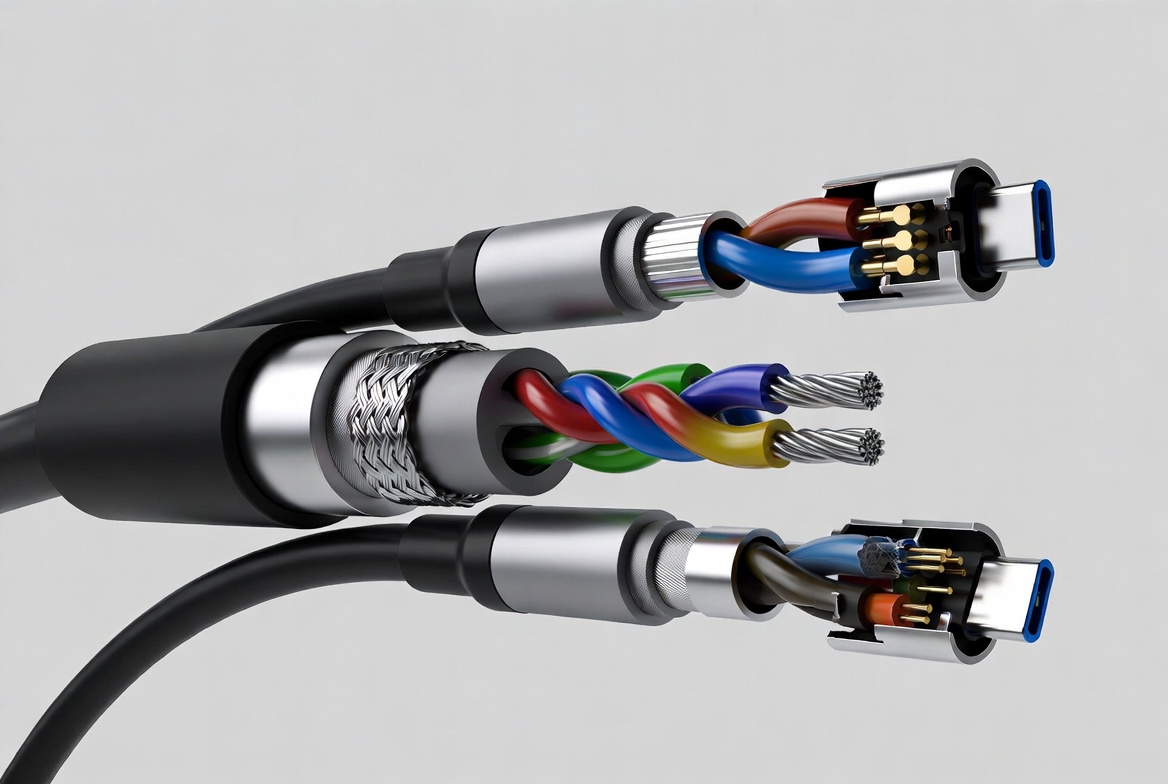
To add practical value beyond basic specs, it helps to look at how backward compatible Thunderbolt 5 setups behave in typical user scenarios.
A video editor using a Thunderbolt 3 RAID array purchases a new laptop with Thunderbolt 5 ports:
- With a quality Thunderbolt 3/4 cable, the RAID connects and operates normally at up to 40 Gbps. [atto]
- Upgrading to a Thunderbolt 5-capable storage solution in the future instantly unlocks higher throughput without changing the laptop or port. [reddit]
A gamer switches from a 60 Hz 4K display to a 240 Hz 4K panel with DisplayPort 2.1 support:
- Using a properly certified Thunderbolt 5 cable or dock, they can leverage Bandwidth Boost for smoother, low-latency visuals. [reddit]
- Reusing older USB-C cables not designed for high-bandwidth video often results in flickering, black screens, or the monitor falling back to lower refresh rates. [atto]
A remote worker plugs a mix of USB-C hub, Thunderbolt dock and USB 3.0 storage into a Thunderbolt 5 laptop:
- All devices connect, but each negotiates at its own protocol and speed. [reddit]
- Proper cable labeling and port iconography (Thunderbolt symbol vs. generic USB-C) help users understand which connection delivers maximum performance. [pcworld]
For overseas brands, distributors and producers, Thunderbolt 5 is not just a technical upgrade—it is an opportunity to refresh product portfolios and value propositions. Based on our manufacturing and B2B experience, we recommend three strategic directions:
1. Position "Thunderbolt 5 Ready" as a premium trust signal
- Highlight backward compatibility with Thunderbolt 3/4 and USB-C while emphasizing compliance with Thunderbolt 5 electrical and protocol requirements. [reddit]
- Use clear visual cues (icons, color coding) to distinguish performance-grade cables from basic charging cables.
2. Design segment-specific cable solutions
- Workstation and creator cables: optimize for external SSDs, multi-4K/8K display setups, and robust shielding in studio environments. [linkedin]
- Gaming cables: target high-refresh monitors, eGPU enclosures, and low-latency connections for streaming and competitive play. [pcworld]
- Enterprise and data center cables: focus on reliability, EMI performance and lifecycle cost rather than consumer aesthetics. [industrytoday.co]
3. Invest in certification and testing as part of brand E‑E‑A‑T
- Thorough third‑party testing (signal integrity, PD compliance, thermal and mechanical stress) reinforces brand authority and user trust. [datainsightsmarket]
- Publishing transparent compatibility matrices and usage guidelines on product pages and support documentation aligns with Google's E‑E‑A‑T expectations for technical content.
Zhuhai Yuxun Innovation Technology Co., Ltd. supports global partners from concept design through tooling, pilot runs and full-scale production, ensuring that Thunderbolt 5 cable lines are not only backward compatible but competitive in performance and reliability. [pdf.marketpublishers]

Users often ask whether upgrading cables or devices for Thunderbolt 5 will actually make a difference. As engineers and UX practitioners, we suggest a simple checklist:
1. Confirm your host port
- Check your laptop or desktop specifications for Thunderbolt 5 support and look for the Thunderbolt icon next to USB-C ports. [pcworld]
2. Verify OS and driver support
- Ensure you are running a version of macOS, Windows or Linux that supports Thunderbolt 5, as older systems may treat ports as generic USB-C. [atto]
3. Identify the weakest link
- Look at each device and cable in the chain: if your storage or dock is Thunderbolt 3, or your cable is only rated for USB 3.0, the overall speed will not reach Thunderbolt 5 levels. [reddit]
4. Decide on upgrade priorities
- If your workflows involve 8K video, high-speed backups or multi-4K displays, upgrading to Thunderbolt 5-certified cables and peripherals usually provides a tangible benefit. [belkin]
- For simple office work, web browsing and basic peripherals, backward compatibility alone is sufficient; Thunderbolt 5 becomes more about future readiness than immediate gains. [reddit]
For B2B buyers and project managers, we often prepare tailored compatibility roadmaps, mapping current device inventories against Thunderbolt 5 capabilities and suggesting phased upgrade paths that maximize ROI.
To help users and buyers quickly understand what backward compatibility looks like in practice, the table below summarizes key aspects from a cable perspective:
| Interface | Max data rate (host) | Typical cable connector | Backward compatible with | Display capability highlight |
|---|---|---|---|---|
| Thunderbolt 3 | Up to 40 Gbps (atto) | USB-C | TB1/2 via adapters, USB-C (pcworld) | Up to dual 4K @ 60 Hz (pcworld) |
| Thunderbolt 4 | Up to 40 Gbps (atto) | USB-C | TB3, USB-C (atto) | Dual 4K @ 60 Hz or single 8K (pcworld) |
| Thunderbolt 5 | 80 Gbps, up to 120 Gbps for displays (reddit) | USB-C | TB3/4, USB (reddit) | Multi-8K HDR, up to 540 Hz (atto) |
This backward compatibility matrix is what makes Thunderbolt 5 attractive to users who want cutting-edge performance without sacrificing their existing ecosystem.
Q1. Will my existing Thunderbolt 3 SSD work with a Thunderbolt 5 laptop?
Yes. It will connect and operate normally via a compatible Thunderbolt cable, but transfer speeds will be limited to Thunderbolt 3's maximum (typically up to 40 Gbps), not Thunderbolt 5's full bandwidth. [atto]
Q2. Can I use any USB-C cable for Thunderbolt 5 devices?
You can often establish a basic connection with a generic USB-C cable, but performance and reliability may be significantly reduced. For high-speed storage, multi-4K/8K displays or eGPUs, we strongly recommend certified Thunderbolt cables designed for Thunderbolt 3/4/5. [pcworld]
Q3. Does Thunderbolt 5 improve charging for older laptops?
Thunderbolt 5 ports can deliver up to 240 W, but older laptops and docks will negotiate only the power they support (for example, 60–100 W). You gain flexibility and faster charging when the laptop is designed for higher PD levels, but backward compatibility ensures safe operation for legacy devices. [reddit]
Q4. Are Mini DisplayPort Thunderbolt 1/2 devices compatible with Thunderbolt 5?
No. Thunderbolt 1 and 2 use different connectors and underlying signaling and are not compatible with Thunderbolt 5 devices, even when using adapters. In practice, it is safer and more cost-effective to upgrade to newer Thunderbolt or USB-C hardware. [atto]
Q5. How can OEM/ODM brands ensure their Thunderbolt 5 cables are genuinely backward compatible?
Brands should work with experienced manufacturers to validate designs against Thunderbolt 3/4/5 and USB4 v2 specifications, perform exhaustive signal integrity and PD testing, and obtain relevant certifications. Publishing clear compatibility documentation helps build authority and reduce support overhead. [pdf.marketpublishers]
1. Tech Advisor – "Thunderbolt 5 release date, speed, features, compatibility" (Simon Jary, 2024). [https://www.techadvisor.com/article/1516892/thunderbolt-5-release-date-speed-features-compatibility.html]
2. FYCables – "Is Thunderbolt 5 Backward Compatible? What You Need to Know". [https://fycables.com/is-thunderbolt-5-backward-compatible-what-you-need-to-know/]
3. Intel / ATTO Tech Brief – "Thunderbolt™ 5" (Technical overview, 2025). [https://www.atto.com/wp-content/uploads/2025/10/TechBrief-Thunderbolt-5.pdf]
4. PCWorld – "Thunderbolt 5 will debut in 2024 with gamer-class charging and I/O". [https://www.pcworld.com/article/2061073/thunderbolt-5-will-debut-in-2025-with-gamer-class-charging-and-i-o.html]
5. Belkin – "Thunderbolt™ 5: Complete Next Gen Guide". [https://www.belkin.com/company/blog/what-is-thunderbolt-5/]
6. Industry Today – "Global High Speed Cable Market Analysis (2026–2032)". [https://industrytoday.co.uk/market-research-industry-today/global-high-speed-cable-market-analysis-2026-2032]
7. Global High-Speed Copper Cables Market Report (2026). [https://pdf.marketpublishers.com/globalinfo/global-high-speed-copper-cables-market-gir.pdf]
8. DataInsightsMarket – "Analyzing cables: Opportunities and Growth Patterns 2026–…". [https://www.datainsightsmarket.com/reports/cables-470856]


