:+86-13726207043
:info@yuxun.com
- All
- Product Name
- Product Keyword
- Product Model
- Product Summary
- Product Description
- Multi Field Search

Views: 292 Author: YUXUN CABLE Publish Time: 2026-07-02 Origin: Site


Content Menu
● What Is HDMI Bandwidth And Why It Matters
● HDMI Versions And Their Bandwidth Limits
● How Bandwidth Impacts Video Quality
● How Bandwidth Impacts Audio Quality
● Common Real‑World HDMI Bandwidth Problems
● How To Choose The Right HDMI Bandwidth For Your Setup
● OEM/ODM Perspective: Designing For Reliable HDMI Bandwidth
● Case Insight: Avoiding "Spec Sheet Surprises" In B2B Projects
● Practical Checklist For Brand Owners And Installers
● How Zhuhai Yuxun Supports HDMI OEM/ODM Projects
● Summary Table: Bandwidth Needs By Scenario
● Call To Action: Turn Bandwidth Into A Competitive Advantage
● FAQs
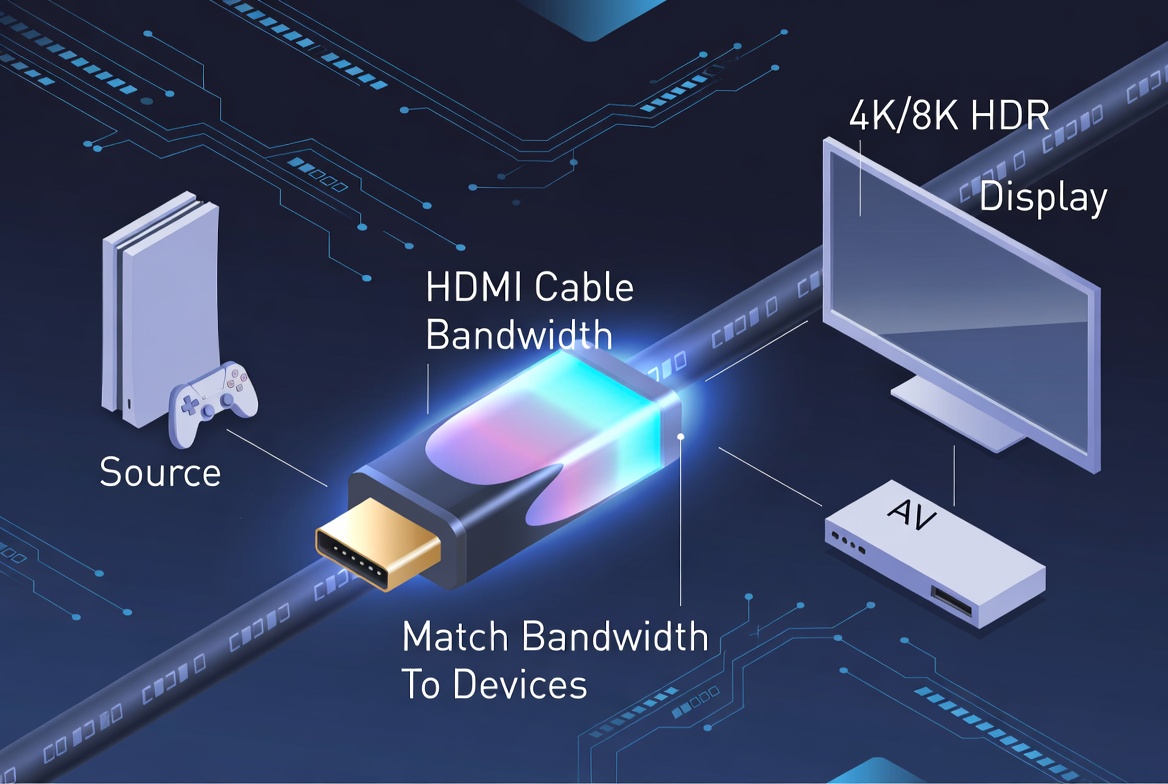
HDMI bandwidth is the hidden "performance limiter" in every modern home theater and gaming setup, and choosing the right cable is the difference between flawless 4K/8K HDR and a frustrating, glitch‑filled experience. In this guide, I'll walk you through HDMI bandwidth in plain language, share real‑world lessons from working with global OEM/ODM projects, and show you how to select and customize HDMI cables that truly match your devices and brand. [amzwires]
HDMI bandwidth is the maximum amount of audio‑video data your cable can carry per second, measured in gigabits per second (Gbps). You can think of it as a digital pipeline: the wider the pipeline, the more high‑resolution video and immersive audio can flow through without bottlenecks or errors. [fycables]
Modern content has exploded in data requirements. 4K at 60 Hz, HDR, high frame‑rate gaming and object‑based audio formats like Dolby Atmos all stack bandwidth demands on the same cable. When the cable's rated bandwidth is lower than what your TV, console or AV receiver is trying to send, the system starts to compensate—by dropping frames, disabling HDR, lowering color depth, or even losing signal altogether. [hub.yamaha]
For anyone investing in premium displays, gaming consoles or sound systems, the HDMI cable is no longer a passive accessory; it is a critical performance component that must match the capabilities of your devices. [asus]
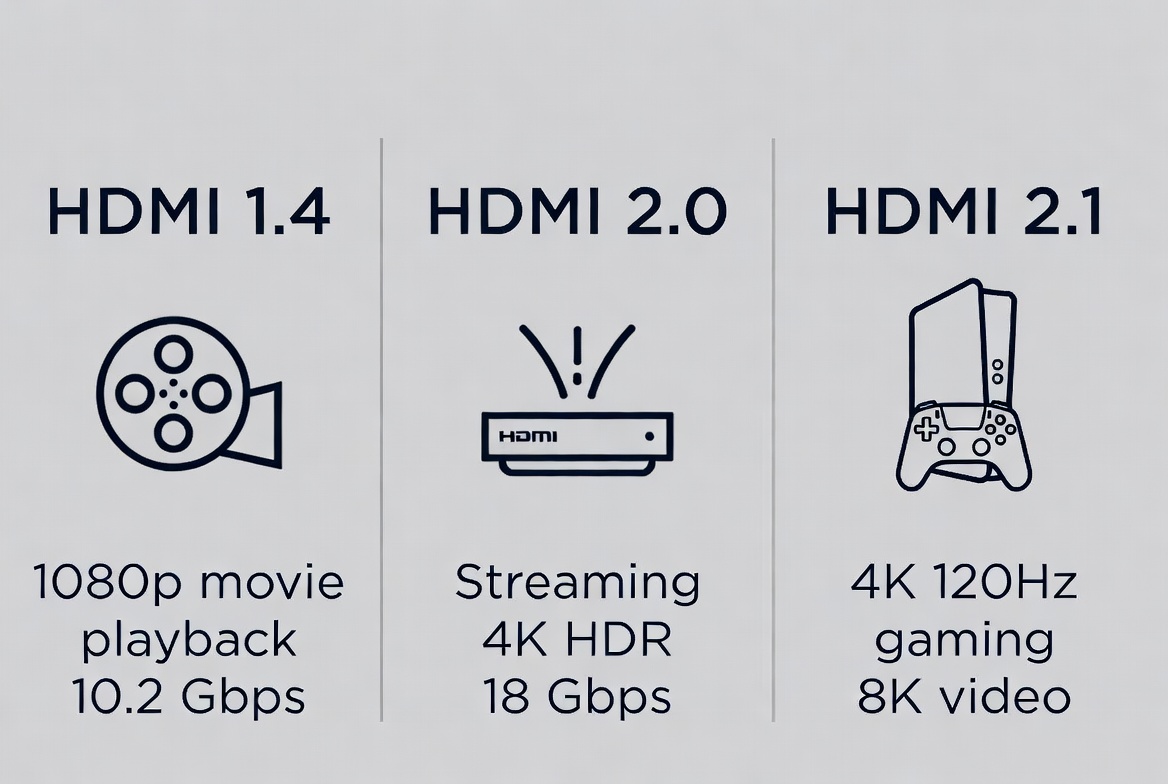
Understanding HDMI versions is the fastest way to match bandwidth to your use case. Different standards support different maximum data rates. [hdmifacts]
| HDMI version | Approx. max TMDS bandwidth | Typical use case |
|---|---|---|
| HDMI 1.4 | 10.2 Gbps (asus) | 1080p, basic 4K at 30 Hz (asus) |
| HDMI 2.0/2.0a/2.0b | 18 Gbps (asus) | 4K at 60 Hz, standard HDR (asus) |
| HDMI 2.1 (FRL) | 48 Gbps (asus) | 4K at 120 Hz, 8K at 60 Hz, advanced gaming & HDR (asus) |
These bandwidth ceilings directly translate into practical viewing constraints:
- HDMI 1.4 maxes out around 4K at 30 Hz or 1080p at higher frame rates. [asus]
- HDMI 2.0 supports 4K at 60 Hz with 8‑bit or certain 10‑bit HDR configurations, which is adequate for most streaming and Blu‑ray playback. [hdmifacts]
- HDMI 2.1 is designed for next‑generation scenarios: 4K at 120 Hz, 8K at 60 Hz, variable refresh rate, and advanced gaming features that demand up to 48 Gbps. [hdmi]
When you see a cable labeled "High Speed," "Premium High Speed," or "Ultra High Speed," these marketing names usually correspond to the version and bandwidth capabilities listed above. For consistent results, always verify both the HDMI version and the certified bandwidth rating instead of relying on generic labels. [hdmifacts]
From an end‑user perspective, video issues like flickering, frame drops or washed‑out colors are often blamed on the TV or console, but the root cause is frequently bandwidth mismatch at the cable level. [fycables]
Key areas where bandwidth matters for video:
- Resolution and frame rate
- 4K at 60 fps requires roughly 18 Gbps, twice as much data as 4K at 30 fps. [fycables]
- 8K at 60 fps can push requirements up to 48 Gbps, and very high‑end scenarios like 12K at 120 Hz would demand even more. [asus]
- Color depth and HDR
- Moving from 8‑bit to 10‑bit or 12‑bit color increases the data per pixel, which directly raises bandwidth consumption. [hub.yamaha]
- Dynamic HDR formats and wide color gamuts (BT.2020) further increase the load; if the cable can't keep up, the system may fall back to SDR, lower color depth or compress color information. [hub.yamaha]
Typical symptoms of a cable with insufficient bandwidth include screen stuttering or tearing, color banding, random black screens, and unreliable HDR activation. As a manufacturer, we routinely see customers upgrade their display or console but keep legacy 1.4/2.0 cables—only to discover that the "new device" appears unstable until the cable is replaced with a properly rated high‑bandwidth model. [amzwires]
Although video issues are easier to notice, bandwidth is equally important for advanced audio. HDMI carries uncompressed multi‑channel audio, and premium formats require more data. [fycables]
Higher‑bandwidth HDMI connections enable:
- Object‑based surround formats such as Dolby Atmos and DTS:X, which can use many discrete channels for a 3D sound field. [hub.yamaha]
- High sampling rates and bit depths, with systems supporting up to 32 channels and sampling rates around 1536 kHz in demanding scenarios. [asus]
If the cable or overall HDMI path does not provide enough bandwidth, the audio subsystem may respond by:
- Falling back to compressed or lower‑channel formats (for example, from Atmos to basic Dolby Digital). [fycables]
- Introducing audio‑video sync issues, where dialogue lags behind on‑screen lip movements. [hub.yamaha]
- Producing intermittent audio dropouts when the signal struggles to maintain integrity. [fycables]
For integrators and OEM buyers, this is crucial: even if the AVR and TV are technically capable, a weak link in the cable can degrade the entire perceived sound quality of the system. [amzwires]
From both consumer feedback and B2B project experience, the same failure patterns appear again and again when bandwidth is underestimated. [amzwires]
Typical problems include:
- Unexpected black screens or flickering during high‑motion scenes or when enabling gaming features like 120 Hz or variable refresh rate. [hub.yamaha]
- HDR not activating despite compatible devices, because the system automatically disables HDR to fit within the cable's data limits. [hdmifacts]
- Washed‑out colors or banding, especially in dark scenes where insufficient bandwidth causes compression artifacts. [fycables]
- Audio lag and mode downgrades, with AVRs switching from advanced formats to simpler ones to maintain a stable link. [hub.yamaha]
In professional scenarios—digital signage, boardroom systems, production studios—these issues translate directly into downtime, troubleshooting hours and lost trust in the brand delivering the hardware. That is why bandwidth planning and cable selection must be treated as an engineering decision, not a low‑priority accessory choice. [amzwires]
For end users and installers, a simple decision framework helps avoid most bandwidth‑related problems. [hdmifacts]
1. Identify your highest‑demand device and use case.
- Gaming PC or console with 4K at 120 Hz.
- 8K TV used for premium video content.
- Home theater with Atmos and multiple HDMI sources.
2. Check the HDMI version and features of your display and source.
- If both are HDMI 2.1 and you intend to use 4K at 120 Hz or 8K, you should only consider Ultra High Speed (48 Gbps) cables. [asus]
- If they are HDMI 2.0 and primarily used for 4K at 60 Hz streaming, Premium High Speed (18 Gbps) cables are typically sufficient. [hdmifacts]
3. Factor in cable length and installation environment.
- Long runs, tight bends or high‑EMI environments may require better shielding, thicker conductors or active cables to maintain effective bandwidth. [amzwires]
4. Plan for future upgrades.
- If you foresee upgrading to 4K at 120 Hz or 8K within the lifetime of the installation, choosing 48 Gbps cables from the start avoids a second replacement cycle. [hdmi]
By following this framework, consumers reduce compatibility risk, and professional buyers can define clear technical procurement criteria instead of relying solely on price or generic marketing claims. [amzwires]
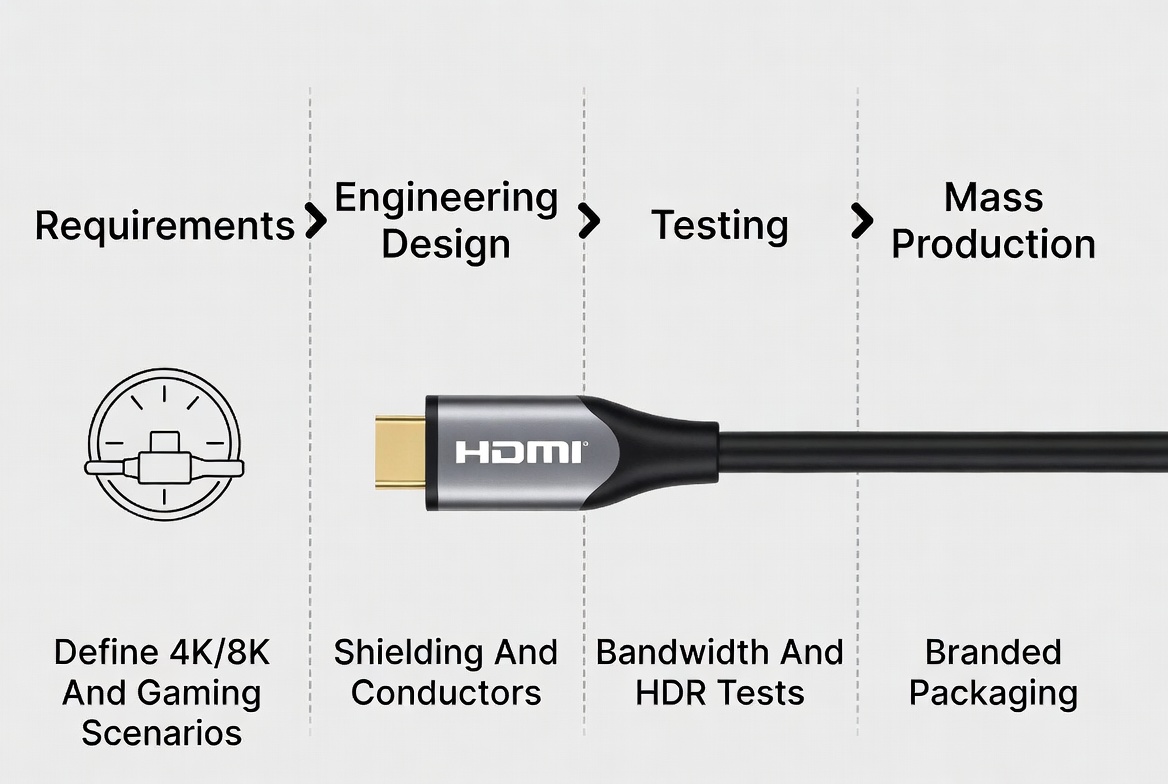
From an HDMI cable manufacturing standpoint, bandwidth performance is the result of end‑to‑end engineering decisions, not just chipset selection. When we support OEM and ODM projects, we work through an integrated process to ensure the cable meets both bandwidth and branding requirements. [amzwires]
Key engineering factors include:
- Conductor choice and geometry
- Selecting high‑purity copper or appropriate alternative materials and optimizing gauge sizes to minimize signal loss. [hdmifacts]
- Maintaining tight impedance control across differential pairs to keep high‑speed signals stable. [amzwires]
- Shielding and EMI control
- Multi‑layer shielding around pairs and the overall cable to protect against external interference, which can corrupt high‑bandwidth signals. [hdmifacts]
- Careful connector design to ensure the shielding continues seamlessly into the plug housing. [amzwires]
- Connector and housing design
- Private molds and custom housings that support robust strain relief, correct pin alignment and secure fit, which are essential at higher data rates. [amzwires]
- Compliance and testing
- Bandwidth verification with standardized test patterns for 4K/8K, high frame rates and advanced audio formats. [hdmifacts]
- Plug‑and‑unplug durability tests, thermal cycling and random sampling to ensure performance consistency across batches. [amzwires]
For brand owners, the key takeaway is that true bandwidth reliability is engineered, not just labeled. Working closely with an experienced manufacturer allows you to transform bandwidth requirements into concrete specifications that drive product differentiation. [hdmifacts]
In many OEM/ODM collaborations, we encounter a recurring issue: the client's product roadmap promises future‑ready performance, but the initial cable spec does not fully match the vision. [amzwires]
A typical scenario looks like this:
- A brand wants to market a gaming‑ready 4K at 120 Hz display with HDMI 2.1 ports. [asus]
- The initial procurement notes request "high‑quality HDMI cables" without specifying bandwidth, shield structure or connector characteristics. [amzwires]
- Sample testing reveals that generic 18 Gbps cables work at 4K at 60 Hz but fail intermittently at 4K at 120 Hz with certain consoles. [fycables]
By revisiting the design and upgrading to properly engineered 48 Gbps cables, including adjusted conductors and multi‑layer shielding, the brand achieves stable performance at 4K at 120 Hz across all tested devices. This type of correction is far easier and cheaper at the development stage than after products reach the market and negative reviews highlight "bandwidth‑related bugs." [hdmifacts]
To simplify planning, here is a concise checklist you can apply before selecting HDMI cables for a project. [fycables]
- Define target resolution, frame rate and HDR level (for example, 4K at 60 Hz with HDR10, or 4K at 120 Hz with Dolby Vision). [fycables]
- Confirm HDMI versions of all endpoints (TVs, projectors, AVRs, consoles, PCs). [asus]
- Specify minimum cable bandwidth in Gbps, not just marketing names like "High Speed." [asus]
- Set maximum cable length and routing constraints (tight bends, conduits, EMI sources) in the project brief. [amzwires]
- Require documented testing for your target modes (4K/8K, HDR, Atmos, gaming features) before mass production. [hdmifacts]
Using this checklist in OEM/ODM discussions ensures that everyone—engineers, buyers and marketing teams—is aligned on the real performance expectations of your HDMI cables. [hdmifacts]
As a manufacturer focused on HDMI and related cables for global brands, wholesalers and producers, we work with clients from concept to mass production. A typical collaboration follows these stages: [amzwires]
- Requirements discovery
- Clarifying target markets (retail, e‑commerce, engineering projects), HDMI versions, cable lengths and application scenarios. [amzwires]
- Discussing branding preferences: jacket color, connector finish, logo placement and packaging concepts. [amzwires]
- Technical design and sampling
- Translating bandwidth and reliability requirements into detailed conductor, shielding, insulation and connector specifications. [amzwires]
- Producing samples for both visual inspection and real‑world bandwidth testing with 4K/8K, HDR and gaming use cases. [amzwires]
- Quality‑controlled mass production
- Implementing raw material inspection, in‑process quality control and final functional testing to ensure consistent bandwidth performance. [amzwires]
- Providing documentation, photos and, when needed, test summaries that support clients' marketing and compliance needs. [amzwires]
For brands and project owners, this workflow reduces risk and shortens time‑to‑market by integrating bandwidth engineering, industrial design and supply‑chain reliability into a single process. [amzwires]
| Use case | Recommended HDMI version | Required bandwidth level |
|---|---|---|
| Streaming 4K movies at 60 Hz | HDMI 2.0 / Premium High Speed | ~18 Gbps (fycables) |
| Console gaming at 4K 120 Hz | HDMI 2.1 / Ultra High Speed | Up to 48 Gbps (asus) |
| 8K TV content at 60 Hz | HDMI 2.1 / Ultra High Speed | Up to 48 Gbps (asus) |
| Atmos home theater at 4K 60 Hz | HDMI 2.0 or 2.1 | 18–48 Gbps depending on video mode (fycables) |
| Professional signage with 4K HDR | HDMI 2.0 or 2.1 | At least 18 Gbps (fycables) |
Using this table as a quick reference, buyers can align marketing promises and technical capabilities with the actual bandwidth required in each application. [fycables]
Whether you are a brand, distributor or project integrator, HDMI bandwidth is no longer a niche specification—it is a core part of user experience and product reputation. By treating bandwidth as a design parameter, not an afterthought, you can prevent performance complaints, differentiate your products and build trust with demanding gamers and home theater enthusiasts. [fycables]
If you are planning a new HDMI product line or upgrading an existing one, collaborate with a manufacturing partner that can translate your 4K/8K, HDR and audio requirements into tested, reliable cable designs from the very beginning. Define your target scenarios, share your branding vision, and use bandwidth as a key selling point—not just a hidden spec sheet line. [hdmifacts]
Q1: Do HDMI cables with higher bandwidth improve picture quality on older 1080p TVs?
Higher‑bandwidth cables will not make 1080p content sharper, but they can provide a stable, low‑error connection and future‑proof your setup if you later upgrade to 4K/8K devices. [hub.yamaha]
Q2: Is HDMI 2.1 always necessary for gaming?
HDMI 2.1 becomes important if you want features like 4K at 120 Hz, variable refresh rate or 8K output; for 4K at 60 Hz gaming, HDMI 2.0 with 18 Gbps is often sufficient. [asus]
Q3: Does sending audio through HDMI reduce video bandwidth?
Modern HDMI 2.1 connections have enough bandwidth that carrying both high‑quality audio and video does not reduce video resolution or frame rate under normal conditions. [reddit]
Q4: Why do some "4K" HDMI cables still fail with HDR or 120 Hz?
Some cables are marketed as "4K" based on lower‑demand scenarios like 4K at 30 Hz; when you push them to 4K at 60 Hz with HDR or 120 Hz gaming, their true bandwidth limits become apparent. [fycables]
Q5: How can I verify that an HDMI cable truly supports 48 Gbps?
Look for Ultra High Speed certification, review technical documentation and, in professional contexts, request test reports confirming stable operation at 4K at 120 Hz or 8K at 60 Hz. [hdmi]
1. Foyun Cables – HDMI Bandwidth: Impact on Audio & Video Quality – https://fycables.com/hdmi-bandwidth-impact-on-audio-video-quality/
2. HDMI Forum – HDMI 2.1 Specification Overview – https://www.hdmi.org/spec/hdmi2
3. AMZ Wires – OEM/ODM HDMI Cable Manufacturing: From Drawing to Completion – https://www.amzwires.com/news/oem-odm-hdmi-cable-manufacturing-from-drawing-to-completion/
4. ASUS Support – What is HDMI? – https://www.asus.com/in/support/faq/1004820/
5. Yamaha – Understanding Bandwidth and What it Means for HDMI® – https://hub.yamaha.com/audio/tv/understanding-bandwidth-and-what-it-means-for-hdmi/
6. HDMI Facts – HDMI Facts — The Complete HDMI Reference Guide 2026 – https://hdmifacts.com/
7. Reddit r/nvidia – Does sending audio along with video through the same HDMI cable reduce the bandwidth/quality/fps of the video signal? – https://www.reddit.com/r/nvidia/comments/15zp3qf/


