:+86-13726207043
:info@yuxun.com
- All
- Product Name
- Product Keyword
- Product Model
- Product Summary
- Product Description
- Multi Field Search

Views: 227 Author: YUXUN CABLE Publish Time: 2026-06-27 Origin: Site


Content Menu
● Introduction: Why This Comparison Matters for OEMs and Brands
● USB 2.0 Type B Essentials: Role in Legacy and Cost‑Sensitive Devices
● USB 3.0 Type B Essentials: SuperSpeed for Modern High‑Data Devices
● Physical Design Differences: Pins, Color, and Port Compatibility
● Performance and Power: Beyond Raw Speed Numbers
● Compatibility and Migration: Managing Mixed Device Environments
● Application Scenarios: Matching Connector Choice to Real Use Cases
● Industry Trend Insight: High‑Speed Cable Demand in 2026
● Expert Perspective: How OEMs Should Decide Between USB 2.0 Type B and USB 3.0 Type B
● Practical Selection Checklist for Product Managers and Engineers
● OEM/ODM Collaboration: How Zhuhai Yuxun Adds Value
● Plan Your Next High‑Speed Cable Project with Confidence
● FAQs
USB 2.0 Type B and USB 3.0 Type B connectors look similar at first glance, but they deliver very different performance, power, and lifecycle value for modern OEM/ODM cable projects in high‑speed transmission scenarios. [fycables]
For global brands, wholesalers, and device manufacturers, choosing between USB 2.0 Type B and USB 3.0 Type B is no longer a simple "speed upgrade" question, but a strategic decision that impacts product positioning, lifecycle cost, and user experience. As a cable manufacturing partner focused on high‑speed transmission, Zhuhai Yuxun Innovation Technology Co., Ltd. helps overseas customers align connector choice with real business and technical requirements, not just spec sheets. [linkedin]
From my daily work with B2B buyers and engineering teams, I see a clear pattern: many legacy devices still rely on USB 2.0 Type B, while new data‑intensive equipment requires USB 3.0 Type B performance and reliability. This article dives deep into both standards from a practical, expert perspective so you can make confident design and sourcing decisions. [technipages]
USB 2.0 Type B was introduced in the early 2000s and quickly became the standard interface for printers, office scanners, and early external hard drives. It offers a maximum theoretical data transfer rate of 480 Mbps, which is still adequate for many non‑critical data flows such as low‑volume document printing or simple backup tasks. [fycables]
The connector itself is square with beveled top corners, using four primary pins inside the port. That simple design supports 5 V power delivery at up to 500 mA, which is enough for low‑power peripherals but limiting for more demanding hardware. In practice, USB 2.0 Type B remains attractive for cost‑sensitive devices where high‑speed data and fast charging are not core selling points. [purplelec]
USB 3.0, also known as SuperSpeed USB, was introduced as a major upgrade to meet the exploding demand for high‑bandwidth data transmission. USB 3.0 Type B connectors can reach up to 5 Gbps, more than ten times faster than USB 2.0 Type B, making them ideal for external SSDs, high‑resolution webcams, and data‑intensive docking stations. [purplelec]
To support this performance, USB 3.0 Type B adds an extra block of pins and a taller, larger connector housing, often color‑coded blue to distinguish it from legacy ports. Power delivery also increases to 900 mA at 5 V, enabling faster device charging and more stable operation of high‑power peripherals without additional power adapters. For OEM and ODM projects targeting professional and industrial users, this higher performance and power headroom is becoming a baseline expectation. [newnex]
From a connector design perspective, USB 2.0 Type B uses 4 pins, while USB 3.0 Type B expands to 9 pins to support separate transmit and receive channels. This architecture enables full‑duplex communication for USB 3.0 versus the half‑duplex behavior found in USB 2.0. [technipages]
The USB 2.0 Type B port has a black interior in many implementations and a compact square shape. In contrast, USB 3.0 Type B ports are larger and typically marked with blue plastic, with an extended upper section that houses the additional pins. Importantly for product designers, USB 3.0 Type B cables cannot be inserted into pure USB 2.0 Type B ports, while USB 2.0 cables usually can plug into USB 3.0 Type B receptacles, running at reduced performance. [newnex]

On paper, the difference between 480 Mbps and 5 Gbps looks straightforward, but the business impact is often underestimated. For example, transferring a 1 GB file over USB 2.0 can take around half a minute, while USB 3.0 can complete the same task within a few seconds, which directly affects productivity in data‑centric environments. [purplelec]
USB 3.0 also increases maximum current from 500 mA to 900 mA, giving devices more freedom to draw power for complex processing, motor control, or multi‑sensor systems. Combined with improved power management features such as standby and sleep modes, USB 3.0 can simultaneously enhance energy efficiency and performance, which is crucial for modern industrial and commercial devices. [linkedin]
One of USB's strongest advantages is backward compatibility, and that remains true in the Type B ecosystem. USB 3.0 Type B connectors are designed to work with many USB 2.0 cables and ports, but when you mix generations, the system always falls back to the lowest shared speed and power specification. [fycables]
For engineering teams managing large installed bases, this means you can introduce USB 3.0 Type B into new product lines without instantly breaking compatibility with existing infrastructure, as long as cabling is specified carefully. However, to fully unlock SuperSpeed benefits, the entire chain—host, device, connector, and cable—must support USB 3.0. Strategic migration planning is therefore essential, especially in industrial and enterprise applications with long deployment cycles. [tripplite.eaton]
USB 2.0 Type B is still widely used on devices like office printers, basic scanners, and entry‑level external drives where data throughput is modest and cost control is critical. These use cases rarely require sustained multi‑gigabit transfer rates, and users typically accept slightly slower performance if the device is stable and affordable. [linkedin]
USB 3.0 Type B, by contrast, has become the preferred connector for high‑performance storage, video capture systems, lab instruments, and advanced docking stations. In these scenarios, slow transfer speeds quickly translate into workflow bottlenecks, making the additional connector cost a minor tradeoff compared to the productivity gained. As bandwidth‑intensive applications continue to expand, the share of devices specifying USB 3.0 Type B is expected to rise steadily. [tripplite.eaton]
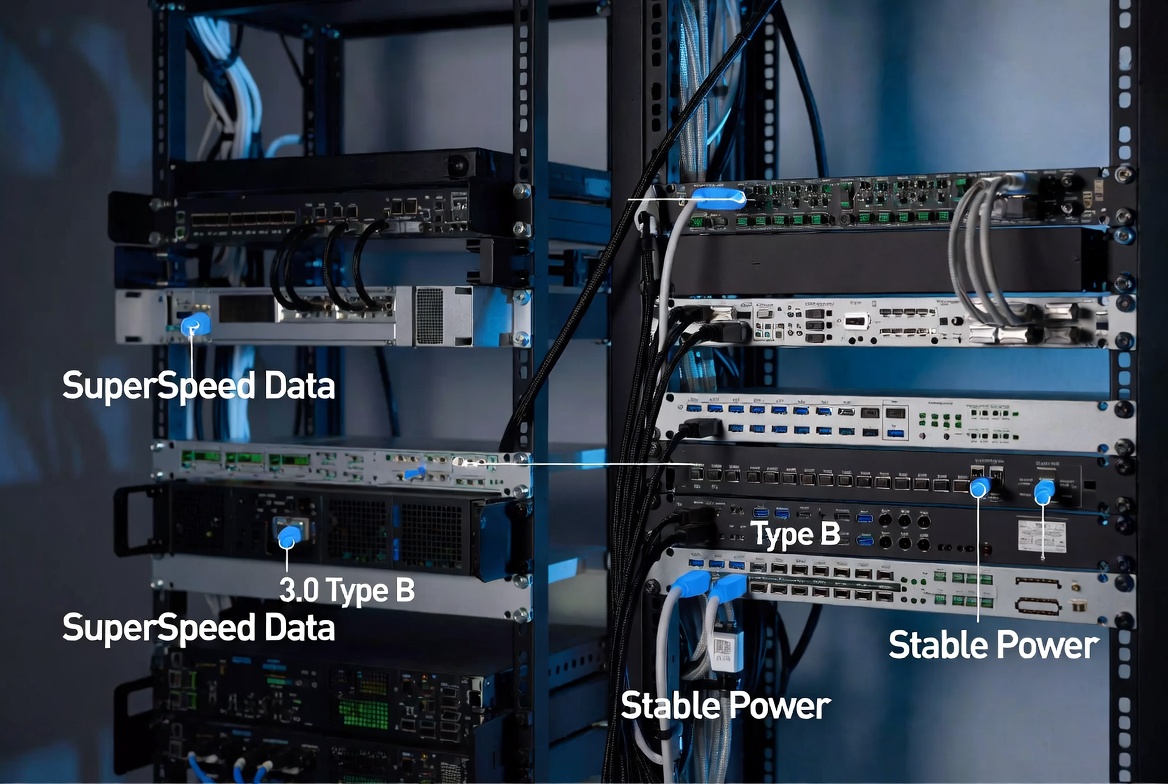
Recent market analyses show that the high‑speed transmission cable segment is growing rapidly, driven by telecom infrastructure, data centers, and bandwidth‑hungry enterprise networks. Reliability, flexibility, and simplified connectivity options are highlighted as core trends for 2026, which aligns closely with the adoption of modern USB standards in professional environments. [vecima]
For OEM and ODM partners, this means that specifying USB 3.0 Type B and higher‑grade cable constructions is not just a technical upgrade but a competitive differentiator. End users increasingly evaluate devices based on data throughput and stability, and cable design decisions—shielding, conductor materials, connector quality—directly influence perceived product quality. [newnex]
From an industry expert viewpoint, connector selection should start with three questions: data volume, power requirement, and user expectation. If your device handles small files, low‑frequency data exchanges, and targets price‑sensitive segments, USB 2.0 Type B may still be a rational choice. However, if your roadmap includes high‑resolution content, real‑time monitoring, or multi‑sensor data logging, USB 3.0 Type B will align much better with usage patterns. [technipages]
At Zhuhai Yuxun Innovation Technology Co., Ltd., we see many customers underestimate the long‑term cost of slow interfaces. Over a multi‑year product lifecycle, investing in USB 3.0 Type B high‑speed transmission cables often pays for itself through improved user satisfaction, reduced support issues, and better integration with future‑ready hardware ecosystems. [linkedin]
To make connector decisions more actionable, product teams can use a short checklist:
1. Define your peak and average data transfer requirements based on real use cases, not just lab tests. [fycables]
2. Evaluate power draw and potential future feature additions that may increase consumption. [purplelec]
3. Map your existing installed base of USB 2.0 versus USB 3.0 hosts and peripherals to identify compatibility constraints. [technipages]
4. Consider target market expectations: enterprise and industrial users increasingly expect SuperSpeed‑level performance from new products. [tripplite.eaton]
5. Align with a manufacturing partner that can offer customized high‑speed transmission cable designs, including shielding, length optimization, and connector durability. [newnex]
Using this framework allows OEMs and brands to treat connector choice as part of a broader UX and lifecycle strategy rather than a simple component decision. [linkedin]
As a specialist in high‑speed transmission cables, Zhuhai Yuxun Innovation Technology Co., Ltd. supports global OEM and ODM clients from early connector selection through mass production. Our engineering teams help translate system‑level requirements into optimized USB 2.0 Type B or USB 3.0 Type B cable assemblies, balancing performance, durability, and cost. [newnex]
Beyond standard configurations, we provide custom length, shielding, and connector reinforcement to ensure stable performance in industrial, commercial, and professional environments. For overseas brands and wholesalers, this means faster project turnaround, consistent quality across batches, and a single partner capable of scaling with global demand. [tripplite.eaton]

If you are planning a new device line, upgrading existing products, or consolidating your cable suppliers, partnering with a manufacturer that understands both USB 2.0 Type B and USB 3.0 Type B at a system level is critical. Zhuhai Yuxun Innovation Technology Co., Ltd. is ready to collaborate on OEM and ODM projects that require reliable, high‑speed transmission cables and expert guidance on connector strategy. [fycables]
Reach out with your technical requirements and market goals, and we can help you design a cable and interface roadmap that supports performance today and scalability tomorrow. [linkedin]
Q1: Is USB 3.0 Type B always the better choice for new devices?
A1: Not always; it depends on required data throughput, power, and target price point, but for most modern data‑heavy applications USB 3.0 Type B is strongly recommended. [technipages]
Q2: Can I use a USB 2.0 Type B cable in a USB 3.0 Type B port?
A2: In many implementations you can, but the connection will run at USB 2.0 speeds and power levels, so performance advantages are lost. [fycables]
Q3: What devices still typically use USB 2.0 Type B?
A3: Office printers, basic scanners, and some older external hard drives continue to rely on USB 2.0 Type B due to modest bandwidth needs and cost focus. [technipages]
Q4: How does USB 3.0 Type B improve user experience in industrial systems?
A4: It enables faster data logging, smoother high‑resolution video, and more stable power delivery, reducing downtime and perceived lag in mission‑critical workflows. [purplelec]
Q5: Why should OEMs involve a cable manufacturer early in product design?
A5: Early collaboration ensures connector choice, cable design, and shielding meet real‑world requirements, avoiding later performance issues and redesign costs. [tripplite.eaton]
1. Fycables – "USB 2.0 Type B Vs. USB 3.0 Type B: What Are the Differences?" <https://fycables.com/usb-2-0-type-b-vs-usb-3-0-type-b-what-are-the-differences/> [fycables]
2. Purplelec – "What is the difference between USB3.0 and USB2.0" <https://www.purplelec.com/blogs-detail/usb-type-b> [purplelec]
3. Technipages – "What Is the Difference Between USB 2.0 and USB 3.0?" <https://www.technipages.com/difference-usb-2-3/> [technipages]
4. Global High‑Speed Transmission Cable Market Outlook 2026–2033 <https://www.linkedin.com/pulse/global-high-speed-transmission-cable-market-outlook-abzsf> [linkedin]
5. Tripp Lite / Eaton – "USB: Port Types and Speeds Compared" <https://tripplite.eaton.com/products/usb-connectivity-types-standards> [tripplite.eaton]
6. Newnex – "USB Types and Connectors Guide" <https://newnex.com/usb-connector-type-guide.php> [newnex]
7. Vecima – "2026 Cable Trends to Watch" <https://vecima.com/2026-cable-trends/> [vecima]


