:+86-13726207043
:info@yuxun.com
- All
- Product Name
- Product Keyword
- Product Model
- Product Summary
- Product Description
- Multi Field Search

Views: 222 Author: YUXUN CABLE Publish Time: 2026-06-09 Origin: Site


Content Menu
● HDMI Splitter vs Switch: Core Definitions
● At‑a‑Glance Comparison: HDMI Splitter vs Switch
>> Functional Differences Table
● When to Use an HDMI Splitter
>> Technical Considerations for Splitters
>> Key Features to Look For in Switches
● Expert Decision Framework: Splitter or Switch?
● Advanced Topic: When You Need More Than a Splitter or Switch
>> Understanding HDMI Matrix Solutions
>> Extenders, KVM and Long‑Distance Needs
● How Cable Quality and HDMI Devices Work Together
>> Why the HDMI Cable Still Matters
>> Typical OEM / ODM Customization Options
● Practical Setup Tips from the Field
>> Best Practices for HDMI Splitter Installations
>> Best Practices for HDMI Switch Deployments
● How Zhuhai Yuxun Supports OEM / ODM HDMI Projects
>> From Concept to Market‑Ready HDMI Solutions
>> Why Professional Buyers Choose Specialized Manufacturers
● Clear Call to Action for OEM / ODM Buyers
● FAQs: HDMI Splitter vs HDMI Switch
An HDMI splitter and an HDMI switch solve opposite problems: a splitter sends one HDMI source to multiple displays, while a switch connects multiple HDMI sources to one display and lets you toggle between them. Choosing the right device starts with a simple rule of thumb: one‑to‑many = splitter, many‑to‑one = switch. [orei]
In this article, I will walk you through HDMI splitters and HDMI switches from both a professional AV integrator and cable manufacturer perspective, drawing on real project scenarios and buyer questions we see every week at Zhuhai Yuxun Innovation Technology Co., Ltd.. The goal is to help overseas brands, wholesalers, and equipment manufacturers select the right device, avoid compatibility headaches, and specify OEM / ODM products that truly fit their markets. [sct-supply]
An HDMI splitter (often called an HDMI distributor) takes one HDMI input and duplicates that signal to multiple HDMI outputs, showing the same content on every connected display at the same time. In practice, that means you can mirror a single media player, PC, or set‑top box onto several TVs, projectors, or signage displays simultaneously. [sct.com]
Common splitter use cases include:
- Multi‑screen digital signage in retail or hospitality. [sct.com]
- Conference rooms with a main projector plus side confidence monitors. [sct-supply]
- Sports bars mirroring one game to many TVs. [sct.com]
From a product perspective, splitters are usually labeled 1×2, 1×4, 1×8 and so on, indicating one input and multiple outputs. [cabletimetech]
An HDMI switch takes multiple HDMI input sources (for example, a game console, streaming box, and Blu‑ray player) and connects them to one HDMI output (your TV, monitor, or projector). It lets you select which input is active so you don't have to constantly plug and unplug cables. [cnet]
Typical HDMI switch scenarios:
- Home theater with multiple media players and only one TV HDMI port. [techly]
- Meeting rooms where different laptops or media sources need to present to a single display. [act-connectivity]
- Gaming setups with several consoles feeding one monitor. [fycables]
Switches are commonly labeled 3×1, 5×1 and so on, meaning multiple inputs and a single output. [techly]
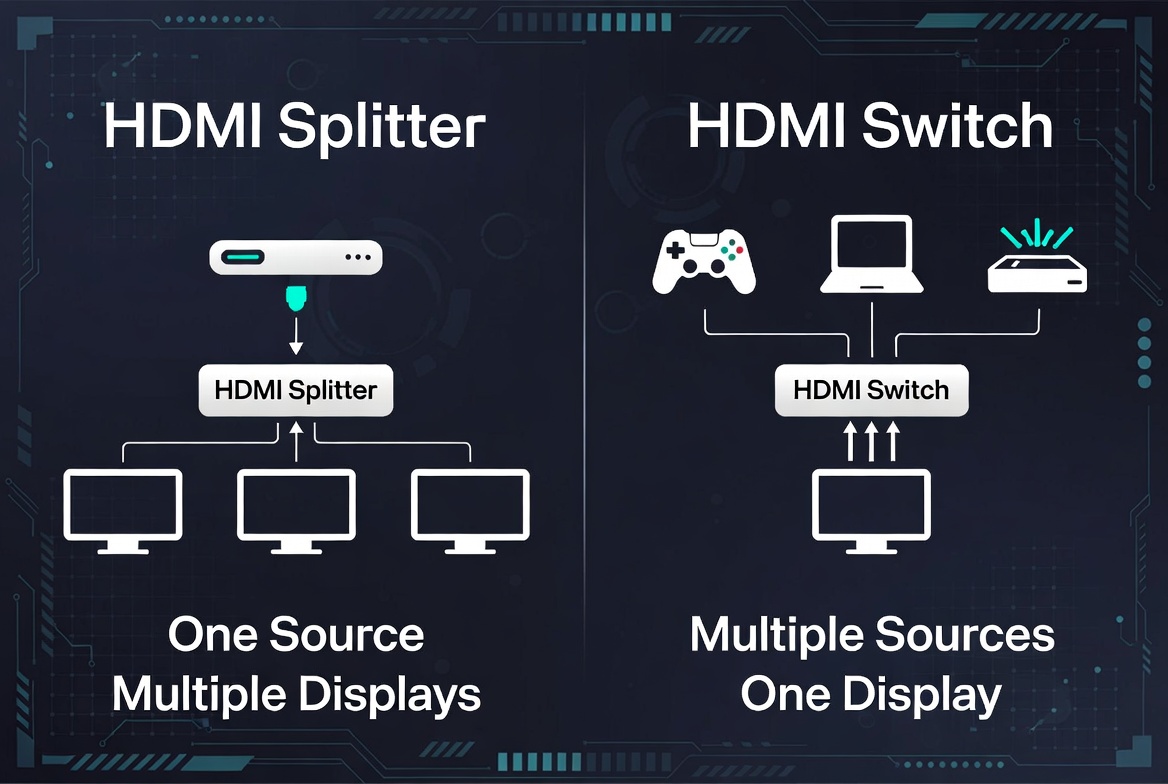
| Aspect | HDMI Splitter (1→Many) | HDMI Switch (Many→1) |
|---|---|---|
| Direction of signal | One input source to multiple displays at once. (orei) | Multiple input sources to one display, one at a time. (cnet) |
| Main purpose | Mirror content across several screens. (sct.com) | Select between multiple devices on a single screen. (cnet) |
| Typical labeling | 1×2, 1×4, 1×8, 1×16. (sct-supply) | 3×1, 5×1, 8×1. (techly) |
| Ideal environments | Signage, training rooms, showrooms, sports bars. (sct.com) | Home theater, gaming setups, office meeting rooms. (cnet) |
| User control | No source switching; all displays show same content. (sct.com) | Manual or automatic switching between sources. (cnet) |
| Common buyer question | "How do I show one source on many screens?" (sct-supply) | "How do I connect several devices to my TV?" (cnet) |
| Typical OEM differentiation | Number of outputs, 4K/8K support, EDID, distance, casing. (sct-supply) | Number of inputs, auto‑switching logic, remote, ARC/eARC support. (cnet) |
From my experience working with B2B buyers, the need for a splitter usually appears when multiple people must see the same content at the same time. A few concrete examples: [sct-supply]
- Retail and digital signage: One media player feeds content to a video wall, entrance display, and in‑store promo TV simultaneously. [sct.com]
- Corporate training and classrooms: The same presentation is mirrored to the main projector plus confidence monitors at the back of the room. [act-connectivity]
- Security monitoring: One NVR output is split to control room monitors and a manager's office display. [sct-supply]
In these environments, the "one‑to‑many" pattern is the key design signal that you need an HDMI splitter rather than a switch. [cabletimetech]
To deploy HDMI splitters reliably in professional or commercial projects, pay attention to:
- Resolution and refresh rate: Ensure the splitter supports all required formats, such as 4K at 60 Hz or even 8K for premium applications. [gofanco]
- HDCP compatibility: For content‑protected streams (premium OTT, Blu‑ray), HDCP support is essential. [cnet]
- Cable length and signal integrity: Long runs may require active splitters, repeaters, or extenders to prevent signal degradation. [gofanco]
- EDID management: Smart EDID handling helps align resolution across TVs with different capabilities. [cabletimetech]
From a manufacturing side, we often see professional buyers requesting metal housings, screw‑lock power connectors, and rack‑mount brackets for high‑reliability installations. [act-connectivity]
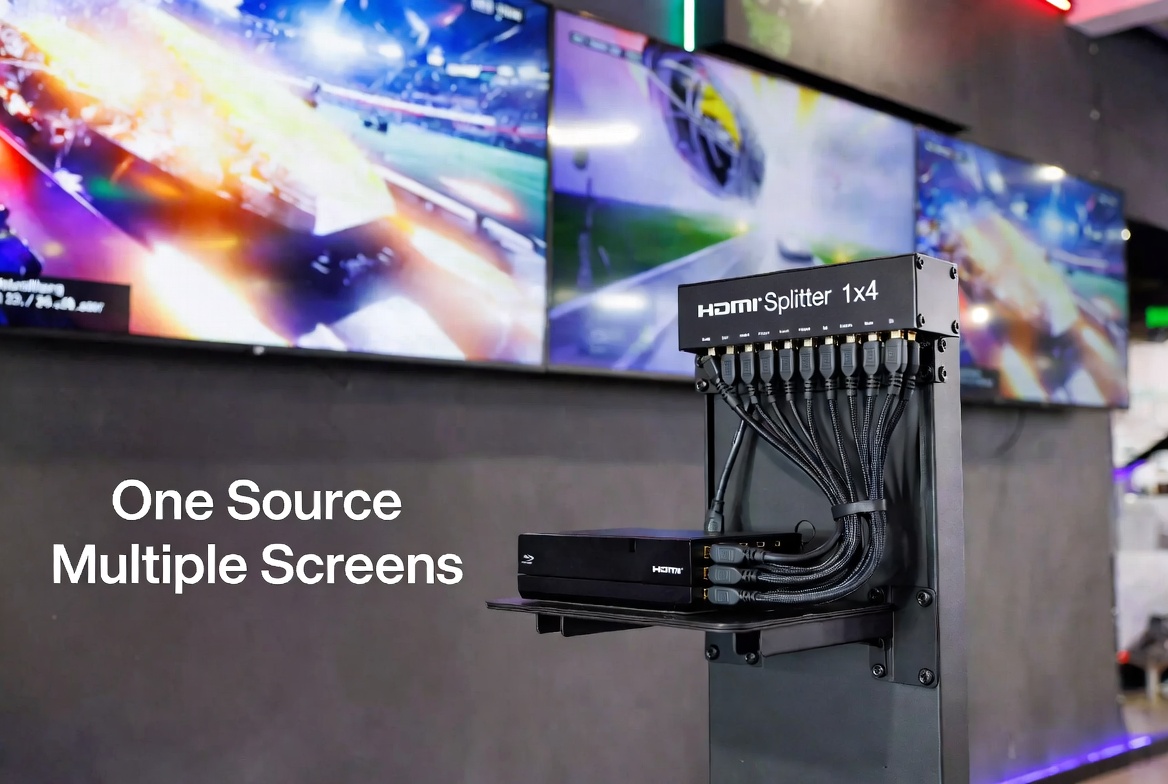
An HDMI switch is the right choice when your display has limited HDMI ports but you have several devices to connect. This is extremely common in: [cnet]
- Home theaters: TV plus game consoles, streaming sticks, and set‑top boxes. [fycables]
- Gaming rooms: Multiple consoles sharing one high‑refresh gaming monitor. [techly]
- Meeting rooms: Several laptops or media players feeding one projector or display. [techly]
Here, the pattern is "many‑to‑one" — many sources, one screen, with convenient switching as the main UX requirement. [cabletimetech]
From a product spec and OEM perspective, switch buyers often care about:
- Number of inputs: Commonly 3×1, 5×1, or 8×1 depending on device count. [techly]
- Switching method: IR remote, front panel button, automatic switching based on active signal, or CEC control. [cnet]
- Audio formats and ARC/eARC: Especially for home theater users connecting soundbars or AV receivers. [fycables]
- 4K/8K and HDR support: To match modern consoles and streaming devices. [gofanco]
For brand customers, we often co‑design front‑panel layouts, LED indicators, and remote control design to align with the brand's visual identity and UX guidelines. [act-connectivity]
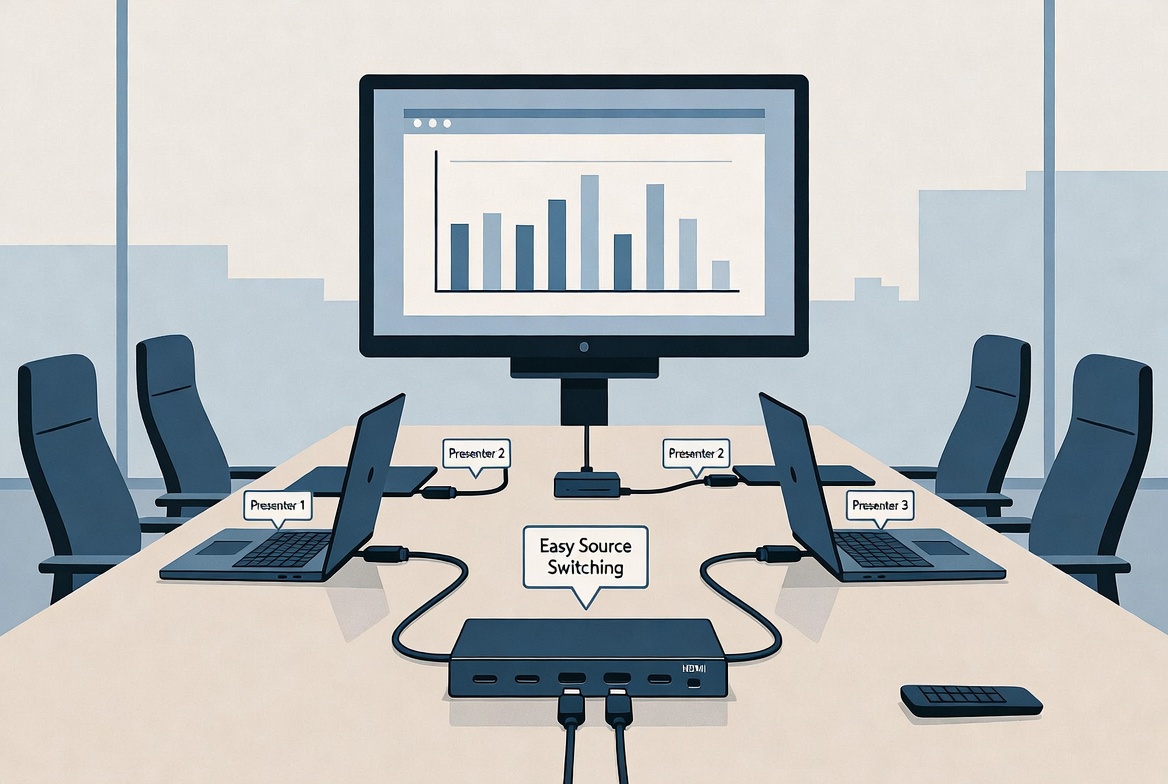
To help both end users and professional buyers, here is a simple three‑step decision checklist I use in consulting projects:
1. Count sources and displays
- One source, multiple displays → HDMI splitter. [sct-supply]
- Multiple sources, one display → HDMI switch. [cnet]
2. Clarify how content should appear
- Same content on all screens simultaneously → splitter. [sct.com]
- Different devices selected one at a time on one screen → switch. [cnet]
3. Check scalability and future needs
- Are you likely to add more displays or devices? If both the number of sources and displays will grow, you may eventually need an HDMI matrix or modular system, combining switching and splitting in one device. [youtube]
This simple framework prevents the most common mistake I see in support tickets: buying a splitter when the real need is more HDMI inputs on the TV, or buying a switch when the requirement is multi‑screen mirroring. [sct-supply]
In more complex professional setups, neither a simple splitter nor a basic switch is enough. That is where an HDMI matrix comes in: [youtube]
- A matrix can route any input to any output, combining the functions of a splitter and switch in one device. [youtube]
- It enables flexible configurations like sending one source to all screens, or different sources to different displays at the same time. [youtube]
This is common in control rooms, large conference centers, and multi‑zone AV systems, where the content routing logic changes throughout the day. [youtube]
For long‑distance transmission or integrated control, your project may also require:
- HDMI extenders: To carry signals over longer cable runs or category cable. [gofanco]
- KVM extenders (Keyboard‑Video‑Mouse): Allowing remote control of PCs over longer distances along with video. [act-connectivity]
As a manufacturer, we frequently integrate splitter, switch, and extender capabilities into a single tailored product for OEM customers who want to reduce the number of boxes in an installation. [gofanco]
No matter how advanced your splitter or switch is, poor‑quality HDMI cables can still cause flicker, black screens, or handshake issues. For 4K and above, using high‑speed or ultra‑high‑speed HDMI cables is critical to maintain signal integrity across the entire chain. [gofanco]
At Zhuhai Yuxun, we see the best results when:
- The cable quality matches the maximum resolution and refresh rate of the system. [cnet]
- Total cable length (source → device → display) is considered during solution design. [sct.com]
Because we specialize in both HDMI cables and related devices, we can help B2B clients create bundled SKUs where the splitter or switch and cables are tested as a complete system for their target market. [act-connectivity]
For overseas brands and wholesalers, common customization requests include:
- Custom cable length, jacket material, and color to match brand identity or installation needs. [act-connectivity]
- Private‑label splitters and switches with branded housings, packaging, and user manuals. [gofanco]
- Region‑specific power adapters and compliance marks (e.g., CE, FCC). [act-connectivity]
This integrated approach helps reduce returns and support issues, because the entire HDMI ecosystem is engineered as one solution, not as separate parts from multiple vendors. [gofanco]
Over the years, several practical rules have consistently reduced problems for our partners:
- Start with the shortest cable on the input side to preserve signal quality. [sct.com]
- Use displays with matching or at least similar resolutions; mixed resolutions can force the system to fall back to the lowest common setting. [sct-supply]
- If you must mix resolutions, choose splitters with advanced EDID management to manually define the preferred output format. [cabletimetech]
These small decisions at the design stage often prevent hours of troubleshooting later. [sct-supply]
For HDMI switches, UX and control are usually more important than pure hardware specs:
- Make sure the switch location and indicator LEDs are easily visible from the user's position. [techly]
- Consider auto‑switching models if users frequently power devices on and off; this simplifies operation. [techly]
- For home theater or office use, ensure CEC or ARC/eARC support aligns with the TV or AV receiver. [fycables]
In OEM projects, we regularly test typical user flows with target markets (for example, a gaming‑focused switch vs. a meeting‑room‑focused switch) and adjust button layout and firmware accordingly. [act-connectivity]
As a manufacturer focusing on HDMI cables and related connectivity products, we collaborate with global brands, wholesalers, and equipment makers to:
- Analyze the target user scenarios (home theater, gaming, commercial signage, education, corporate AV). [gofanco]
- Recommend the optimal mix of HDMI splitters, switches, matrices, and cables for that use case. [youtube]
- Customize hardware, firmware, and packaging so the final product fits local market expectations. [act-connectivity]
Because we handle both cables and active devices, we can test complete signal chains in our lab before mass production, reducing the risk of field failures for our partners. [gofanco]
For B2B customers, working directly with a specialized manufacturer offers several advantages:
- Tighter quality control across both cables and devices. [act-connectivity]
- Faster iteration and customization for new standards like higher‑bandwidth HDMI formats. [cnet]
- The ability to develop exclusive product lines that differentiate your brand in crowded markets. [gofanco]
If your catalog includes home‑theater accessories, gaming peripherals, or commercial AV solutions, a well‑designed range of HDMI splitters, switches, and high‑quality cables can become a profitable, low‑maintenance product category. [fycables]
If you are planning your next HDMI splitter or switch product line or need a reliable cable plus device bundle for your brand, working with a dedicated manufacturer can significantly shorten your time to market and reduce technical risks. You can share your target scenarios, required ports, design preferences, and compliance needs, and we will help you turn that into a customized, market‑ready HDMI solution tailored to your customers' real‑world use cases. [act-connectivity]
1. Can I use an HDMI splitter as a switch?
No. An HDMI splitter duplicates one source to multiple displays and cannot select between multiple inputs. If you have several devices and one display, you need an HDMI switch. [orei]
2. Will an HDMI splitter extend my desktop?
Typically, no. A standard HDMI splitter mirrors the same image to each screen rather than extending the desktop like a multi‑monitor graphics setup. For extended desktops, use a graphics card with multiple outputs or a dedicated multi‑display solution. [youtube]
3. Do HDMI splitters and switches reduce image quality?
High‑quality devices that support your required resolution, bandwidth, and HDCP version normally do not degrade image quality. Issues usually come from poor‑quality cables, excessive cable length, or mismatched resolutions between displays. [cnet]
4. What if I have multiple sources and multiple displays?
In that case, consider an HDMI matrix or a modular AV over IP system. A matrix lets you route any input to any output, combining the functions of a splitter and switch. [youtube]
5. How do I choose the right HDMI cable for my splitter or switch?
Match the cable to your highest required resolution and refresh rate, such as certified Ultra High Speed HDMI for 4K/60 or higher. Keep cable runs within recommended length limits, and use active cables or extenders for longer distances. [sct.com]
1. OREI – "HDMI Splitter vs HDMI Switch: What's the difference?"
<https://www.orei.com/blogs/news/hdmi-splitter-vs-hdmi-switch-whats-the-difference> [orei]
2. CNET – "HDMI Splitter vs. HDMI Switch: Which Should You Buy?"
<https://www.cnet.com/tech/home-entertainment/hdmi-switch-vs-hdmi-splitter-everything-you-need-to-know/> [cnet]
3. SCT – "HDMI Switch vs HDMI Splitter: What Do They Do? Which …"
<https://www.sct.com.tw/articles/hdmi-splitter-vs-hdmi-switch-whats-the-difference-how-do-they-work> [sct.com]
4. SCT Supply – "What is an HDMI Splitter? HDMI Switch vs. Splitter Use Cases & FAQ"
<https://sct-supply.com/blogs/articles/what-is-an-hdmi-splitter-hdmi-switch-vs-splitter-use-cases-faq> [sct-supply]
5. Cabletime – "HDMI Switcher vs. HDMI Splitter: What's the Difference and Which One Do You Need"
<https://cabletimetech.com/blogs/knowledge/hdmi-switcher-vs-hdmi-splitter-whats-the-difference-and-which-one-do-you-need> [cabletimetech]
6. FYCables – "HDMI Splitter vs. Switch: Home Theater & Gaming Guide"
<https://fycables.com/hdmi-splitter-vs-switch-home-theater-gaming-guide/> [fycables]
7. ACT Connectivity – "Find the right splitter, switch, or extender for your setup"
<https://www.act-connectivity.com/en-us/expertise-center/hdmi-solutions-find-the-right-splitter-switch-or-extender-for-your-setup> [act-connectivity]
8. gofanco – "Choosing the Best HDMI Splitter for Your Setup"
<https://www.gofanco.com/blog/post/How-to-Choose-the-Right-HDMI-Splitter-for-Your-Setup> [gofanco]


