:+86-13726207043
:info@yuxun.com
- All
- Product Name
- Product Keyword
- Product Model
- Product Summary
- Product Description
- Multi Field Search

Views: 222 Author: YUXUN CABLE Publish Time: 2026-06-08 Origin: Site


Content Menu
● Cheap vs Expensive HDMI Cables: The Core Debate
● How HDMI Cables Actually Work (And Why Price Has Limits)
● Key Technical Factors Behind Price Differences
>> 1. Bandwidth and HDMI Version
>> 2. Length and Signal Integrity
>> 3. Materials, Shielding, and Connectors
● Cheap vs Expensive HDMI: Practical Use Cases
>> When a Well‑Engineered "Cheap" HDMI Cable Is Enough
>> When Paying More Makes Sense
● OEM/ODM Perspective: Designing the Right HDMI Portfolio
● Expert Insight: How Professionals Evaluate HDMI Cables
● Engineering a Reliable "Mid‑Tier" HDMI Cable (Behind the Scenes)
● Data Point – Failure Rates and Long Cables
● How to Choose Between Cheap and Expensive HDMI Cables (Step‑by‑Step)
● Cheap vs Expensive HDMI: At‑a‑Glance Comparison
● Why Work With an OEM/ODM Manufacturer Like Zhuhai Yuxun
● Call to Action: Build Your Next HDMI Line on Engineering, Not Hype
● FAQ: Cheap vs Expensive HDMI Cables
Cheap vs expensive HDMI cables are not about picture quality; they are about specs, reliability, and use case, which is exactly where an OEM/ODM manufacturer like Zhuhai Yuxun can add real value for brands and distributors. [lenkeng]
In this article, I will look at cheap vs expensive HDMI cables from both a practical user angle and a manufacturing/engineering perspective, so you can decide what to stock, brand, or specify in your next project. We will connect real‑world usage (home cinema, gaming, professional AV) with what actually happens inside the cable: conductors, shielding, testing, and certification. [fycables]
For years, consumers have been told that expensive HDMI cables "improve" picture and sound quality, while others insist "an HDMI cable is just digital ones and zeros — it either works or it doesn't." Independent tests and expert reviews show a consistent pattern: as long as the cable meets the required HDMI specification and is not defective, image quality itself does not magically get better with price. [youtube]
However, that does not mean all HDMI cables are the same. The key differences usually lie in:
- Supported HDMI version and bandwidth (e.g. 18 Gbps vs 48 Gbps) [arendalsound]
- Maximum stable length at that bandwidth [youtube]
- Build quality, shielding, and connector robustness [reddit]
- Reliability over time and under stress (plug cycles, bending, in‑wall runs) [allion]
This is where price bands start to make sense from an engineering and OEM/ODM planning standpoint.
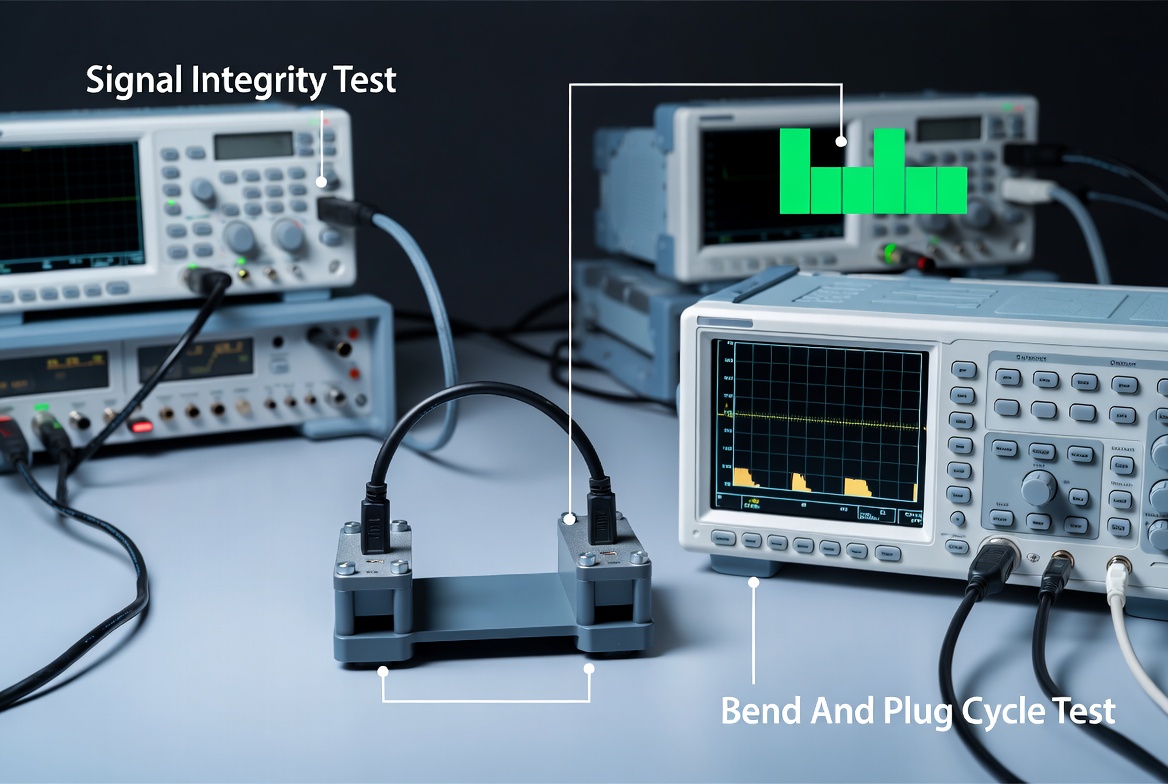
An HDMI cable is a digital transmission channel that sends high‑speed differential signals between source and display. There is no "slightly better" analog-style signal: the receiver either reconstructs the bitstream correctly, or errors show up as sparkles, dropouts, or a complete loss of signal. [youtube]
Because of this:
- If a cable cleanly passes the required bandwidth (e.g. 48 Gbps for HDMI 2.1), a more expensive cable will not produce a sharper or more colorful image. [lenkeng]
- What you gain by moving up in price is usually margin against failure: better shielding, more robust conductors, more precise impedance control, and longer tested run lengths. [reddit]
For foreign brands and wholesalers, this means the sweet spot is rarely the ultra‑cheap bottom or the marketing‑driven ultra‑luxury top, but a properly engineered mid‑range line designed around real use cases.
The first discriminator between "cheap" and "expensive" is often supported spec:
- Standard / High Speed HDMI (up to HDMI 2.0): typically 10.2–18 Gbps, good for 1080p and 4K/30–60 Hz. [fycables]
- Ultra High Speed HDMI (HDMI 2.1): up to 48 Gbps, required for 8K/60 and 4K/120, VRR, eARC. [arendalsound]
A $10 HDMI 2.1 cable with genuine 48 Gbps capability is more valuable for 8K/120 or 4K/144 gaming than a $50 branded HDMI 2.0 cable that tops out at 18 Gbps. The spec and testing matter more than the retail price. [fycables]
Length is where low‑cost cables usually get exposed. At HDMI 2.1 speeds, tests have shown that once you go beyond about 3–5 meters, failure rates rise significantly, even for recognizable brands. Some third‑party stress tests reported double‑digit failure rates when pushing many "48 Gbps" cables to their advertised limits. [youtube]
Longer runs systematically require:
- Thicker or higher‑quality conductors
- Better shielding and twist control
- Stricter impedance and insertion‑loss testing
That engineering is a major component of why robust longer cables cost more to produce.
From a manufacturer's viewpoint, the jump from "cheap" to "professional‑grade" cable involves upgrades across the bill of materials: [zytino]
- Conductor material: OFC vs higher‑grade, sometimes silver‑plated copper for long or high‑frequency runs. [zytino]
- Shielding structure: single foil vs foil + high‑density braid, sometimes multiple layers for difficult EMI environments. [reddit]
- Connector design: thicker gold plating, more robust shells, proper strain relief, and overmolding. [allion]
- Mechanical robustness: verified bend radius, pull strength, and plug‑unplug lifecycle (often 5,000–15,000 cycles for high‑end). [allion]
These choices do not change picture quality on day one, but they heavily influence failure rate and RMA costs over the lifecycle.
The real question for buyers and OEM customers is not "cheap or expensive," but "fit‑for‑purpose or mis‑specified." [zytino]
A reasonably priced cable from a reliable manufacturer is usually sufficient when: [lenkeng]
- Length is short (≤ 2 m)
- Resolution/refresh is modest (1080p or 4K/60)
- Environment has low electromagnetic interference
- The cable is not being constantly replugged
In these scenarios, you are primarily paying for correct spec compliance rather than exotic materials.
A higher‑priced, better‑engineered cable becomes rational when: [youtube]
- You need 8K/60 or 4K/120–144 Hz gaming (HDMI 2.1, 48 Gbps)
- Runs are long (over 5–10 meters) or in‑wall
- You operate in professional AV, digital signage, or control rooms
- Failure would be expensive (truck rolls, downtime, damaged brand)
In these cases, the extra cost reflects redundancies in shielding, conductor quality, and testing needed to maintain signal integrity.
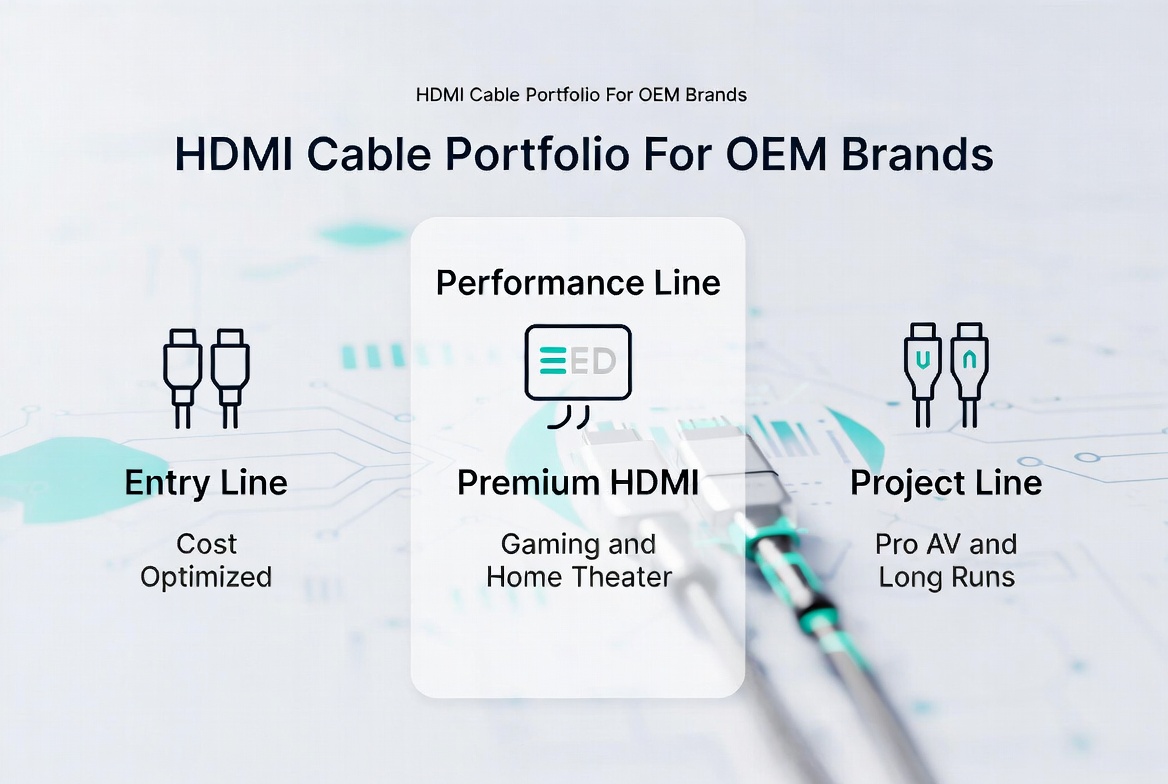
From Zhuhai Yuxun's OEM/ODM viewpoint, the cheap vs expensive debate translates into portfolio strategy rather than a single "best cable." The most resilient HDMI lineup usually includes: [imarcgroup]
- An entry line: cost‑optimized, correctly specified cables for short consumer runs.
- A performance line: better materials and shielding for gaming, home theater, and mid‑range professional use.
- A project/engineering line: long‑distance copper or hybrid/optical solutions with strict test reports for integrators. [zytino]
Industrial reports show the global HDMI cable market continues to grow steadily, driven by 4K/8K displays, gaming consoles, and pro‑AV installations. For foreign brands, partnering with an experienced manufacturer is critical to balancing performance, cost, and reliability across these segments. [linkedin]
Professional AV integrators and quality engineers rarely ask, "Is it cheap or expensive?" Instead, they ask: [reddit]
- What spec does this cable truly meet (tested, not printed)?
- What is the maximum tested length at that spec?
- What are the shielding and connector details?
- What test reports or third‑party certifications are available?
Engineering‑oriented manufacturers use tools like TDR (time domain reflectometry), insertion‑loss measurements, and mechanical stress tests to qualify each design. When you see a significant price difference, it is often because one cable has actually passed these tests at the advertised bandwidth and length, and another has not. [allion]
One of the most under‑served segments in the market is the reliable mid‑tier cable: not the cheapest on the shelf, not a luxury brand, but a stable, repeatable performer. From an OEM design perspective, creating this kind of product typically means: [arendalsound]
- Selecting OFC conductors that meet the loss budget for 4K/60 or 4K/120 at the target length. [zytino]
- Using foil + braided shield with ≥ 85–90% coverage to handle real‑world EMI in homes and offices. [reddit]
- Specifying 30 μ‑inch or higher gold plating on contacts and robust strain‑relief jackets for plug‑unplug cycles. [reddit]
- Running sample lots through both electrical and mechanical testing (bend, pull, plug cycles) before mass production. [allion]
For foreign brands and wholesalers, this is often where long‑term profit lies: fewer returns, stronger reviews, and a clear positioning versus "bargain bin" cables.
Independent stress testing of dozens of HDMI 2.1 cables has shown that a noticeable minority fail to deliver reliable 48 Gbps at their advertised lengths. In one widely discussed test series, nearly one in five sample cables could not maintain spec under full‑speed conditions, especially at longer lengths. [youtube]
This highlights three practical lessons:
- Merely printing "48 Gbps" on the jacket is not enough.
- Longer copper runs at HDMI 2.1 need careful design or active/optical solutions. [youtube]
- A manufacturer willing to provide full‑parameter test reports, not just a simple "pass," offers real risk reduction. [zytino]
For integrators and brand owners, working with an OEM that understands these failure modes can dramatically reduce hidden costs.
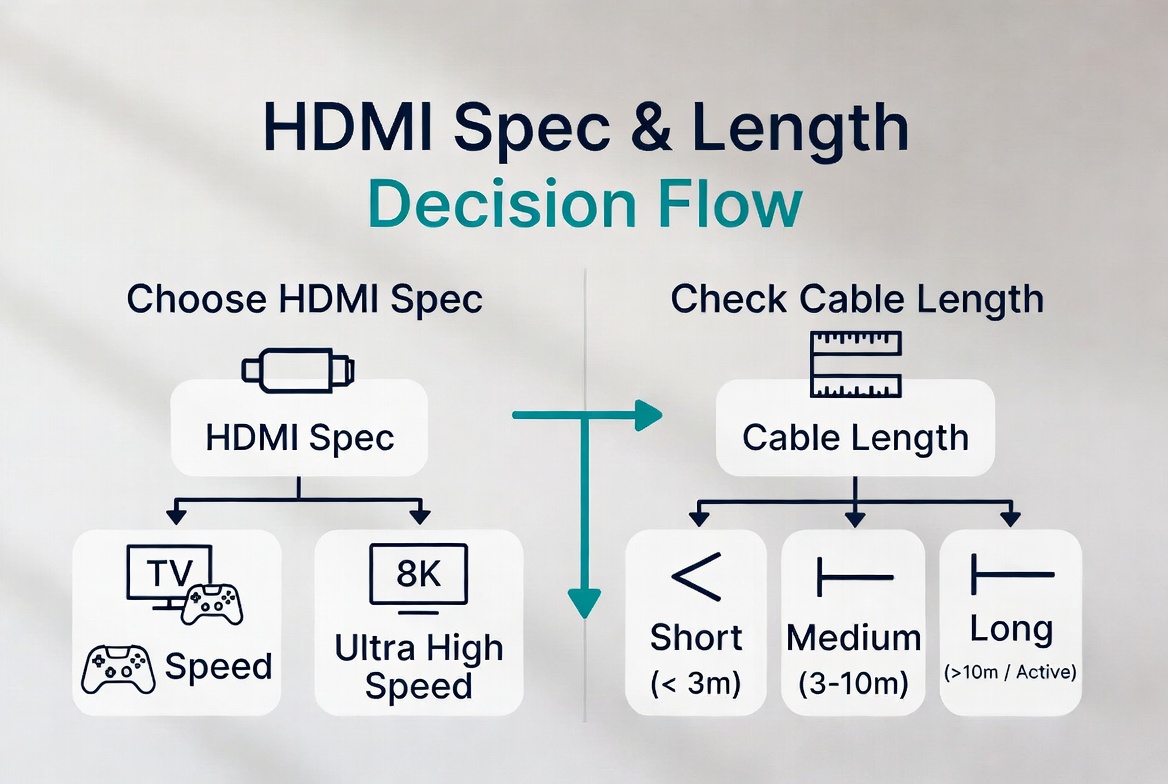
From a user and buyer experience standpoint, a simple decision process works well: [fycables]
1. Match the HDMI spec to your device
- If you use 1080p or basic 4K/60, a certified High Speed cable is enough.
- For 4K/120, VRR, or 8K, insist on Ultra High Speed (HDMI 2.1).
2. Measure the actual cable length needed
- Under 2 meters: a quality budget cable is usually fine.
- Over 5 meters: consider an upgraded copper design; over 10 meters, evaluate active or optical solutions. [youtube]
3. Check build quality and reviews
- Look for comments about connector looseness, failures after a few months, or incompatibility.
- Avoid products with extravagant claims (e.g., "directional digital signal improvement," "quantum shielding") not backed by specs. [fycables]
4. Prioritize certification and test reports
- Prefer cables with HDMI certification labels or documented testing. [fycables]
- For projects, ask the manufacturer for batch test reports covering impedance, insertion loss, and plug‑cycle durability. [allion]
By following this process, users and procurement teams can systematically decide when a "cheap" cable is fine and when a higher‑priced, better‑engineered option is justified.
| Aspect | Typical "Cheap" HDMI | Typical "Expensive" HDMI | What Actually Matters |
|---|---|---|---|
| Price band | Very low retail | Mid to high retail | Match price to spec and use case |
| HDMI version | Often 1.4–2.0 | Often 2.0–2.1 (sometimes over‑claimed) | Confirm real bandwidth and certification (fycables) |
| Length focus | Short (< 2 m) | Includes longer runs | Longer runs need better design (youtube) |
| Conductor | Basic copper | Better copper or plated | Loss budget at target length (zytino) |
| Shielding | Minimal | Multi‑layer | EMI and stability in real installs (reddit) |
| Connectors | Simple, low‑cost | Stronger shells, better plating | Durability and plug cycles (reddit) |
| Testing depth | Basic continuity | Electrical + mechanical | Lower failure and RMA rates (zytino) |
| Image quality | Fine if in spec | Fine if in spec | Digital: it works or it doesn't (lenkeng) |
For overseas brands, wholesalers, and equipment makers, the cheap vs expensive decision is not just about end‑user perception, but about supply chain control and engineering support. A specialized cable manufacturer can help you: [imarcgroup]
- Define tiered product lines aligned with your market (entry, performance, project).
- Optimize material and structure to balance cost and performance for each target length and spec. [zytino]
- Provide reliable testing and documentation to support your branding and reduce warranty risk. [allion]
- Co‑develop custom HDMI solutions that integrate cleanly with your devices, packaging, and channel strategy. [imarcgroup]
In other words, instead of betting on price alone, you can build a portfolio strategy where each cable tier is engineered with a clear business purpose.
If you are a foreign brand owner, wholesaler, or equipment manufacturer, now is the time to review your HDMI cable strategy. The market is growing, but so are user expectations around 4K/8K, gaming, and reliability. Working with an OEM/ODM partner that understands both engineering details and market positioning allows you to offer cables that are not just cheap or expensive, but genuinely fit‑for‑purpose and profitable. [businesswire]
Q1. Do expensive HDMI cables give better picture quality?
In normal conditions, no: as long as the cable meets the required HDMI spec and is not defective, picture quality is essentially identical between reasonably built cheap and expensive cables. [community.monzo]
Q2. When should I pay more for an HDMI cable?
You should consider a better‑engineered, higher‑priced cable for long runs, 4K/120 or 8K setups, in‑wall installations, or professional AV projects where reliability and downtime costs matter. [fycables]
Q3. What matters more, brand or certification?
Certification and real testing matter more than brand name. A certified Ultra High Speed cable from a lesser‑known brand can outperform a non‑certified "premium" cable at the same length and bandwidth. [fycables]
Q4. How far can I run HDMI 2.1 over copper?
Many integrators treat anything beyond about 3–5 meters as "high risk" for full 48 Gbps passive copper; beyond roughly 10 meters, active or optical solutions are often recommended. [youtube]
Q5. What should B2B buyers ask an HDMI cable manufacturer?
Ask for detailed specs (bandwidth, length, materials), full test reports (electrical and mechanical), available certifications, and the ability to co‑design different tiers for your specific channels and use cases. [imarcgroup]
1. Lenkeng, "Expensive HDMI cables make no difference and here's why." [Link] [lenkeng]
2. FYCables, "HDMI Cables: Cheap vs. Expensive – Worth It?" [Link] [fycables]
3. Arendal Sound, "Are Expensive HDMI Cables 'Worth' It?" [Link] [arendalsound]
4. YouTube, "HDMI Cables Expensive vs Cheap Cables Is There A Difference?" [Link] [youtube]
5. YouTube, "I Spent a THOUSAND Dollars on HDMI Cables.. for Science." [Link] [youtube]
6. Allion, "Competitive Analysis Test Report: HDMI Cables Quality & Performance." [Link] [allion]
7. Reddit r/CommercialAV, "Specifications of highly reliable and robust HDMI cable?" [Link] [reddit]
8. 智云腾科技, "HDMI数据线定制:如何平衡成本与性能的工程方案." [Link] [zytino]
9. IMARC Group, "HDMI Cable Manufacturing Plant Project Report 2026." [Link] [imarcgroup]
10. Retail HDMI Cable Market Forecast 2026–2033, LinkedIn article on market size and trends. [Link] [linkedin]
11. Global HDMI Cable Market (2019 to 2026), BusinessWire industry analysis. [Link] [businesswire]


