:+86-13726207043
:info@yuxun.com
- All
- Product Name
- Product Keyword
- Product Model
- Product Summary
- Product Description
- Multi Field Search

Views: 222 Author: YUXUN CABLE Publish Time: 2026-06-11 Origin: Site


Content Menu
● What Counts as a "Long" HDMI Cable?
● Match HDMI Cable Spec to Your Devices First
>> Key HDMI Versions and Typical Use Cases
● Why Wire Gauge and Shielding Matter So Much Beyond 5m
● Passive Copper vs Active vs AOC HDMI Cables
>> 1. Passive Copper HDMI Cables (5m–15m)
>> 2. Active Copper HDMI Cables
>> 3. Active Optical HDMI Cables (AOC)
● When Should You Upgrade to AOC HDMI Cables?
● Certifications to Check Before Buying Long HDMI Cables
● Real-World Example: 10m HDMI Cable for a 4K Projector
● Common Long HDMI Cable Problems (and How to Avoid Them)
● Installation Best Practices for Long HDMI Runs
● How OEM/ODM Manufacturers Add Value for Long HDMI Projects
● Long HDMI Cables in Professional & Industrial Environments
● How to Evaluate Long HDMI Cable Specs on Product Pages
● Future-Proofing Your Long HDMI Installation
● Clear Buying Checklist for 5m–10m and Longer HDMI Cables
● Call to Action: OEM/ODM Long HDMI Cables for Your Brand
● FAQ: Long HDMI Cable Buying Questions
Choosing a 5m, 10m, or even longer HDMI cable is no longer as simple as "any wire will do." From 4K/8K bandwidth requirements to signal loss over distance, the wrong long HDMI cable can mean flickering screens, random blackouts, or failing HDR. As an OEM/ODM HDMI cable manufacturer working with global brands, I'll walk you through how to buy long HDMI cables that actually deliver the performance printed on the box—based on lab tests, field feedback, and real project experience. [sana-commerce]
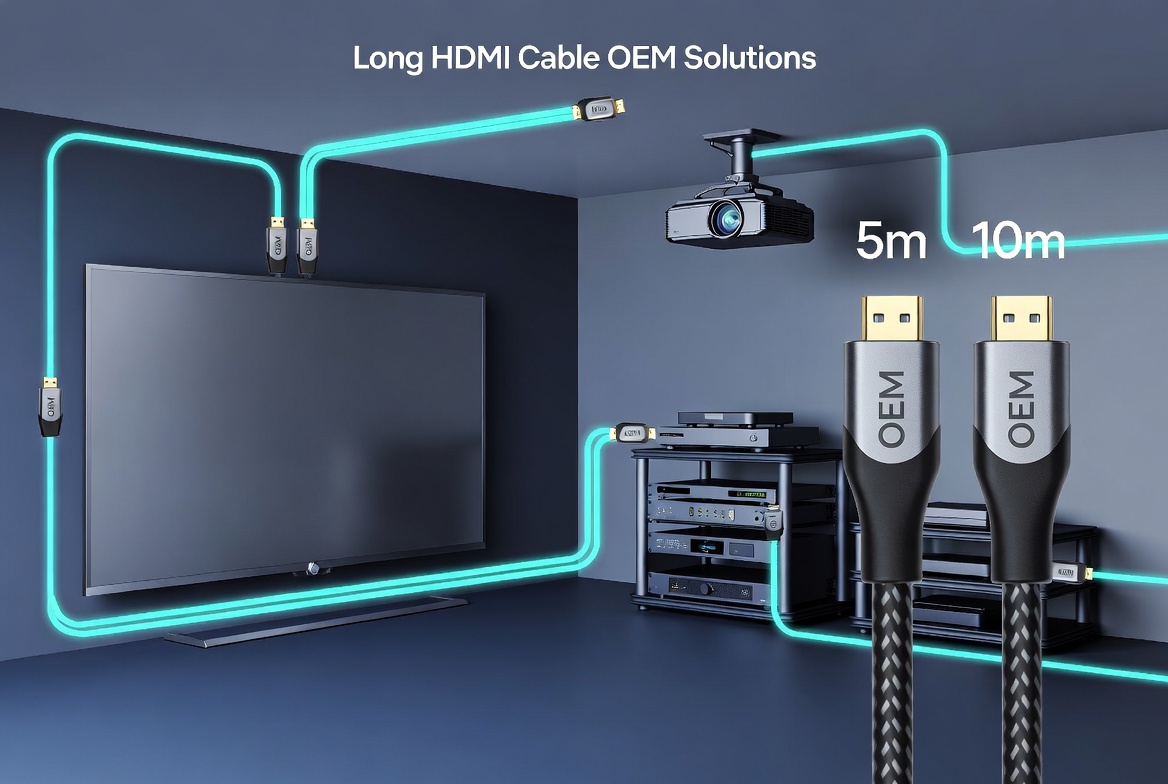
When we talk about "long HDMI cables," we usually mean anything from 5 meters to over 20 meters. [fycables]
- 5m–10m: Common for living rooms, office meeting rooms, gaming setups. [fycables]
- 10m–15m: Typical for ceiling-mounted projectors, classroom AV, and small conference rooms. [sfcable]
- 15m–30m+: Used in home theaters, digital signage, control rooms, and industrial display systems. [tw.my-best]
The longer the cable, the more critical signal integrity, shielding, wire gauge, and build quality become, especially for 4K at 60Hz, 4K at 120Hz, or 8K. [sfcable]
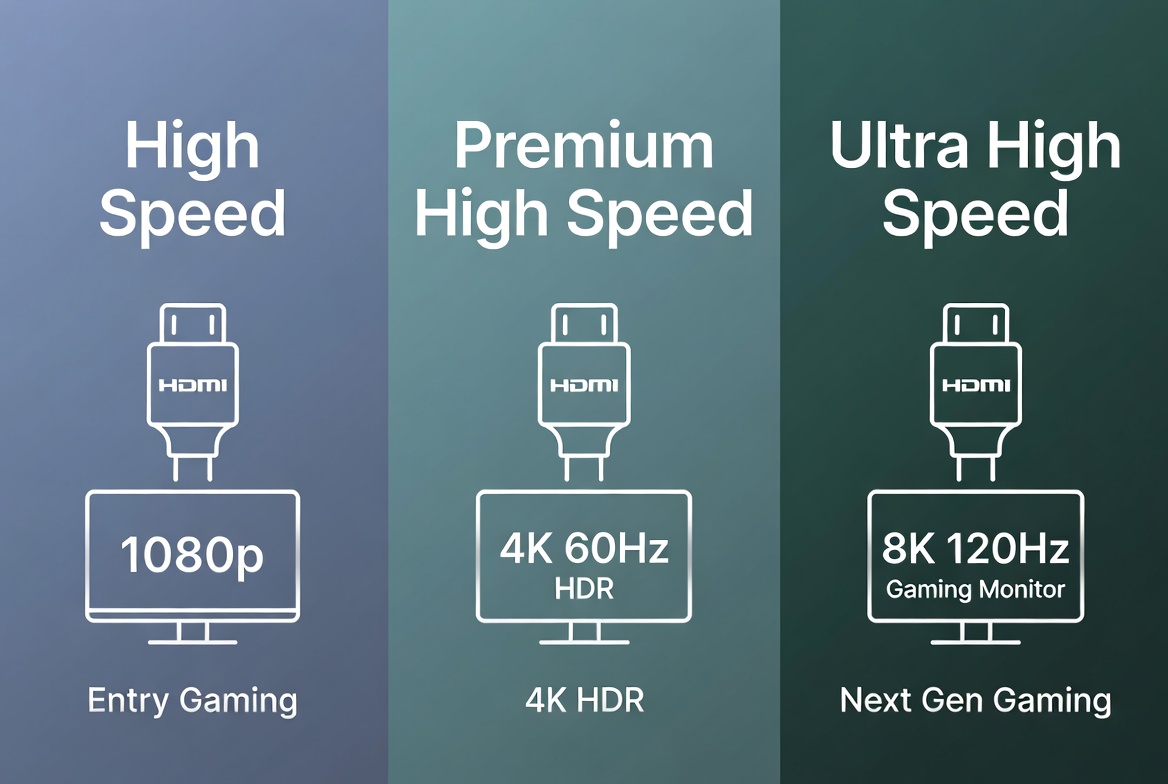
Before you worry about length, get the HDMI specification right for your devices. [fycables]
| Use Case | Recommended HDMI Spec |
|---|---|
| 1080p TV, basic Blu-ray, streaming | High Speed HDMI (HDMI 1.4/2.0) (sfcable) |
| 4K@60Hz TV, standard HDR gaming | Premium High Speed / HDMI 2.0 (sfcable) |
| 4K@120Hz gaming, PS5, Xbox Series X | Ultra High Speed / HDMI 2.1 (sfcable) |
| 8K TV, high-end AV setups | Ultra High Speed / HDMI 2.1 (sfcable) |
Practical rule:
- If all your devices are 4K@60Hz or below, a certified HDMI 2.0 long cable is enough. [sfcable]
- For 4K@120Hz or 8K, look for Ultra High Speed HDMI 2.1 specification—this is crucial once cable length exceeds 5m. [sfcable]
For long HDMI cables, wire gauge (AWG) and shielding directly affect whether your 4K signal survives the distance. [fycables]
- 28AWG: Thinner, higher resistance, fine for short 1–3m runs. Risky beyond 5m for high bandwidth. [fycables]
- 26AWG–24AWG: Thicker copper conductors, better for 5m–10m and 10m–15m passive cables. [fycables]
- 24AWG or lower with double shielding: Strong recommendation for 10m+ copper HDMI cables. [fycables]
Long HDMI cable issues like sparkles, random black screens, or dropping HDR are often caused by using thin 28AWG cable runs at 10m+. [fycables]
Expert recommendation:
For any 10m HDMI cable that needs to carry stable 4K, prioritize 24AWG copper with double EMI/RFI shielding and good connector termination. [fycables]
Once you go beyond 5–10 meters, not all HDMI cables behave the same. [sfcable]
- Best for 5m HDMI and 10m HDMI runs where installation is straightforward. [fycables]
- Choose 24AWG or lower, double or triple shielded, with certified connectors. [fycables]
- Cost-effective, no power requirement, flexible for most home and office use. [sfcable]
- Have built-in signal equalization/amplification in one connector head. [fycables]
- Useful for 10m–20m when you want to remain on copper. [fycables]
- Slight cost premium but improves stability for high-bandwidth signals (4K HDR). [fycables]
- Combine copper for power/EDID with fiber optic cores for data. [fycables]
- Ideal for 15m+, 20m+, and even 50m 4K/8K installations. [tw.my-best]
- Much lighter and thinner than long copper cables, easier to pull through conduits. [fycables]
For 15m+ 4K@60Hz or 4K@120Hz, switching to AOC HDMI is often the most reliable long-term solution. [fycables]
Based on lab testing and customer projects, a good rule of thumb is: [sfcable]
- Under 10m: Quality passive copper, 24AWG, certified for your spec (HDMI 2.0/2.1). [fycables]
- 10m–15m: Prefer active copper or AOC if you need guaranteed 4K HDR. [fycables]
- 15m+: Go straight to Active Optical HDMI (AOC), especially for 4K@60Hz, 4K@120Hz, or 8K. [tw.my-best]
AOC cables maintain signal integrity over long distances with minimal loss, which is why they are widely used in projectors, hotel AV, digital signage, and control centers. [tw.my-best]
For long runs, HDMI certification is not just a logo—it is your first filter against low-quality products. [sfcable]
Look for:
- "Premium High Speed" HDMI certification for 4K@60Hz cables. [sfcable]
- "Ultra High Speed" HDMI certification for 4K@120Hz and 8K. [sfcable]
- Official QR or hologram labels that can be verified via HDMI.org app. [sfcable]
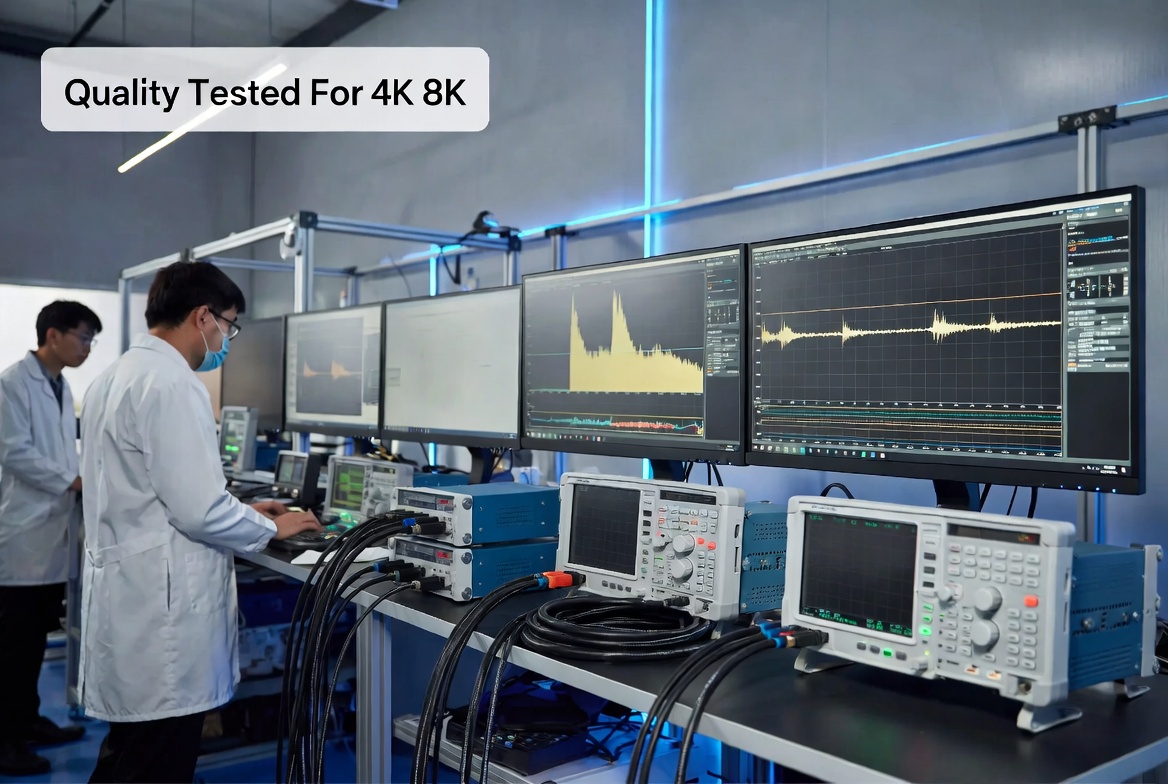
Certified long HDMI cables are tested for:
- Bandwidth (e.g., up to 18 Gbps for HDMI 2.0, 48 Gbps for HDMI 2.1). [sfcable]
- EMI resistance, to minimize interference with Wi-Fi and wireless devices. [sfcable]
As a manufacturer, we also perform in-house stress tests (temperature, bending, plug-in cycles) to ensure real-world durability beyond standard lab conditions. [sana-commerce]
Imagine you are wiring a ceiling-mounted 4K projector to a source in your AV rack 10m away:
- Signal: 4K@60Hz, HDR10, from a modern AV receiver. [sfcable]
- Environment: Ceiling, nearby power cables, possibly fluorescent lights. [tw.my-best]
In this situation, we recommend:
1. A 10m HDMI 2.0 or 2.1 cable, 24AWG copper with double shielding. [fycables]
2. If you expect frequent HDR gaming or 120Hz, choose a certified Ultra High Speed HDMI 2.1 cable or an AOC HDMI cable. [sfcable]
3. Avoid unshielded 28AWG bulk cables—even if they are cheaper, they are likely to fail at full 18 Gbps bandwidth over 10m. [fycables]
This is exactly the kind of use case we simulate in our factory test setups before releasing long HDMI cable models to our OEM clients. [blog.saleslayer]
Long HDMI runs fail in predictable ways. Here are the most frequent issues we see in user feedback and support tickets: [sfcable]
- Intermittent blackouts or "no signal" when switching to high resolutions or HDR. [sfcable]
- Sparkles or snow on the image due to marginal signal integrity. [fycables]
- Handshaking delays when devices take a long time to recognize each other. [sfcable]
- Working at 1080p but failing at 4K—a sign that the cable cannot handle the required bandwidth. [sfcable]
You can prevent most of these by:
- Choosing appropriate AWG and certification for the target length. [sfcable]
- Avoiding tight bends and kinks during installation. [fycables]
- Not mixing very cheap extenders, adapters, and splitters into the signal chain. [sfcable]
Even the best long HDMI cable can fail if installed poorly. [tw.my-best]
Follow these practical tips:
1. Plan the route carefully
- Measure the path, not just "point-to-point" distance. [tw.my-best]
- Add extra length for service loops and safe routing around corners. [tw.my-best]
2. Respect bend radius
- Avoid sharp 90-degree bends behind TVs, in conduit, or near wall plates. [fycables]
- A gentle curve preserves the integrity of copper and optical fibers. [fycables]
3. Separate from power cables
- Run HDMI and power cables in separate conduits or at least maintain distance to reduce EMI. [tw.my-best]
4. Label both ends
- For AOC HDMI, remember there is often a "Source" and "Display" direction; install accordingly. [fycables]
- Labeling is especially valuable in racks, ceilings, and industrial panels. [tw.my-best]
5. Test before closing walls or ceilings
- Fully test at target resolution (4K/8K), frame rate, and HDR before you seal everything. [sfcable]
As an HDMI cable manufacturer (Zhuhai Yuxun Innovation Technology Co., Ltd.), we support overseas brands and wholesalers with OEM and ODM long HDMI cable solutions tailored to their markets. [siteimprove]
Key value-adds we provide include:
- Customized cable lengths and constructions (e.g., 7.5m, 12m, 20m AOC) based on your application scenarios. [siteimprove]
- Brand-specific design: Outer jacket colors, labeling, retail packaging matching your brand identity. [sana-commerce]
- Compliance and certification support: HDMI certification guidance, RoHS/REACH compliance, and test reports suitable for EU, US, and other markets. [blog.saleslayer]
- Technical documentation: Spec sheets, wiring diagrams, and FAQ content you can adapt directly into your product pages. [sana-commerce]
For B2B buyers, this means you do not just get a cable—you get a complete, market-ready solution that is technically robust and easily marketable in your local language and channels. [siteimprove]
In professional AV, industrial automation, and control rooms, long HDMI cables face tougher conditions than in home use. [blog.saleslayer]
Typical scenarios include:
- Digital signage networks in malls, airports, and train stations. [tw.my-best]
- Factory control panels driving large displays from central PCs. [blog.saleslayer]
- Broadcast and event venues requiring flexible, road-worthy cable runs. [tw.my-best]
For these applications, consider:
- Industrial-grade jackets (e.g., halogen-free, flame-retardant, or oil-resistant). [tw.my-best]
- Locking connectors or panel-mount HDMI solutions to prevent accidental disconnection. [tw.my-best]
- Active or AOC HDMI cables tested for repeated bending and long-term mechanical stress. [tw.my-best]
Our OEM/ODM projects in these segments often involve co-design with the client's engineering team, ensuring that cable design, manufacturing, and installation practices align with the overall system reliability requirements. [sana-commerce]
Many B2B buyers must evaluate long HDMI cables from spec sheets and online listings before committing to volume. Use this checklist: [siteimprove]
- Length clearly specified (e.g., 5m, 10m, 15m, 20m). [fycables]
- HDMI version and bandwidth stated (e.g., HDMI 2.1, 48 Gbps). [sfcable]
- Conductor material: "100% copper" or "OFC" rather than CCA for critical runs. [fycables]
- AWG rating listed for long copper cables (e.g., 24AWG). [fycables]
- Shielding structure described (e.g., individual pair shield + overall braid). [fycables]
- Certifications: Premium High Speed or Ultra High Speed with verifiable labels. [sfcable]
- Application notes: Clear wording like "recommended for 4K@60Hz up to 10m." [sfcable]
This level of transparency is exactly what we encourage our OEM customers to implement on their websites, as it improves user trust, reduces returns, and supports better SEO by aligning content with real user questions. [sana-commerce]
HDMI standards evolve, and so do user expectations. If you are planning a long HDMI cable installation today, consider where your setup will be in 3–5 years. [blog.saleslayer]
Future-proofing tips:
- If budget allows, select Ultra High Speed HDMI 2.1 even if you currently use only 4K@60Hz. [sfcable]
- For new construction or major renovation, run AOC HDMI or conduits that allow easy cable replacement later. [tw.my-best]
- Keep patch panels and wall plates accessible, so you can upgrade source or sink devices without rewiring. [tw.my-best]
In OEM discussions, we often advise clients to position certain long HDMI SKUs as "future-ready," which supports higher perceived value and longer product life cycles in the market. [sana-commerce]
Use this quick checklist when purchasing:
1. Define your signal: 1080p, 4K@60, 4K@120, or 8K? [sfcable]
2. Confirm HDMI version: At least HDMI 2.0 for 4K@60, HDMI 2.1 for 4K@120/8K. [sfcable]
3. Select length range: 5m, 10m, 15m, 20m+. [fycables]
4. Pick cable type:
- Passive copper (5m–10m, 24AWG)
- Active copper (10m–20m)
- AOC HDMI (>15m high-bandwidth) [fycables]
5. Check AWG and shielding for copper cables; prefer 24AWG and double shielding for 10m+. [fycables]
6. Look for certification labels and verify when possible. [sfcable]
7. Review environment: Industrial, commercial, or home; choose jacket and build accordingly. [tw.my-best]
If you are a brand owner, wholesaler, or equipment manufacturer looking for reliable long HDMI cable solutions, we can help you design and supply 5m, 10m, and 15m+ HDMI cables that match your market's performance expectations and branding needs. [siteimprove]
From bulk project orders for installers to retail-ready branded products, we offer flexible OEM/ODM services, rigorous quality control, and documentation that you can use directly on your website and catalogs to build trust with your customers. [siteimprove]
Get in touch with our engineering and sales team to discuss your next long HDMI cable project and request custom samples or quotations. [blog.saleslayer]
Q1. Is a 10m HDMI cable too long for 4K?
A 10m HDMI cable is not too long if you choose a 24AWG, well-shielded, certified cable rated for 4K@60Hz or higher. For more demanding signals like 4K@120Hz, consider active or AOC HDMI. [sfcable]
Q2. Do gold-plated HDMI connectors improve long-distance performance?
Gold plating mainly helps with corrosion resistance, not raw signal quality. For long runs, copper quality, AWG, shielding, and certification are far more important than gold plating alone. [sfcable]
Q3. Should I choose HDMI 2.1 for every long HDMI cable?
If you expect to upgrade to 4K@120Hz gaming or 8K displays, HDMI 2.1 is a smart choice. For purely 1080p or basic 4K@60Hz TV use, a certified HDMI 2.0 long cable can still be sufficient and cost-effective. [sfcable]
Q4. When is an HDMI extender better than a long cable?
In challenging environments with multiple patch points, rack rooms, or distances beyond typical cable lengths, HDMI-over-Cat6 or fiber extender systems may be more flexible. However, for many installations up to 20–30m, a single AOC HDMI cable offers a clean, plug-and-play solution. [tw.my-best]
Q5. What if my 10m HDMI cable works at 1080p but not at 4K?
This usually means the cable cannot sustain the required 18 Gbps or higher bandwidth for 4K. Upgrading to a higher-spec, certified long HDMI cable (24AWG, active, or AOC) almost always resolves the issue. [sfcable]
1. Sana Commerce – *The complete guide to SEO for manufacturers*
<https://www.sana-commerce.com/blog/seo-for-manufacturers/> [sana-commerce]
2. FY Cables – *Buying Long HDMI Cables: Tips for 5m/10m+ Quality*
<https://fycables.com/buying-long-hdmi-cables-tips-for-5m-10m-quality/> [fycables]
3. SF Cable – *HDMI Cable Buying Guide: What to Check Before Buying*
<https://www.sfcable.com/blog/what-consider-before-buying-hdmi-cables> [sfcable]
4. mybest (Chinese) – *10大 HDMI線推薦排行榜與選購要點*
<https://tw.my-best.com/114708> [tw.my-best]
5. Siteimprove – *SEO for manufacturing: Boost your search presence*
<https://www.siteimprove.com/glossary/seo-for-manufacturing/> [siteimprove]
6. Sales Layer – *SEO for Manufacturing Companies: The 2026 Strategy Guide*
<https://blog.saleslayer.com/seo-for-manufacturing-companies> [blog.saleslayer]


