:+86-13726207043
:info@yuxun.com
- All
- Product Name
- Product Keyword
- Product Model
- Product Summary
- Product Description
- Multi Field Search

Views: 241 Author: YUXUN CABLE Publish Time: 2026-06-24 Origin: Site


Content Menu
● Why Smart TV Users Still Need Ethernet
● Why Ethernet Beats Wi‑Fi for Smart TVs
● Ethernet Cable Categories Explained (Cat5e vs Cat6 vs Cat6a vs Cat7/Cat8)
>> Cat5e (Category 5 Enhanced)
>> Cat6a (Category 6 Augmented)
>> Cat7 / Cat8 (Advanced Categories)
● How to Choose the Best Ethernet Cable for Your Smart TV
>> 2. Match Cable Category to Router and ISP Plan
>> 3. Consider Installation Environment
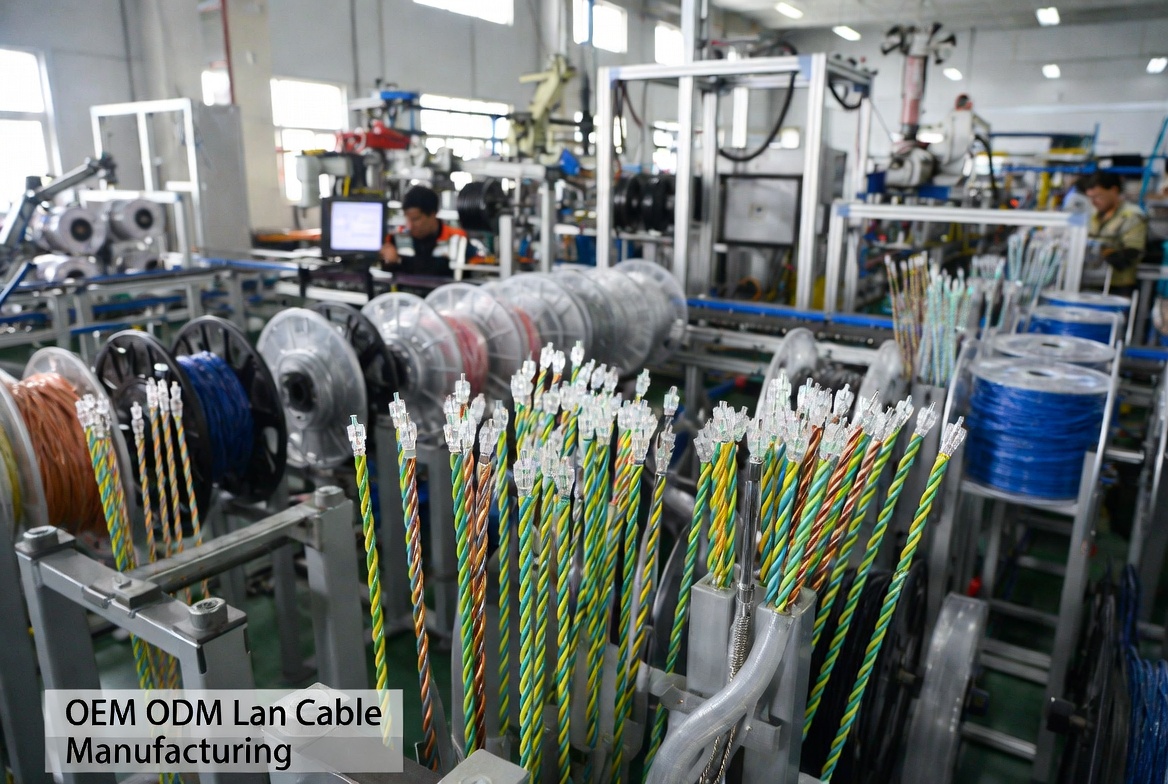
● OEM/ODM Perspective: What Really Matters Inside the Cable
>> Conductor Material and Gauge
>> Twisting, Pair Separation, and Crosstalk Control
>> Jacket, Shielding, and Durability
● Step‑by‑Step: How to Connect an Ethernet Cable to Your Smart TV
● Pro Installation Tips from Cable Engineers
● Smart TV Performance: What Users Typically Notice After Switching to Ethernet
● When You Should Consider Upgrading Your Existing Ethernet Cable
● Why Work with an OEM/ODM LAN Cable Manufacturer
>> Customization for Your Market
>> Value‑Added Engineering Support
● Quick Comparison: Which Ethernet Cable Is Best for Your Smart TV?
● Clear Call to Action for Smart TV Owners and B2B Buyers
● FAQs: Best Ethernet Cable for Smart TV in 2026
Choosing the best Ethernet cable for your Smart TV in 2026 is no longer just a technical detail; it directly shapes how smoothly you stream 4K/8K content and how responsive your cloud gaming feels. From the perspective of a professional LAN cable OEM/ODM manufacturer, the "right" cable is not only about speed, but also about build quality, installation, and long‑term reliability for home users, brands, and system integrators. [zhyuxun.en.alibaba]

Streaming platforms and Smart TV operating systems have become heavier, more interactive, and more data‑hungry every year. As a result, the stability of your connection is just as critical as raw bandwidth.
- Wi‑Fi is convenient but unstable. Wi‑Fi performance drops with walls, distance, and interference from other devices such as microwaves or neighboring routers.
- Ethernet delivers a dedicated lane. A wired LAN cable gives your TV a direct, interference‑free route back to the router, helping maintain consistent bitrates during peak hours.
- Cloud gaming and 4K HDR are unforgiving. When you're streaming a 4K HDR movie or playing via cloud gaming services, small spikes in latency or drops in speed can mean buffering, artifacts, or input lag. [highspeedinternet]
In practical terms, many users who switch from Wi‑Fi to a well‑installed Ethernet run report fewer buffering events and smoother app performance on the same internet plan.
From an engineer's point of view, a wired LAN connection solves three of the biggest problems Smart TV owners face: jitter, interference, and contention.
- Consistent throughput: Ethernet performance is largely unaffected by physical obstacles inside your home, as long as cable length and installation follow standards.
- Lower latency: In side‑by‑side tests, wired connections typically cut ping and jitter by around 30–50% compared to Wi‑Fi, which is noticeable in cloud gaming and live sports streaming. [highspeedinternet]
- Predictable quality for multiple devices: When several family members stream at once, Wi‑Fi has to manage multiple radios contending over the same medium, while Ethernet gives your Smart TV its own stable path.
For B2B buyers and installers, this predictability translates into fewer support calls and higher end‑user satisfaction with Smart TV and set‑top box projects.
Not all Ethernet cables are created equal, and the category you choose should match both your current Smart TV usage and future upgrade plans. [highspeedinternet]
- Supports speeds up to 1 Gbps at distances up to 100 m.
- Suitable for HD and basic 4K streaming, especially on shorter runs. [highspeedinternet]
- Good budget option for existing installations that already perform adequately.
- Designed for 10 Gbps up to around 55 m, and 1 Gbps up to 100 m. [highspeedinternet]
- Includes improved crosstalk performance over Cat5e, reducing interference between twisted pairs.
- Ideal for 4K streaming, fast downloads, and light local networking in homes and apartments.
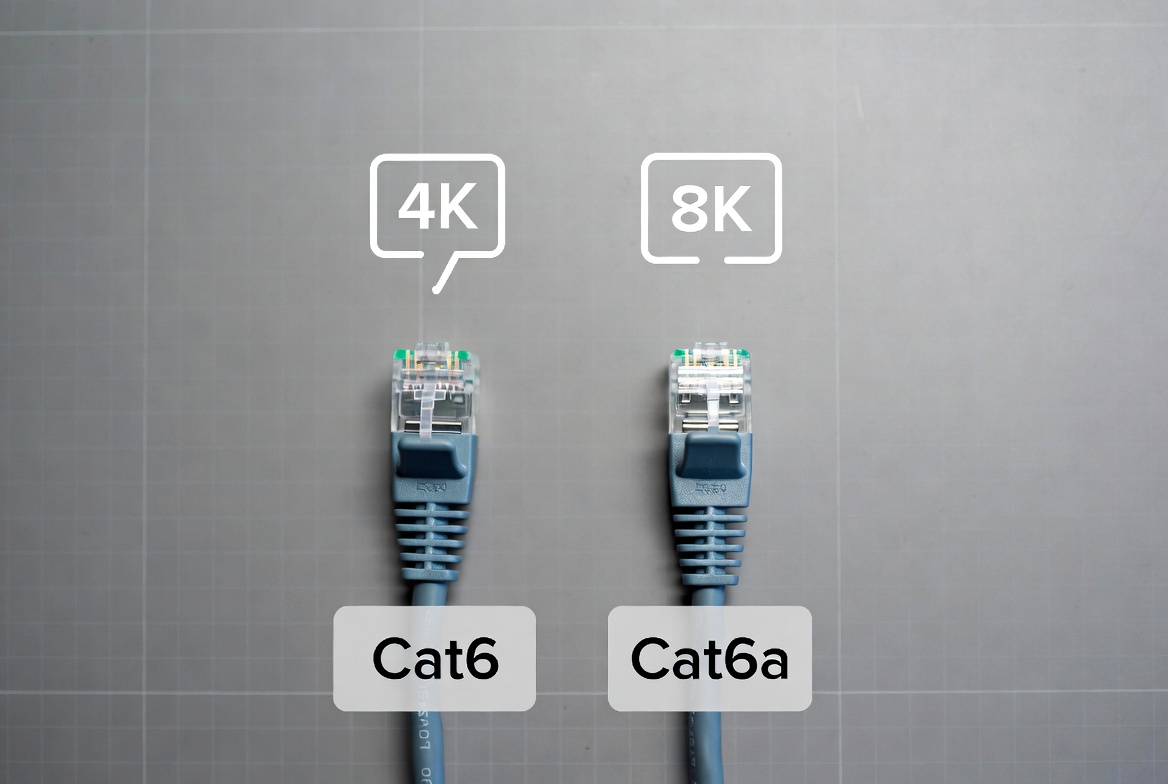
- Supports 10 Gbps at the full 100 m distance, with extra shielding options. [highspeedinternet]
- Offers better performance in electrically noisy environments or dense wiring scenarios.
- Well‑suited for 8K streaming, multi‑room entertainment systems, and small office networks.
- Cat7 and Cat8 can support frequencies and data rates up to 40–100 Gbps, primarily for data center and professional applications. [highspeedinternet]
- Heavy shielding (S/FTP) and specialized connectors are common, which may be unnecessary for simple TV connections.
- For typical Smart TV use, these categories often represent overkill in both price and performance.
Expert takeaway: For most Smart TV installations in 2026, Cat6 offers the best balance of performance and cost, while Cat6a is recommended when you want genuine future‑proofing for 8K, high‑speed local networking, or multi‑room entertainment planning. [highspeedinternet]
As an OEM/ODM cable manufacturer, we typically guide overseas brand owners and installers through a simple decision framework before finalizing specifications for their private‑label LAN cables. You can apply the same thinking at home. [bbs.fobshanghai]
Ask yourself how you actually use your Smart TV today and in the next 3–5 years:
- Mostly streaming HD/4K movies and series. Cat5e or Cat6 is usually enough, with Cat6 recommended for new purchases. [highspeedinternet]
- Regular cloud gaming or 8K content in the future. Cat6a is a safer choice, especially on longer runs.
- Part of a high‑performance home network. If you archive video, stream from NAS devices, or run multiple 4K streams simultaneously, prioritize Cat6a with robust shielding.
Choosing Cat6a does not increase your internet package speed, but it ensures your in‑home wiring is not the bottleneck. For example: [highspeedinternet]
- If your ISP plan is 100–500 Mbps, Cat5e or Cat6 will comfortably handle it.
- If you use gigabit fiber or plan to upgrade, Cat6 or Cat6a will avoid limitations at the physical layer.
Different environments place different demands on cable durability and shielding:
- Indoor, short run, low interference: UTP (unshielded) Cat6 is usually sufficient.
- Along power cables or in high‑interference zones: Consider shielded (FTP/SFTP) Cat6 or Cat6a to maintain signal integrity. [highspeedinternet]
- Through walls, conduits, or under floors: Check for fire‑rating, bend radius, and jacket material (e.g., PVC vs LSZH) appropriate to local regulations and safety requirements.
From a manufacturing standpoint, two Cat6 cables with the same label can behave very differently in real‑world conditions. The details inside the jacket matter. [zhyuxun.en.alibaba]
- Pure bare copper conductors offer better conductivity, lower attenuation, and longer lifespan than copper‑clad aluminum (CCA) in demanding use. [highspeedinternet]
- Industry‑standard conductor sizes like 23–24 AWG for Cat6 provide a good balance of flexibility and performance.
- Consistent twist lengths and pair separation structures (such as spline or separator) help maintain performance at higher frequencies. [highspeedinternet]
- For OEM buyers, we often run Fluke channel and component tests to verify that every batch meets or exceeds TIA/ISO requirements for NEXT, FEXT, and return loss.
- PVC jackets are common for general indoor use, while LSZH is preferred for enclosed public spaces or critical projects due to lower smoke and halogen emissions in a fire.
- Foil and braid shielding options help block EMI/RFI, especially in dense wiring closets or near industrial equipment. [highspeedinternet]
End users may not see these features, but they determine how your Smart TV connection performs after years of bending, treading, and temperature changes.
Even the best cable can underperform if installed poorly. Here is a practical, non‑technical process you can follow.
1. Locate the TV's LAN port.
- Most Smart TVs place the Ethernet (LAN) port near the HDMI or antenna inputs, clearly labeled "LAN" or with a network icon.
2. Measure and choose the right length.
- Measure the route from router to TV, then add 30–60 cm of slack so the cable is not stretched tight.
- Avoid unnecessarily long cables, especially if you're close to the 100 m maximum for twisted‑pair copper.
3. Connect the router end.
- Plug one RJ45 connector into any active LAN port on your router or gateway.
4. Connect the TV end.
- Insert the other RJ45 connector into the TV's LAN port until you feel a firm click.
5. Configure Smart TV network settings.
- Go to Settings → Network → Wired/LAN (names vary by brand).
- Select "Wired connection" and allow the TV to obtain an IP address automatically (DHCP).
6. Test streaming performance.
- Launch your main streaming app and test several titles, especially 4K or HDR content, to confirm that buffering stops and picture quality remains stable.
Based on field feedback and OEM project experience, the following practices can significantly improve performance and aesthetics for both home users and professional installers. [exccable]
- Use cable clips or raceways. Neatly secure the cable along baseboards or behind furniture to avoid accidental damage and improve safety.
- Respect bend radius. Avoid sharp 90‑degree bends; keep curves gentle with at least a 1 inch (about 25 mm) radius to protect the cable geometry. [exccable]
- Keep away from power lines. Run Ethernet at least a few centimeters away from AC power cables to minimize induced noise. [exccable]
- Plan for furniture movement. Leave enough slack behind the TV and router so devices can be moved for cleaning without pulling on the connectors.
For long‑term projects, we also recommend labeling both ends of the cable (e.g., "Living Room TV") so you can trace and troubleshoot easily later.
While each household is different, typical user feedback after moving from Wi‑Fi to a wired connection falls into a few recurring themes. [highspeedinternet]
- Fewer buffering interruptions. Streams start faster and stay stable even at peak times when everyone is online.
- Consistent 4K/HDR quality. The TV no longer drops resolution as a hidden compromise to keep the video playing.
- Better gaming responsiveness. Input feels more immediate, with fewer spikes in latency during online or cloud gaming sessions. [highspeedinternet]
For brands and wholesalers, these improvements translate into more positive end‑user reviews and stronger perceived value of their Smart TV bundles.
Even if you already have a cable running to your TV, there are several scenarios where an upgrade is worth considering.
- Visible physical damage. Cracks, severe kinks, or crushed sections can degrade performance and cause intermittent issues. [highspeedinternet]
- Very old or unmarked cable. If the jacket lacks a clear category marking (Cat5e/Cat6, etc.), it may not meet current performance expectations.
- New TV or higher streaming demands. Upgrading to a 4K/8K Smart TV, adding cloud gaming, or increasing your internet plan often justifies moving from older Cat5 to Cat6 or Cat6a. [highspeedinternet]
An inexpensive, correctly specified cable is often the cheapest "upgrade" you can make to your home entertainment system.
If you are an overseas brand owner, wholesaler, or Smart TV/AV system builder, selecting the right manufacturing partner is as important as choosing the cable category. [bbs.fobshanghai]
- Established cable factories with decades of experience maintain strict process control to ensure every batch meets electrical performance, safety, and labeling standards. [bbs.fobshanghai]
- Third‑party verifications and customer ratings (e.g., 4.7/5 satisfaction on B2B platforms) indicate reliable quality and service levels. [zhyuxun.en.alibaba]
- OEM/ODM manufacturers can tailor cable length, jacket color, labeling, and packaging to your target audience and retail channel.
- You can specify performance classes (Cat6/Cat6a), shielding type, and even eco‑friendly materials based on your brand positioning and regulatory environment. [exccable]
- Experienced engineering teams advise on LAN system design, category selection, and test standards, reducing your R&D burden and time‑to‑market. [bbs.fobshanghai]
- For Smart TV, STB, or IoT ecosystems, this collaboration helps ensure that the physical layer never becomes the weak link in the user experience.
| Usage scenario | Recommended category | Typical speed support / distance | Notes for Smart TV users |
|---|---|---|---|
| Basic HD streaming | Cat5e | 1 Gbps up to 100 m | Good for legacy setups |
| Regular 4K streaming | Cat6 | 10 Gbps to ~55 m, 1 Gbps to 100 m (highspeedinternet) | Best cost‑performance |
| 4K + cloud gaming / light 8K | Cat6a | 10 Gbps to 100 m (highspeedinternet) | Strong future‑proofing |
| Professional AV / data‑center style use | Cat7/Cat8 | Up to 40–100 Gbps (short runs) (highspeedinternet) | Overkill for most homes |
Use this table as a starting point, then adjust based on your router, internet plan, and installation environment.
For home users, the path forward is simple:
- If you currently rely on Wi‑Fi for your Smart TV and experience buffering or lag, install a Cat6 or Cat6a Ethernet cable from your router to your TV and follow the step‑by‑step guide above.
For brand owners, wholesalers, and system integrators:
- If you are planning new Smart TV bundles, hospitality projects, or living‑room entertainment solutions, partner with a specialized LAN cable OEM/ODM manufacturer to develop a customized, high‑performance Ethernet line under your brand. [bbs.fobshanghai]
- Define your primary use cases (4K/8K streaming, gaming, multi‑room networking) and required cable categories, then collaborate with the factory's engineering team to finalize specs and compliance requirements.
A well‑chosen and well‑manufactured Ethernet cable transforms the Smart TV from a "sometimes great" experience into a consistently premium one—both for individual viewers and for global brands building their next‑generation product portfolios.
Q1. Does an Ethernet cable make streaming faster than Wi‑Fi?
An Ethernet cable does not change your internet plan speed, but it often provides more stable throughput and lower latency than Wi‑Fi, which results in fewer drops in picture quality and buffering events.
Q2. Is Cat6 enough for 4K streaming on my Smart TV?
Yes, a quality Cat6 cable comfortably supports 4K streaming and general high‑bandwidth use at typical home distances, and is the most practical minimum for new installations in 2026. [highspeedinternet]
Q3. Do I need Cat6a or Cat7 for 8K content?
For longer runs or future‑proofing toward 8K and high‑speed local networking, Cat6a is usually sufficient; Cat7 and Cat8 are mainly used in specialized professional environments rather than typical living rooms. [highspeedinternet]
Q4. How long can an Ethernet cable be for a Smart TV?
Standard twisted‑pair Ethernet cables (Cat5e, Cat6, Cat6a) are designed for runs up to about 100 m; for most homes, this is more than enough, provided the cable quality and installation are correct.
Q5. Can I use my existing in‑wall coax instead of running new Ethernet?
Yes, with MoCA adapters you can repurpose coaxial cabling to carry Ethernet‑like traffic, often achieving speeds much higher than typical Wi‑Fi, though it adds some hardware cost and configuration steps.
1. Zion Communication – “Best Ethernet Cable for Smart TV in 2025 | Improve Streaming & Gaming”. https://www.zion-communication.com/Best-Ethernet-Cable-for-Smart-TV-in-2025-Improve-Streaming-Gaming-id46059496.html
2. HighSpeedInternet – “The Best Ethernet Cables of 2026”. https://www.highspeedinternet.com/resources/best-ethernet-cables
3. Zhuhai Yuxun Innovation Technology Co., Ltd. – Company Profile. https://zhyuxun.en.alibaba.com/company_profile.html
4. EXC Wire & Cable – OEM / ODM for Ethernet Network Cable. https://www.exccable.com
5. Zhuhai Yuxun Innovation Technology Co., Ltd. – Business Directory Listing. https://bbs.fobshanghai.com/company/china/o1nrub668039110.html


