:+86-13726207043
:info@yuxun.com
- All
- Product Name
- Product Keyword
- Product Model
- Product Summary
- Product Description
- Multi Field Search

Views: 222 Author: YUXUN CABLE Publish Time: 2026-06-18 Origin: Site


Content Menu
● HDMI vs DisplayPort vs Thunderbolt: Which Cable Should Your Brand Really Invest In?
● Quick Decision Summary: HDMI vs DP vs Thunderbolt
● HDMI: Still the Backbone of Home AV and Mass‑Market Devices
>> HDMI Bandwidth and Features (At a Glance)
● DisplayPort: The PC and Gaming Monitor Specialist
>> Why DisplayPort Matters for OEM and B2B Projects
>> DisplayPort Bandwidth and Multi‑Display Flexibility
● Thunderbolt: Premium All‑In‑One Connectivity for Laptops and Docks
>> Thunderbolt's Core Advantage for System Brands
>> When Thunderbolt Is (and Is Not) Worth It for OEM/ODM
● Technical Comparison: HDMI vs DisplayPort vs Thunderbolt for OEM Decision‑Makers
● Real‑World OEM Scenarios and Recommended Cable Strategy
>> Scenario 1: TV Brand Targeting Mid‑Range 4K Models
>> Scenario 2: Gaming Monitor Brand Targeting Esports Users
>> Scenario 3: Laptop Docking Solution Provider
● Practical Cable Selection Checklist for Product Managers
● OEM/ODM Expert Tips for Branded HDMI, DP, and Thunderbolt Cables
>> Focus on Certification and Compliance
>> Design Cables for the Real World, Not Just the Lab
>> Communicate in User Language, Not Just Technical Terms
● Call to Action: Plan Your Next Cable Project with an OEM/ODM Specialist
● FAQ: HDMI vs DisplayPort vs Thunderbolt for Brands and Buyers
As an OEM/ODM HDMI cable manufacturer working daily with overseas brands and wholesalers, I'm often asked a deceptively simple question: *"Should we prioritize HDMI, DisplayPort, or Thunderbolt for our next product line?"* The truth is, each interface targets different use cases, price points, and buyer expectations, and making the wrong bet can lock your customers into the wrong standard for years. [plugable]
For consumer devices like TVs, set‑top boxes, and game consoles, HDMI remains the default choice thanks to near‑universal compatibility and strong AV features like ARC/eARC. In contrast, DisplayPort dominates high‑end PC monitors and pro graphics cards, while Thunderbolt focuses on premium, all‑in‑one connectivity for laptops and docks, carrying video, data, and power in a single cable. [rtings]
From an OEM/ODM perspective, this means you shouldn't ask "Which cable is best?" but rather "Which cable best fits my customers' devices, price range, and roadmap for the next 3–5 years?" [fycables]
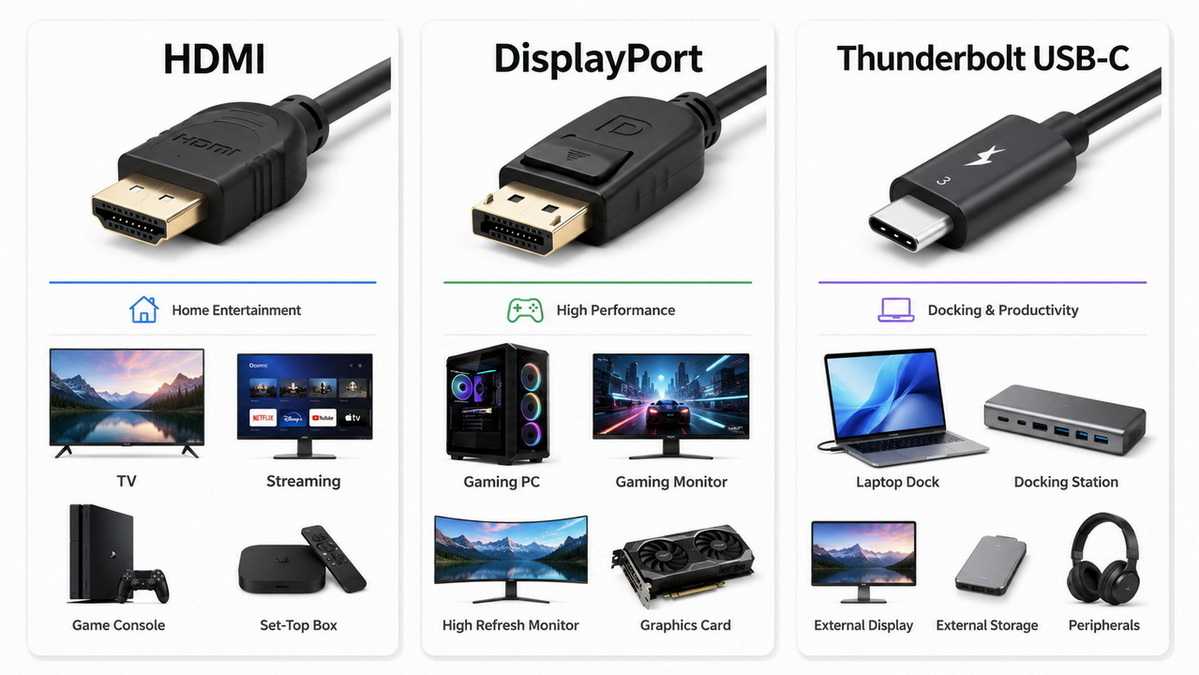
Before diving into the technical details, this high‑level comparison helps you quickly match the right interface to your target market. [anker]
| Use case focus | Best interface | Why it fits OEM/ODM projects |
|---|---|---|
| Mass‑market TVs, set‑top boxes, consoles | HDMI | Widest consumer adoption and strong AV feature set |
| High‑refresh PC monitors and gaming GPUs | DisplayPort | Higher bandwidth and multi‑monitor flexibility on PCs |
| Premium laptops, docks, all‑in‑one workstations | Thunderbolt | Video, data, and power over a single USB‑C cable |
| Budget accessories and entry‑level monitors | HDMI | Lower BOM cost and simple compatibility story |
| Multi‑display daisy‑chain setups | DisplayPort | Native daisy chaining via Multi‑Stream Transport (MST) |
HDMI was built for consumer audio‑video, and it continues to dominate TVs, streaming boxes, Blu‑ray players, game consoles, and soundbars. With HDMI 2.1, manufacturers can support 4K at high refresh rates and even 8K on compatible devices, along with features like ARC/eARC for simplified audio connections. [plugable]
For OEM/ODM clients, HDMI typically delivers:
- Broadest device compatibility and lowest customer friction
- Strong marketing appeal (customers recognize the HDMI logo instantly)
- Lower per‑unit cable cost compared to Thunderbolt
- Straightforward testing and certification workflows [electronics.alibaba]
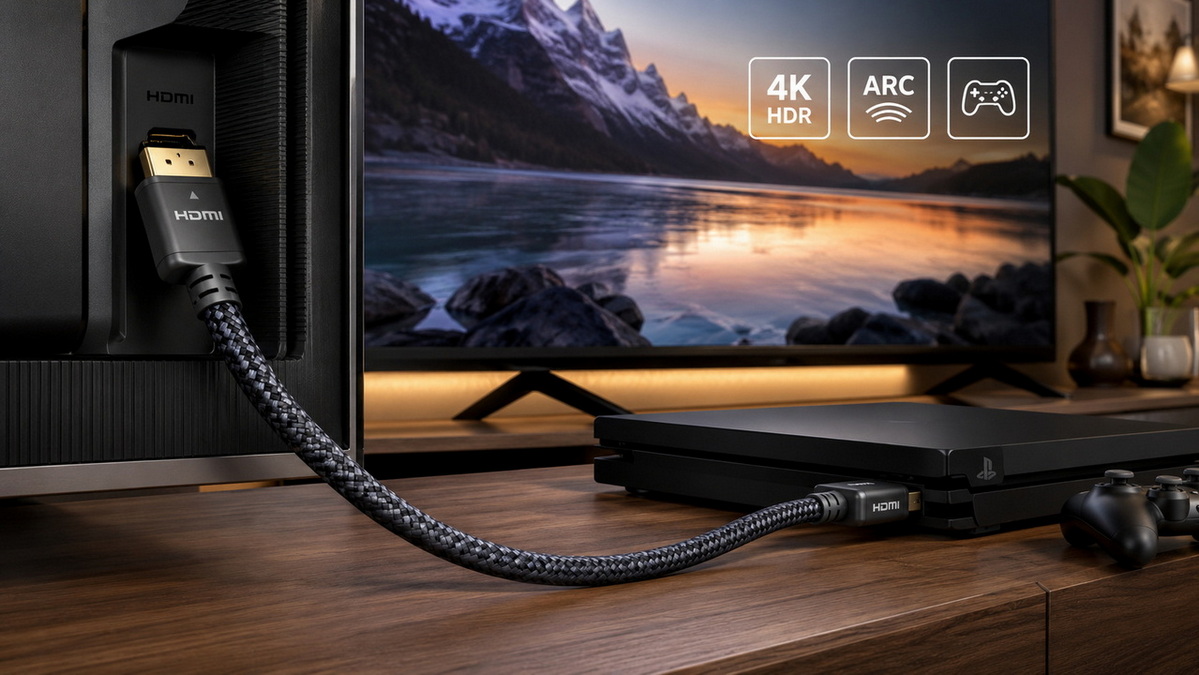
While exact numbers vary by spec, the practical takeaway for brand owners is that HDMI 2.1 is now more than enough for mainstream 4K TV and console gaming use cases. [rtings]
Key capabilities you can highlight in product pages:
- Support for 4K high‑refresh and 8K video, depending on spec version
- Support for HDR formats, relevant to modern TVs
- ARC/eARC for sending TV audio back to soundbars and AV receivers
- Consumer‑friendly features like CEC device control [fycables]
DisplayPort is purpose‑built for high‑performance displays, especially in the PC, workstation, and gaming monitor ecosystems. It is commonly found on graphics cards, desktop motherboards, and professional monitors, but rarely on living‑room TVs. [kanexpro]
For display manufacturers and PC‑oriented brands, DisplayPort offers:
- Higher available bandwidth for high‑resolution and high‑refresh gaming
- Better support for multi‑monitor setups via daisy chaining (MST)
- Lower latency and strong performance for competitive gamers [kanexpro]
Modern DisplayPort versions can reach extremely high bandwidths, enabling 4K at high refresh rates and multi‑monitor configurations that HDMI often struggles with. This makes DP attractive for: [rtings]
- Gaming monitors at 144 Hz and above
- Professional setups with 2–4 monitors connected to a single GPU
- High‑end workstation use where clarity and refresh rates impact productivity [kanexpro]
For an OEM/ODM manufacturer, positioning DisplayPort cables specifically for PC gamers and creative professionals can justify premium pricing and targeted marketing campaigns. [electronics.alibaba]
Thunderbolt (over USB‑C) is more than a display interface: it carries video, data, and power in a single reversible connector, making it ideal for modern laptops and docking stations. While a Thunderbolt port can transmit DisplayPort video signals, it also supports high‑speed data for external SSDs and other peripherals. [anker]
Typical use cases:
- Thin‑and‑light laptops connecting to single‑cable docking stations
- Creators running multiple high‑resolution displays and external storage
- Premium office setups where cable clutter must be minimized [anker]
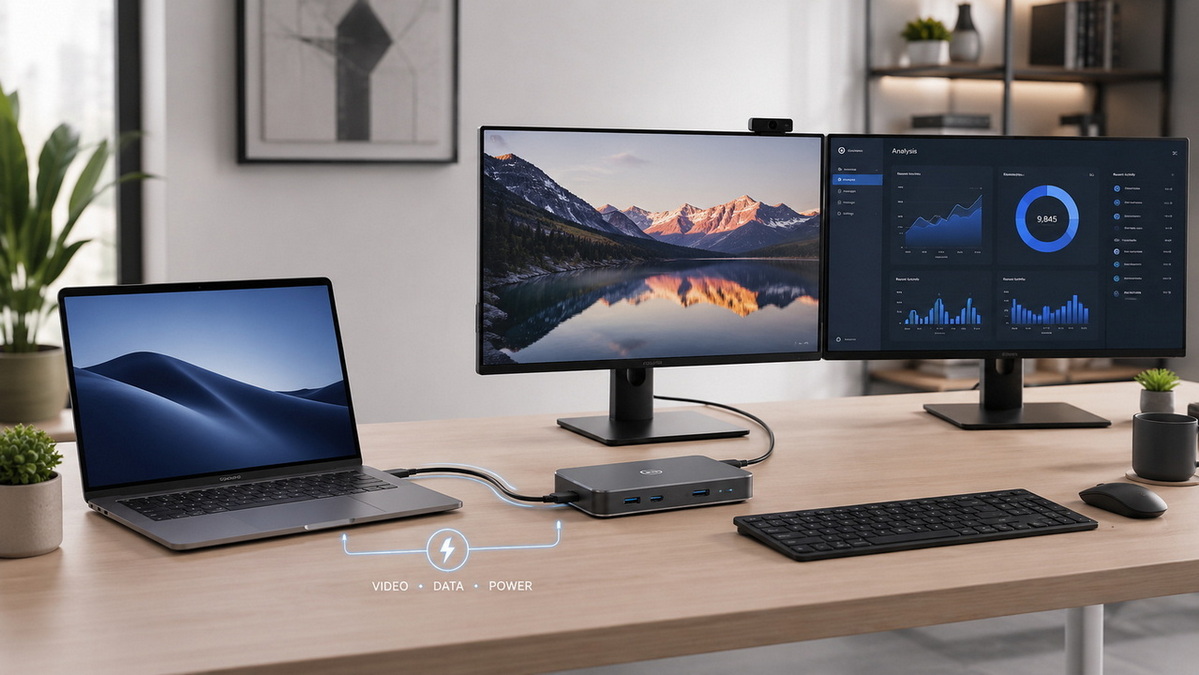
From a manufacturing and sourcing perspective, Thunderbolt is a premium niche, not a mass‑market standard like HDMI. The cables and controllers are costlier, but they enable: [electronics.alibaba]
- Higher average selling prices for branded accessories
- Stronger differentiation in the "pro" and "creator" segment
- Bundled solutions (docks + cables) with better margins [anker]
However, for brands targeting budget monitors, entry‑level PCs, or TV accessories, Thunderbolt typically adds cost without clear user benefit, making HDMI or DisplayPort a better fit. [plugable]
As a manufacturer or sourcing manager, you often need a clear, spec‑driven comparison you can send to non‑technical stakeholders. The table below focuses on what actually affects product planning and user experience. [plugable]
| Dimension | HDMI | DisplayPort | Thunderbolt (USB‑C) |
|---|---|---|---|
| Primary ecosystem | TVs, consoles, consumer AV | PCs, GPUs, gaming and pro monitors | Laptops, docks, pro workstations |
| Typical bandwidth (modern versions) | Enough for 4K/8K home AV | Optimized for high‑refresh, multi‑monitor | Very high, shared between video and data |
| Extra functions | ARC/eARC, CEC | MST daisy chaining | Video + data + power over one cable |
| Connector style | HDMI Type‑A/Type‑C/Type‑D | DP full‑size and Mini DP | USB‑C, compact reversible |
| Cost impact for OEM | Lowest overall, good for volume | Moderate, justified for performance | Highest, but supports premium pricing |
| Best for branding | Mass‑market CE products | Performance‑oriented gaming and pro lines | Flagship and "creator" lines |
This kind of structured mapping helps your internal teams and channel partners understand why you selected a given interface for each product family, reducing confusion and returns. [roirevolution]
To go beyond generic advice, let's look at how a typical OEM/ODM HDMI cable manufacturer would guide different types of overseas clients. [fycables]
- Customer device: 4K smart TVs, 60–120 Hz range
- User expectations: Simple plug‑and‑play with consoles and streaming boxes
- Recommended interface: HDMI as the primary (and often only) interface
- Cable strategy:
- Bundle certified HDMI cables with mid‑to‑high‑end models
- Offer premium braided HDMI accessories under the brand label
- Emphasize ARC/eARC compatibility in marketing [fycables]
- Customer device: 144–240 Hz gaming monitors for PC users
- User expectations: Maximum FPS and minimal latency
- Recommended interface: DisplayPort as the hero interface, HDMI as backup
- Cable strategy:
- Include a high‑quality DP cable in the box
- Upsell longer or angled connectors as optional accessories
- Clearly communicate that DP unlocks full refresh rate capability [rtings]
- Customer device: USB‑C/Thunderbolt docks for professional laptops
- User expectations: Single‑cable connection for power, peripherals, and dual monitors
- Recommended interface: Thunderbolt for the host connection, HDMI/DP for external displays
- Cable strategy:
- Ship one certified Thunderbolt cable with each dock
- Offer branded replacement cables as high‑margin accessories
- Provide documentation that highlights power delivery and multi‑display support [electronics.alibaba]
These scenarios demonstrate how a single manufacturing base can support very different branding and channel strategies by aligning HDMI, DP, and Thunderbolt cables with the right use cases. [fycables]
When you sit down with your product team or an OEM partner, use this simple checklist to decide whether HDMI, DisplayPort, or Thunderbolt should lead your next project. [plugable]
1. Define primary device type
TV, monitor, laptop, dock, or console? This alone often narrows the interface down to one or two options. [rtings]
2. Clarify resolution and refresh targets
Do you genuinely need 4K 144 Hz or higher, or is 4K 60 Hz enough for your audience? [kanexpro]
3. Confirm platform ecosystem
Are you selling into PC‑centric, TV‑centric, or laptop‑centric channels? [kanexpro]
4. Assess budget and price positioning
Entry‑level products rarely justify Thunderbolt, while flagship lines can. [anker]
5. Consider feature extras
Need ARC/eARC? Think HDMI. Need MST daisy chaining? Think DisplayPort. Need single‑cable docks? Think Thunderbolt. [plugable]
6. Align with 3‑ to 5‑year roadmap
Avoid launching products on legacy interfaces that will be outdated before your next refresh cycle. [sitebulb]
7. Review with your OEM/ODM partner
A specialized HDMI cable manufacturer can validate compatibility, certification, and cost implications before you lock the spec. [electronics.alibaba]
Encouraging your internal team to walk through this list before requesting quotations dramatically reduces development time and rework. [roirevolution]
From an industry expert and manufacturer's perspective, there are a few practical best practices that distinguish successful cable programs from forgettable ones. [hdmiforum]
Major ecosystems, especially HDMI and Thunderbolt, rely on robust certification frameworks and member organizations to ensure interoperability. [hdmiforum]
- Work only with suppliers that understand the official HDMI and Thunderbolt compliance requirements
- Use their support to verify your logo usage and avoid legal or compatibility issues
- Clearly mention compliance on packaging and product pages to build trust with B2B buyers [hdmiforum]
Your B2B customers care about field reliability, not just lab specs. [sitebulb]
- Choose jacket materials and strain relief designs that withstand repeated bending
- Offer a mix of lengths optimized for desks, living rooms, and conference rooms
- Use differentiated color or branding elements on connectors so users instantly recognize your cable [sitebulb]
On your website and packaging, translate specs into clear benefits:
- Instead of only "DisplayPort 1.4," add "Supports high‑refresh gaming monitors"
- Instead of only "HDMI 2.1," add "Ready for 4K and 8K TVs with ARC/eARC"
- For Thunderbolt, highlight "Single‑cable power, data, and multi‑monitor connectivity" [rtings]
This is exactly the kind of messaging that resonates with overseas brand customers and increases conversion in B2B and D2C channels. [semrush]
If your brand is planning new TVs, monitors, laptops, or docking stations, choosing between HDMI, DisplayPort, and Thunderbolt is not just a technical decision—it's a long‑term strategic choice that affects compatibility, customer satisfaction, and product margins. Partnering with a dedicated HDMI cable manufacturer gives you access to interface expertise, certification support, and flexible OEM/ODM customization, from logos and packaging to custom lengths and materials. [fycables]
For your next project brief, define your target device, ecosystem, and price point, then consult with an experienced cable OEM/ODM team to validate whether HDMI, DisplayPort, or Thunderbolt will deliver the best result for your end users and your brand. [fycables]
Q1. Is DisplayPort always better than HDMI for gaming?
No. For console gaming and TV use, HDMI is usually the better choice because TVs and consoles are built around HDMI, not DisplayPort. For PC gaming on high‑refresh monitors, DisplayPort often delivers better support for higher refresh rates and multi‑monitor setups, especially with powerful GPUs. [kanexpro]
Q2. Can a Thunderbolt cable replace HDMI and DisplayPort completely?
Not in most real‑world scenarios. Thunderbolt can carry DisplayPort video signals and power, but your TV or monitor still needs the appropriate HDMI or DP input. Thunderbolt is ideal between laptops and docks, while HDMI/DP remain standard on displays themselves. [anker]
Q3. For an entry‑level monitor series, should we prioritize HDMI or DisplayPort?
Most entry‑level monitors still ship with at least one HDMI port because it ensures compatibility with PCs, laptops, and consoles. However, adding DisplayPort on higher‑end SKUs can help upsell to gamers and professional users who need higher refresh rates. [plugable]
Q4. How important is cable certification for OEM/ODM projects?
Certification is critical for avoiding compatibility problems and customer complaints, especially at higher resolutions and refresh rates. Working with a certified HDMI or Thunderbolt ecosystem partner ensures your branded cables perform as advertised and reduces warranty risk. [hdmiforum]
Q5. What is the safest choice if our product portfolio spans TVs, monitors, and set‑top boxes?
If you must standardize on a single interface, HDMI is generally the safest baseline because of its broad adoption across consumer AV devices. You can then selectively add DisplayPort on PC‑oriented monitors and Thunderbolt cables for laptop docking solutions where justified by price and user expectations. [rtings]
1. Plugable. "HDMI vs. DisplayPort: Which Video Connection is Best?" [Link] [plugable]
2. RTINGS. "HDMI vs. DisplayPort: Which One Should You Use With Your Monitor?" [Link] [rtings]
3. FYcables. "HDMI vs. DP vs. Thunderbolt: How to Choose the Right Cable." [Link] [fycables]
4. FYcables. "HDMI Cables Manufacturer – OEM/ODM Service." [Link] [fycables]
5. Anker. "What Is the Difference Between DisplayPort and Thunderbolt?" [Link] [anker]
6. Alibaba.com. "Wholesale OEM HDMI Cable Guide: How to Choose Right." [Link] [electronics.alibaba]
7. Semrush. "Google E‑E‑A‑T: What It Is & How It Affects SEO." [Link] [semrush]
8. Sitebulb. "5 Steps to Enhance E‑E‑A‑T for Better SEO Rankings." [Link] [sitebulb]
9. ROI Revolution. "Optimizing Your Site for Google E‑E‑A‑T." [Link] [roirevolution]
10. HDMI Forum. "Members & Ecosystem Information." [Link] [hdmiforum]


